In today’s digital world, the importance of web hosting cannot be overstated. A reliable and secure web hosting service is essential for running a successful website. One such popular hosting solution is Hostinger.
Hostinger Renewal Coupon Code 83% OFF with Free .in Domain
I have been using Hostinger for my websites since 2019. And today, I’m here with the Hostinger India Review for the sixth consecutive year! There have been lots of interesting updates in Hostinger’s infrastructure this year. Were they for the good or worse? We’ll find out!
For this review, I have tested multiple websites on different plans and servers of Hostinger. I have conducted speed tests, load tests, and uptime tests throughout the last few months to analyze their performance!
I’m going to walk you through the striking features of Hostinger Hosting. We will also discuss its security features, user interface, pricing plans, major pros and cons, and discover suitable alternatives to it.
I have a really cool discount coupon code and a training program for those of you planning to buy Hostinger hosting. So, read till the end to find out! Let’s dive right in.
About Hostinger
Hostinger is a web hosting company that was established in 2004 in Kaunas, Lithuania. Back then, they called it Hosting Media, which was rebranded to Hostinger in 2011 after reaching a 1 million user base! Hostinger Renewal Coupon Code: 83% OFF with Free .in domain
Since then, it has seen consistent growth. The last few years, since 2019, have been especially rewarding for them. As of now, they have over 3 million users spanning 150 countries around the globe.
Hostinger India is the Indian version of Hostinger, which can be accessed through Hostinger.in. Following is an overview of the features offered in its hosting plans!
Hostinger Features Overview
Hostinger User Interface
The interface of Hostinger looks elegant, simple, and friendly for beginners. Unlike the traditional cPanel offered by most hosting providers, Hostinger marks itself differently with hPanel.
hPanel is Hostinger’s custom user interface with a modern design and easily accessible functions.
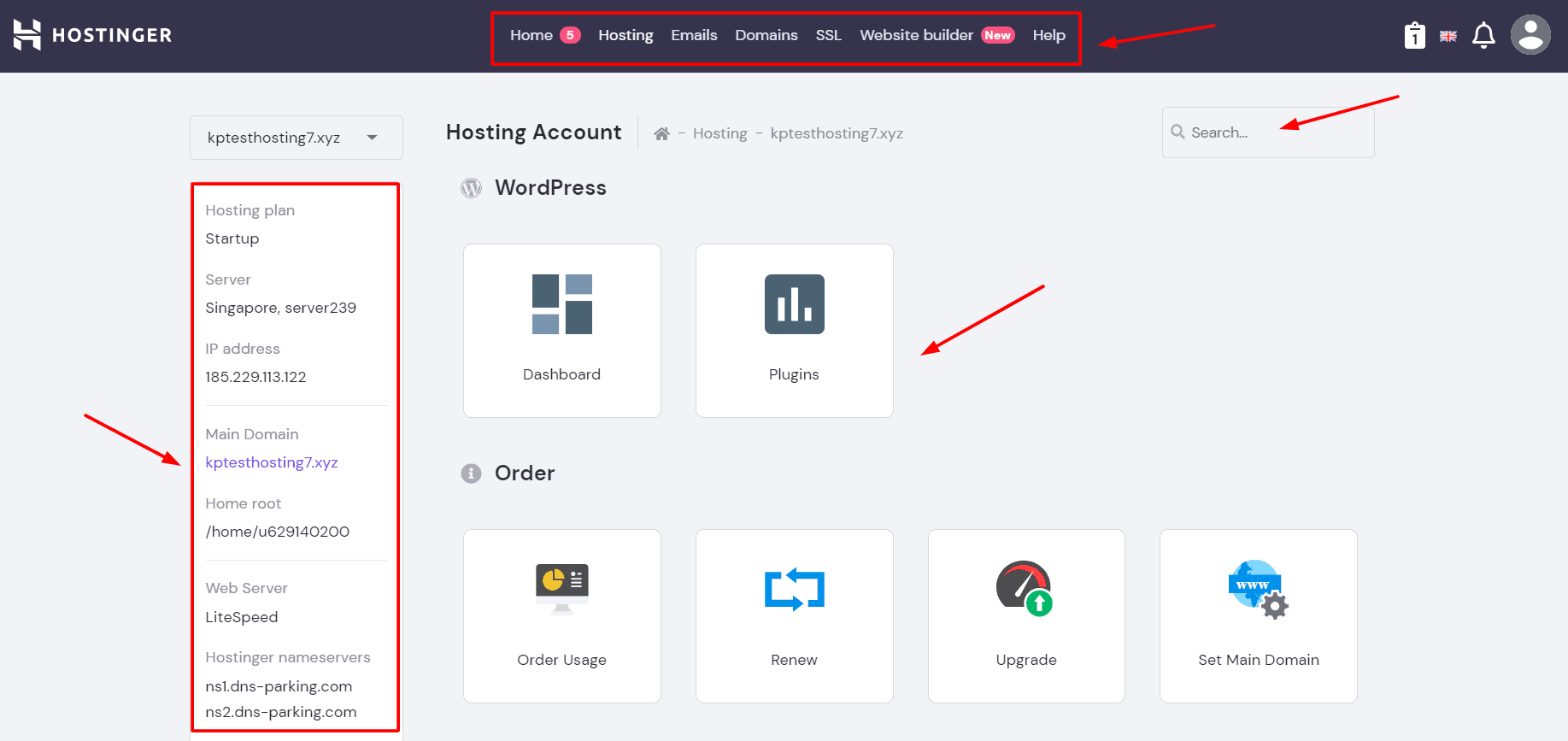
It offers all the important features from DNS Zone Editor to Domains, Email accounts, File Manager, Backups, Website Migrations, App Installer and WordPress Dashboard! It also offers a handy search bar so you can simply type in any feature you wish to access.
Another interesting feature they’ve added recently is the ability to change language. For example, if you choose the ‘Hindi language’, the entire UI is translated into Hindi! This could be really convenient for users whose primary language is not English.
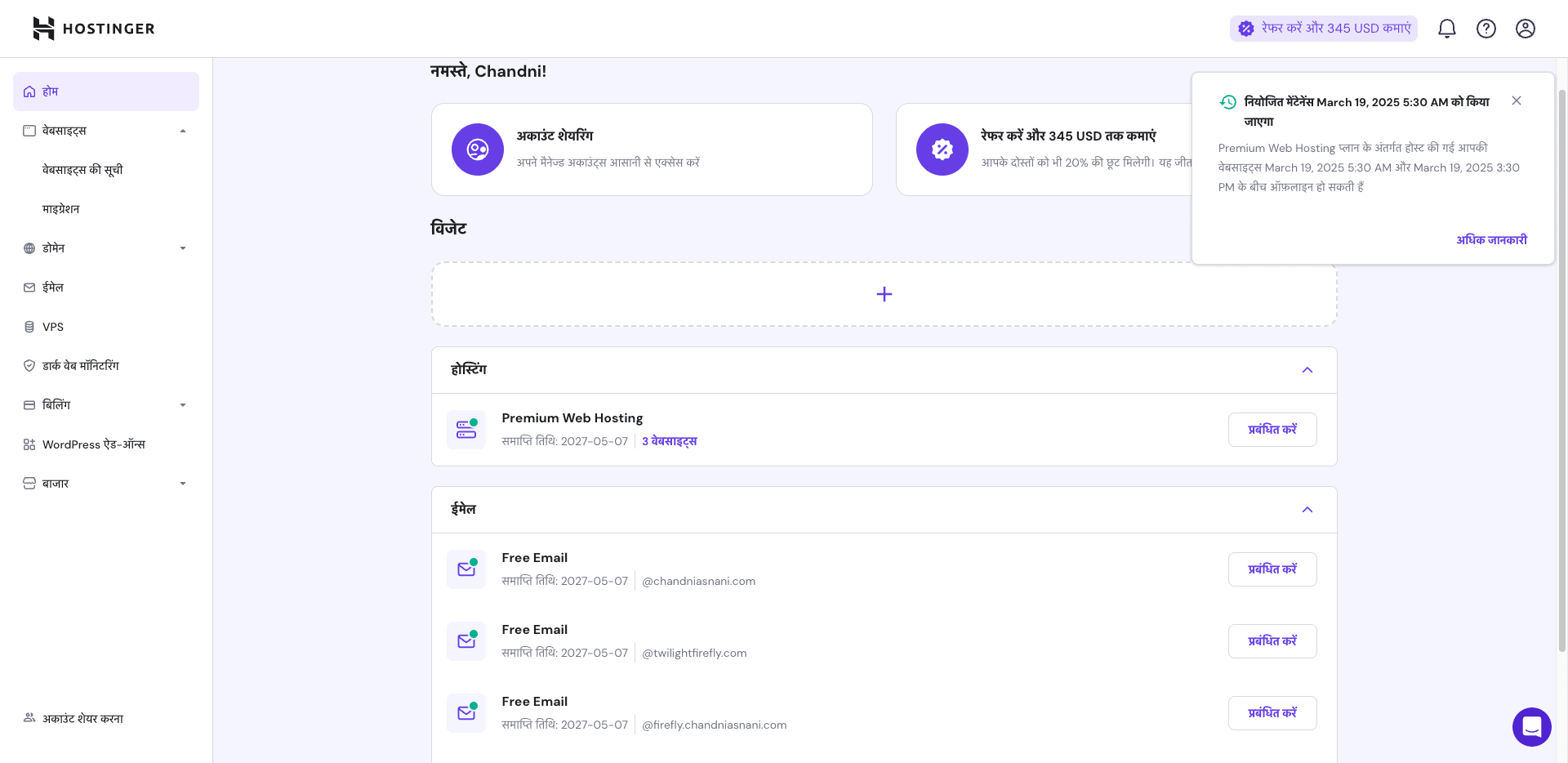
Hostinger has made quite a lot of improvements in its hPanel in the last few years.
Considering hPanel’s ease of use, switching from cPanel to hPanel wouldn’t be a problem! But if you need to edit PHP files on your hosting, cPanel would be a better choice.
Testing Parameters
For this review, I have used Hostinger’s Shared Business Web Hosting plan on three different servers. Following are the demo websites I’ve used for the testing.
- US Servers Website
- Indian Servers Website
- Singapore Servers Website
On all of these websites, I have used the following settings.
- OceanWP Theme
- Gym template (Elementor Based)
- LiteSpeed Cache plugin (default settings)
Now, let’s quickly dive deeper into the different tests.
Hostinger Server Response Time
Server Response Time (SRT) refers to the time duration between a user making a request and the server responding to it. I checked the SRT of all my Hostinger websites from the US, Singapore, and Indian servers.
Indian Servers
I found the response time of the Indian servers to be quicker in Asian locations, including India (Bangalore), Singapore, Sydney, Japan, and Sao Paulo.
For instance, the SRT was lowest in Singapore and Sydney (1 ms). It kept on increasing as we moved to farther regions, including Germany (13 ms) and the US (24 ms). Despite using a CDN, the SRT was still high in the USA!
US Servers
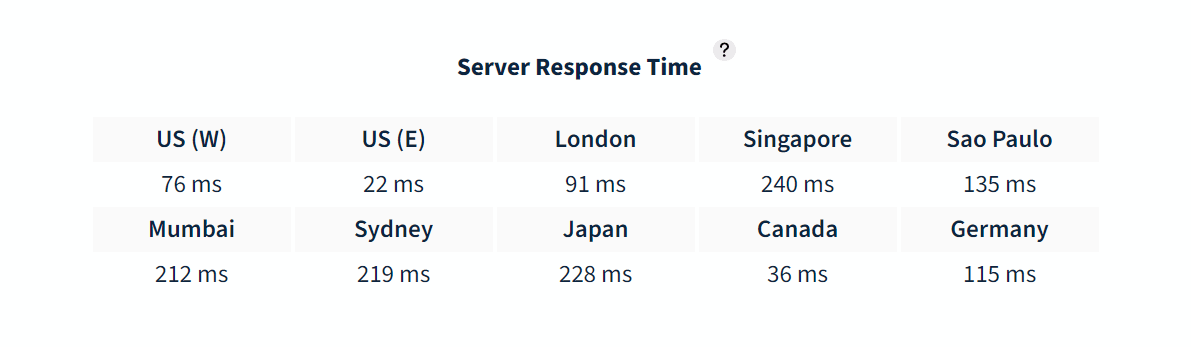
On the US Servers, the response time was greater for the Asian countries but very swift for locations including the US (22 ms), Canada (36 ms), London (91 ms), etc.
Singapore Servers
When I checked the Server Response Time for the Singapore-based servers, I observed the following results.
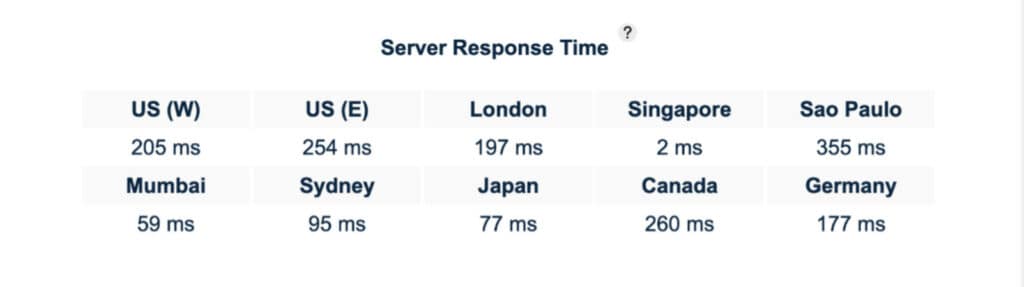
The response time was exceptionally fast in Singapore (2 ms) and Mumbai (59 ms). Whereas, it kept on increasing for non-Asian regions.
Overall, the server speeds of Hostinger for Indian, US, and Singapore Servers were admirable, and I faced no problems with them!
Hostinger Uptime Status Report (Last 12 months)
Singapore Servers
Here’s the uptime report for Hostinger Shared Business Hosting (Singapore Servers) for the last 365 days.
| October 2025 | 100% |
| September 2025 | 100% |
| August 2025 | 100% |
| July 2025 | 100% |
| June 2025 | 88.37% |
| May 2025 | 99.99% |
| April 2025 | 71.82% |
| March 2025 | 100% |
| February 2025 | 100% |
| January 2025 | 100% |
| December 2024 | 100% |
| November 2024 | 100% |
| October 2024 | 100% |
| September 2024 | 100% |
| August 2024 | 100% |
| July 2024 | 100% |
| June 2024 | 100% |
| May 2024 | 100% |
| April 2024 | 100% |
| March 2024 | 99.99% |
| February 2024 | 99.98% |
| January 2024 | 100% |
| December 2023 | 99.99% |
| November 2023 | 100% |
| October 2023 | 99.95% |
| September 2023 | 99.94% |
| August 2023 | 99.97% |
| July 2023 | 99.93% |
| June 2023 | 99.95% |
| May 2023 | 99.98% |
| April 2023 | 99.99% |
| March 2023 | 100% |
| February 2023 | 100% |
| January 2023 | 100% |
In the last 365 days, my website has been up 100% of the time. Similarly, in the last 30 days, I have also observed an uptime of 100%. There has been no downtime in the last year!
US Servers
Here’s the uptime report for Hostinger Shared Business Hosting (US Servers) for the last 365 days.
| October 2025 | 100% |
| September 2025 | 100% |
| August 2025 | 100% |
| July 2025 | 100% |
| June 2025 | 100% |
| May 2025 | 100% |
| April 2025 | 99.99% |
| March 2025 | 100% |
| February 2025 | 100% |
| January 2025 | 100% |
| December 2024 | 100% |
| November 2024 | 100% |
| October 2024 | 99.99% |
| September 2024 | 99.99% |
| August 2024 | 100% |
| July 2024 | 100% |
| June 2024 | 100% |
| May 2024 | 100% |
| April 2024 | 99.98% |
| March 2024 | 99.95% |
| February 2024 | 100% |
| January 2024 | 99.69% |
| December 2023 | 99.98% |
| November 2023 | 99.99% |
| October 2023 | 99.99% |
| September 2023 | 99.99% |
| August 2023 | 99.89% |
| July 2023 | 100% |
| June 2023 | 99.96% |
| May 2023 | 99.99% |
| April 2023 | 99.95% |
| March 2023 | 99.98% |
| February 2023 | 100% |
| January 2023 | 99.99% |
In the last 365 days, my website has been up for 99.99% of the time. Whereas, in the last 30 days, I have observed an uptime of an unbeatable 100%. The overall downtime in the last 365 days has been just 3 minutes!
Indian Servers
Here’s the uptime report for Hostinger Shared Business Hosting (Indian Servers) for the last 365 days.
Business Shared Hosting Plan
| October 2025 | 99.94% |
| September 2025 | 100% |
| August 2025 | 100% |
| July 2025 | 100% |
| June 2025 | 100% |
| May 2025 | 99.99% |
| April 2025 | 99.99% |
| March 2025 | 100% |
| February 2025 | 99.99% |
| January 2025 | 100% |
| December 2024 | 100% |
| November 2024 | 100% |
| October 2024 | 100% |
| September 2024 | 99.87% |
| August 2024 | 99.90% |
| July 2024 | 100% |
| June 2024 | 100% |
| May 2024 | 100% |
| April 2024 | 99.98% |
| March 2024 | 98.53% |
| February 2024 | 100% |
| January 2024 | 99.85% |
| December 2023 | 99.92% |
| November 2023 | 99.99% |
| October 2023 | 99.94% |
| September 2023 | 99.97% |
| August 2023 | 99.72% |
| July 2023 | 99.94% |
| June 2023 | 99.99% |
| May 2023 | 100% |
| April 2023 | 99.99% |
| March 2023 | 100% |
| February 2023 | 100% |
| January 2023 | 99.97% |
In the last 365 days, my website has been up for 99.98% of the time. Whereas, in the last 30 days, I have observed an uptime of a solid 99.99%. The overall downtime in the last 365 days has been 1 hour and 4 minutes.
Hostinger Startup Plan
Here’s the uptime report for Hostinger Startup Plan (Singapore Servers) for the last 365 days.
| September 2025 | 100% |
| August 2025 | 100% |
| July 2025 | 100% |
| June 2025 | 99.96% |
| May 2025 | 99.90% |
| April 2025 | 99.80% |
| March 2025 | 99% |
| February 2025 | 99.99% |
| January 2025 | 100% |
| December 2024 | 100% |
| November 2024 | 99.99% |
| October 2024 | 100% |
| September 2024 | 99.98% |
| August 2024 | 100% |
| July 2024 | 100% |
| June 2024 | 100% |
| May 2024 | 100% |
| April 2024 | 100% |
| March 2024 | 100% |
| February 2024 | 100% |
In the last 365 days, my website has been up for 99.99% of the time. Whereas, in the last 30 days, I have observed an uptime of 99.90%. The overall downtime in the last 365 days has been 48 minutes.
Hostinger Speeds
Page Loading Speed refers to the time required for a webpage to completely load on your screen. According to research done by Portent in 2019, Website conversion rates drop by an average of 4.42% with each additional second of load time (between seconds 0-5).
Now, let us check out how our websites performed in the speed tests.
Indian Servers
I checked the speeds of my website hosted on the Indian servers from Singapore, US, and India.
Upon checking the speeds from Singapore, I noticed super swift speeds of 1.34 seconds. Whereas, when I checked the website speeds from the US location, it took 1.28 seconds to completely load. Hostinger Renewal Coupon Code: 83% OFF with Free .in domain
Finally, I also checked the speeds from Bangalore (India). My website loaded in merely 1.17 sec, which is really fast!
The reason for such results is that India and Singapore both belong to the Asian subcontinent. Thus, Indian servers performed better in the Singapore region.
US Servers
Next, I checked my website hosted on the US Servers from the Indian and US locations.
On checking my US-based website from the Indian location, I noticed poor speeds of 4.51 sec.
Whereas, when I checked the speeds from the US location, my website loaded in merely 1.28 sec, which is exceptionally fast!
Overall, the New York servers of Hostinger offer exceptional speeds.
Singapore Servers
Finally, I checked the speeds of my website hosted on the Singapore servers from three different locations: Singapore, India, and the US. The following were the results observed.
When I tested my website speeds from the Singapore location, I noticed swift speeds of 1.03 sec.
Next, I tested my Singapore-based website from the Indian location and noted loading speeds of 2.16 sec.
Finally, I tested the same website from the US location and observed sluggish speeds of 4.11 sec.
Overall, the speeds are pretty fast on Hostinger, even with the default cache settings. They also use LiteSpeed servers on all plans, ensuring better performance.
In the last 365 days, my website has been up for 99.99% of the time. Whereas, in the last 30 days, I have observed an uptime of 99.90%. The overall downtime in the last 365 days has been 48 minutes.
Note : I have active plans of Hostinger Business Shared Hosting. Every month, the uptime will be updated on this page.
Hostinger Load Test
Load Testing is a process of analyzing the performance and efficiency of software by exposing it to real-life conditions. For this test, I sent virtual users to each of my websites to see how they handle large traffic. Let’s take a look at the results.
Indian Servers
Talking about the Indian servers, I sent 50 virtual users for about 5 mins and 42 seconds. The virtual users made a total of 9.9k requests, where 9 HTTP requests failed.
Here, the peak requests reached 48 req/sec and the P95 response time was just 18 ms. This means that 95% of the requests took around 18 ms to be executed.

In my observation, the Indian servers handled the load really well. I noticed no major spikes in response time as the load increased. Overall, the performance of the Indian servers was quite good. Hostinger Renewal Coupon Code Oct 2025: 83% OFF with Free .in domain
US Servers
The US Servers handled the load test really well. I sent 100 virtual users over to my website where they made a total of 17.1k requests. The peak requests went up to 99.33 req/sec and the P95 response time touched 79 ms.
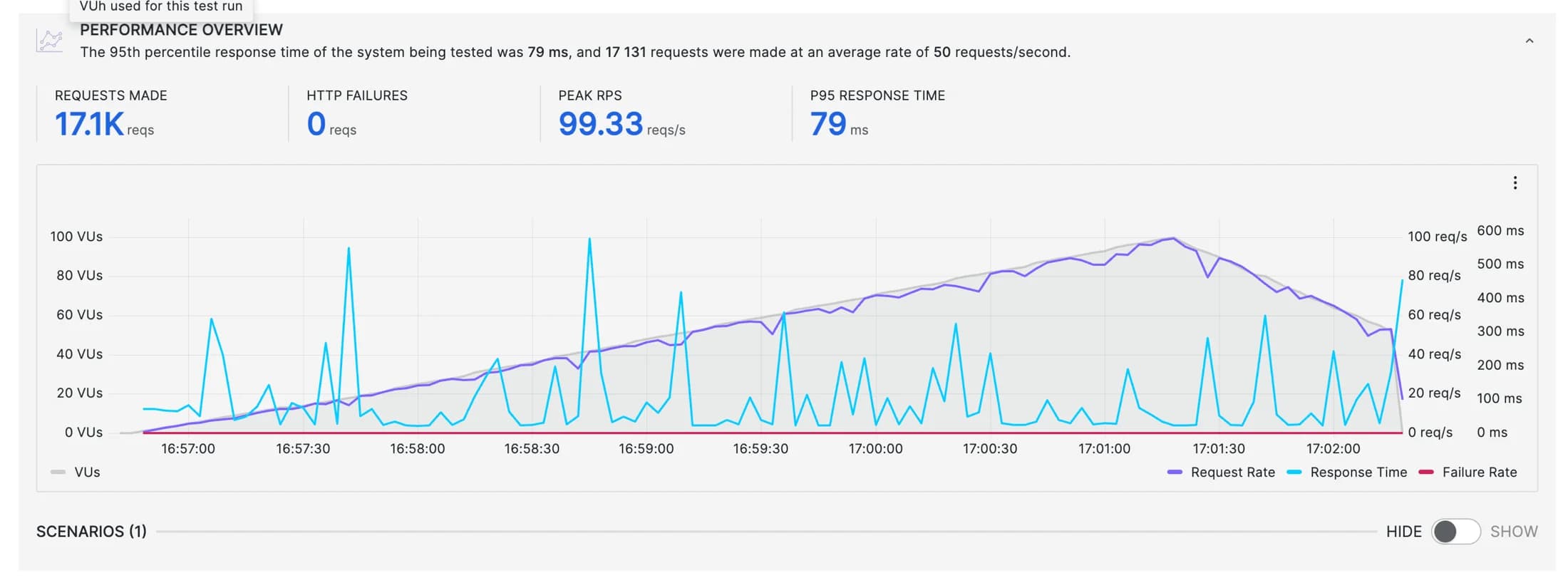
The impressive part is that none of the HTTP requests failed. However, the response time kept fluctuating throughout. Overall, the US servers displayed a great load-handling capacity!
Singapore Servers
When I sent out 100 virtual users to my website hosted on Singapore servers, they made a total of 17.5k requests. The peak requests touched 98.67 req/sec along with a P95 response time of merely 17 ms.
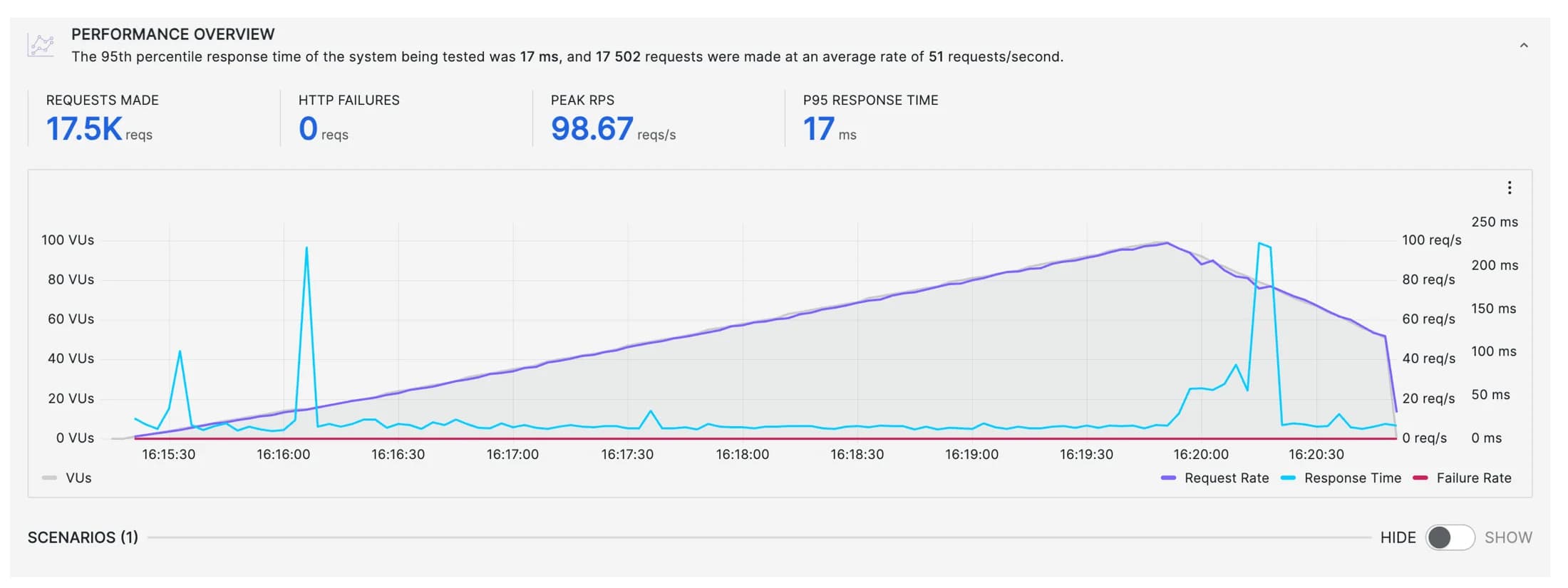
Interestingly, none of the requests failed,, which means it handled the load well. Overall, the Singapore servers performed well with no major spikes in the response time.
Hostinger CDN
Hostinger offers its in-house Hostinger CDN for free on all hosting plans. It keeps your website data cached on multiple servers across the globe and claims to offer 40% faster load times.
However, my experience with their CDN has been very different. When I tested my website hosted on Indian servers from the New York location, it took 3.89 sec to load. Loading time of about 4 seconds is pretty slow.
They state that they’ve recently added new POPs to improve CDN performance. However, according to my testing, the performance of CDN has not improved significantly
An interesting thing is the addition of a security section under the CDN feature. So, if your website is undergoing an attack, the CDN will automatically detect it. You can choose different levels of security from essentially off, low, medium, high, and I’m under attack.
Overall, my personal recommendation would be to use a separate CDN instead of Hostinger’s built-in CDN. You can check out Bunny CDN. It’s an affordable option and I’ve been using it on my websites as well.
Hostinger Cache
In-built Cache Manager
Hostinger has an in-built cache manager that can be enabled from the user dashboard. It boosts the speed of your website, thus providing a better experience to your viewers!
Recently, Hostinger has also introduced an object cache on its Business plan and above. This brings drastic improvements in website speeds. If you have a dynamic website or an e-commerce store, object cache will be valuable for you.
Cache Plugin
Hostinger uses the LiteSpeed Servers, which also gives you access to the LiteSpeed Cache plugin. It is a free plugin that you can use to improve your website speeds.
To know more about it, check out my video on LiteSpeed Cache Settings.
Hostinger Data Centers
As per recent update, Hostinger has expanded its data centers to include 10 locations. However, you only get 8 data center options if you opt for a shared hosting service.
- Europe – Germany, Lithuania, UK, France
- Asia – India, Indonesia
- USA
- Brazil
Recently, they have closed down their Singapore data centers that offered fast speeds and performance. They have also introduced new data centers in Germany. Hostinger Renewal Coupon Code Oct 2025: 83% OFF with Free .in domain
Another major update on Hostinger is their investment in AMD Epyc processors in their data centers. This would ensure better security and enhanced performance.
Hostinger Domains
Apart from web hosting, a relevant domain name is essential for running your blog or online business. Let’s take a look at Hostinger’s domain features.
Free Domains
Hostinger provides a free .com domain to its new hosting users for a year. However, it is only available on the Premium and Business Shared Hosting plans. The Starter plan does not offer a free domain.
New Domain Pricing
Hostinger also offers new domain registrations at quite affordable rates. For instance, these are the new lower prices for some popular domain extensions:
| Extension | Pricing/year |
| .com | ₹749 |
| .in | ₹429 |
| .org | ₹699 |
| .tech | ₹529 |
| .xyz | ₹179 |
| .ai | ₹7,859 |
These are the prices applicable for the first year when you purchase these domain names for a period of two or more years. After the 1st year, standard charges will apply to your domain.
Preview URL
A Preview URL (also called Temporary Domain Name) is a feature in Hostinger that lets you view your website without connecting your domain name. It helps test out your website if you haven’t yet pointed your nameservers to your web host.
Preview URL or temporary domain is available for as long as you have an active subscription.
Hostinger Security
Hostinger provides its users with a variety of security features. Let us check them out in detail.
- SSL Certificate: You get unlimited free SSL certificates on purchasing a Hosting plan on Hostinger.
- 2FA: Two Factor Authentication verifies a person’s identity by requesting an extra factor, like OTP, biometrics, hardware key, etc.
- Patchstack Security: This WordPress security plugin notifies users when any vulnerabilities are observed in any website plugins.
- Cloudflare DNS Firewall: It effectively protects your website from all types of malicious traffic and DDoS attacks.
- Bitninja Security: It detects suspicious logins and then blocks them until they verify themselves. It also protects against malware, DDoS attacks, brute force attacks, etc.
- Malware Scanner: It automatically scans through all the files and data uploaded by the users and cleans corrupted and malicious files.
- Automatic Updates: It automatically keeps your website updated with the latest versions of WordPress core, themes, and plugins.
- ISO Certification: ISO 27001 is the world’s most reputable standard for information security management systems. Recently, Hostinger has acquired the ISO 27001 certification, ensuring their data centers are completely safe and secure for hosting your websites.
- Dark Web Monitoring: It notifies you if your personal data has been leaked on any website. Available as an add-on for $1.49/month.
Hostinger Backups and Restoration
The Backup and Restoration features of Hostinger have seen a lot of improvements in the past few years. Hostinger provides free weekly backups on all its hosting plans.
Apart from that, their Business Shared Hosting and above plans also come with free daily backups. You can back up your website files, databases, or everything on your hosting account.
The daily backups are stored for 7 days. Whereas, the weekly backups are stored for up to 7 weeks. So, at any point, if you wish to restore your backups, you can restore from the past 7 days or weekly backups from the last 7 weeks.
Your data is backed up on a different server (off-server location) to ensure security. It also allows you to generate manual backups and supports one-click backups and restorations.
If you need free daily backups on other hosting plans, you need to pay additional charges to avail of this feature.

An interesting feature of Hostinger is that you get to selectively restore your website files. You can select which files you wish to restore, which is quite a convenient option.
For me, the only downside of Hostinger is its backup retention limit. Even on their highest plan, the backups are only retained for 7 days now. I think they should extend it to at least 14 days.
Hostinger Customer Support
Hostinger offers customer support through email, live chat, and a knowledge base.
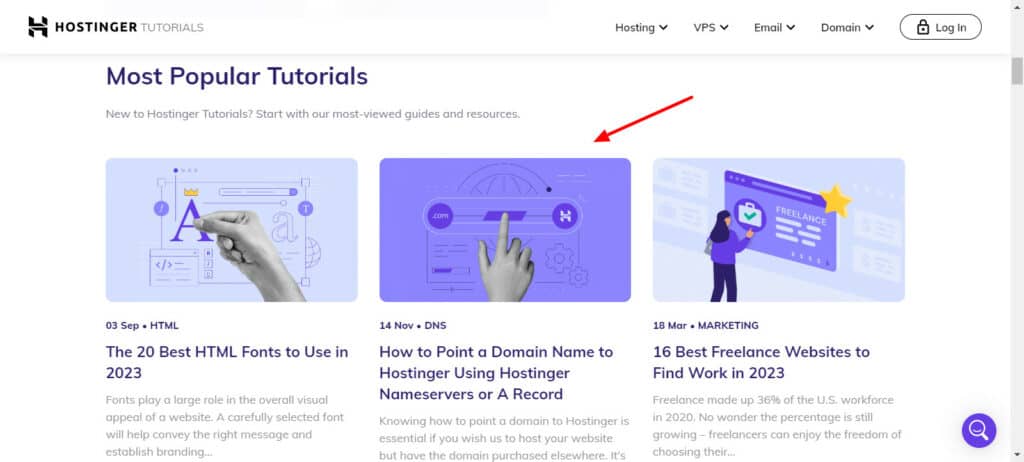
I liked their extensive knowledge base of articles. You can find answers to most of your queries through their articles. They also have comprehensive tutorials on WordPress, Website Development, VPS Hosting, etc to help newbies.
Talking about their live chat support, you can avail it in 2 ways. They have recently introduced their AI assistant Kodee, who can help you with all the basic queries.
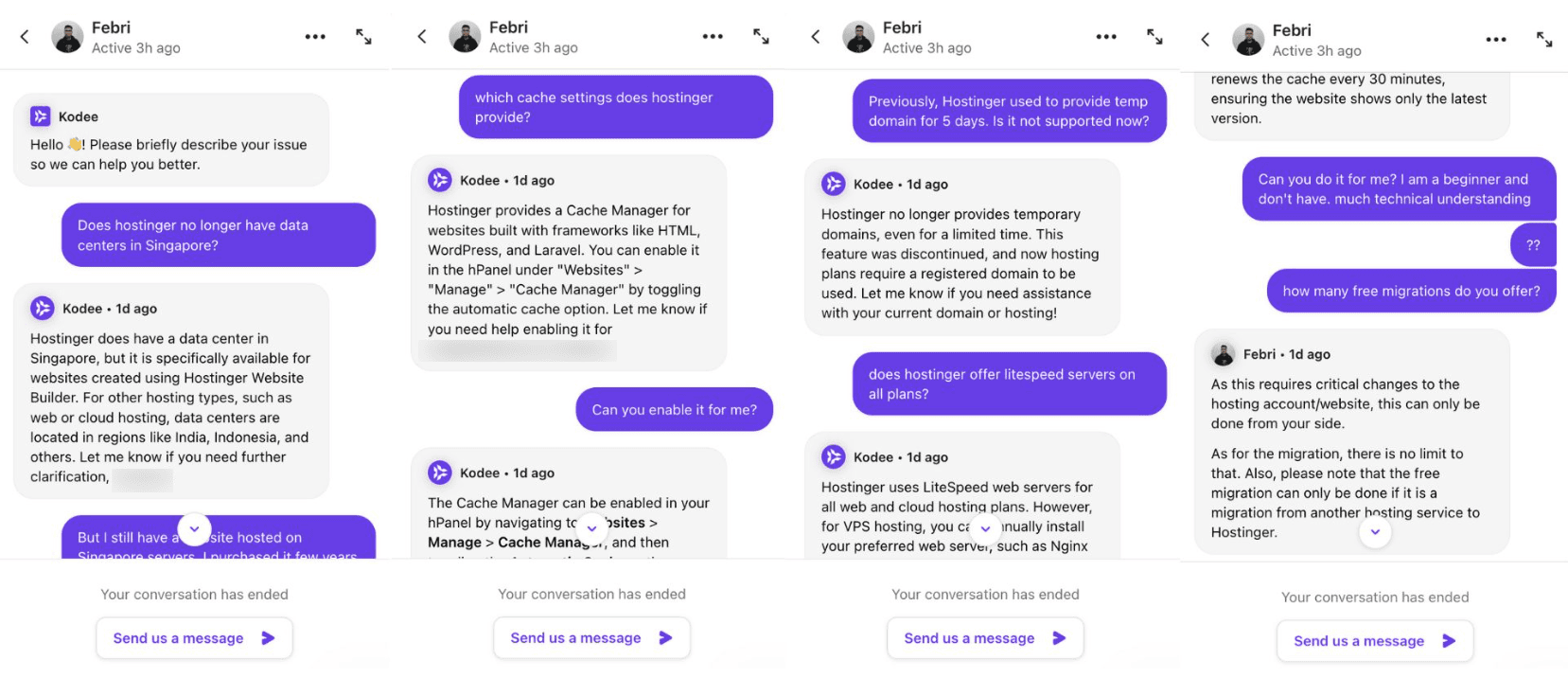
However, its replies are even slower than ChatGPT. Considering it’s an AI assistant, I was expecting a faster response. But the quality of support it offers is good.
Another way is through human agents. You can request Kodee to connect you to an agent. In my experience, the initial response was quick, but the replies were inconsistent post that. Replies to some of my queries arrived quickly, while sometimes they took up to 10 minutes to respond!
Overall, the quality of their support has seen a huge improvement since the last year. But I think they can improve the live chat support speeds for both AI assistants and human agents.
Hostinger Plans & Pricing
Hostinger offers 3 plans under its Shared Web Hosting. Let us take a quick look at their significant features.
Single Plan | Premium Plan | Business Plan | Cloud Startup Plan | |
| Monthly Pricing (48 months) | ₹89 | ₹149 / $2.99 | ₹249 / $3.99 | ₹599 / $7.99 |
| Renewal Pricing | ₹399 | ₹599 / $11.99 | ₹699 / $13.99 | ₹1699 / $27.99 |
| No. of Websites | 1 | 25 | 50 | 100 |
| Monthly Traffic | 10k visitors | 25k visitors | 100k visitors | 200k visitors |
| SSD Storage | 10 GB | 25 GB | 50 GB | 100 GB |
| Free Domain | No | Yes | Yes | Yes |
| 1 | 25 | 50 | 100 | |
| Inode Count | 200k | 400k | 600k | 2M |
| Bandwidth | 100 GB | Unlimited | Unlimited | Unlimited |
| Daily Backups | No | No | Yes | Yes |
The maximum discounts are applied if you purchase these plans for 4 years. Opting for smaller time durations results in fewer discounts. Well, isn’t this an excellent strategy by Hostinger to gather users for the long term?
You can also find other hosting plans like WordPress Hosting plans, Cloud Hosting plans, VPS Hosting plans, etc. Hostinger Renewal Coupon Code Oct 2025: 83% OFF with Free .in domain.
Best Plan
In my experience, Hostinger’s Business Shared Hosting plan for 24 or 48 months is the best.
When purchased for 24 months, the plan costs about ₹7176. When you enter coupon code KRIPESH, you’ll get it for around ₹6500 for 2 years, amounting to ₹3250/year.
Payment Methods
Planning to get a Hostinger hosting plan? It supports a variety of payment methods.
These include Net Banking, PayPal, International Credit and Debit Cards, Cryptocurrency, and Hostinger Balance. Apart from that, it also supports UPI Payments, Paytm, and Google Pay for Indian customers.
The UPI Payments feature is very useful for Indian users who do not have International debit and credit cards.
Refund Policy
Hostinger offers a 30-day money-back guarantee on all its plans. So, you can purchase a hosting plan, try it out for a month, and then get a 100% refund if you are not satisfied with it!
However, there are a few terms and conditions in their Refund Policy. I have explained them in layman’s terms in my Hostinger Training Program.
Hostinger Coupon Code
If you wish to buy web hosting, here’s an exciting offer that will get you your favorite hosting plan at the cheapest rates possible. For instance, if you wish to purchase the Business Hosting plan for 48 months, it would cost you ₹11,962 in total.
But if you pick your plan through my link and use the coupon code KRIPESH at checkout, you’ll get an additional 10% discount on your purchase. So, the same plan will cost you ₹10,756 in total.
Which is the Best Hostinger Plan and Server?
Now that we’ve discussed all the significant features of Hostinger, it’s time to decide on the best plan and server. First, let us discuss the plan you should avoid at all costs.
In my recommendation, you can safely avoid going with the Single Web Hosting plan. It offers lesser RAM, which is not suitable even for operating normal websites and blogs.
In some rare scenarios, if you have a simple website comprising 5-10 static HTML pages, the single shared hosting plan can be a good option. It’s only suitable for HTML or PHP websites.
However, if you need to work with WordPress, the Premium and Business Web Hosting plans would be the best for you. For hobby projects, the Premium plan would be good.
But if you have a serious business, the Business plan is ideal. It offers features like Staging, daily backups, object cache, a free Amazon Affiliate plugin, AI tools, enhanced DDoS protection, etc. This makes it most value for money option.
Hostinger Training Program
If you are planning to get a hosting plan from Hostinger, I’m sure my training program would be of great help to you. This Training Program is for those users who have purchased plans from Hostinger using my links.
In this program, I have provided in-depth tutorials on how to use Hostinger, including
- How to purchase hosting from Hostinger
- Setting up your hosting
- Connecting hosting to your domain
- Installing WordPress
- Taking and restoring backups
- Contacting customer support
- Enabling cache plugins
and a lot more!
These video tutorials are uploaded to the Thinkific Course Creator. I have enabled free previews of some of the video tutorials, along with the step-by-step process of purchasing a plan.
All you have to do is sign up through my link and purchase your favorite plan. Once you mail me the receipt, you’ll get access to the training program within 7 working days. This course will be highly beneficial for beginners in getting equipped with the basics of Hostinger.
Hostinger Migrations
Hostinger provides unlimited free website migrations on its hosting plans just like Rocket.net.
To request a website migration, you need to select your website control panel (WordPress, cPanel, WHM) and mention your:
- Domain name
- Admin login page URL
- Username and password
- Previous web hosting service
After you make the migration request, someone from their team will personally transfer your website from your previous hosting provider to Hostinger free of cost! It might take anywhere between 2 to 4 days to complete the process.
Hostinger Staging
If you wish to test new themes, plugins, or design updates on your website, the Staging functionality of Hostinger might be helpful. With the Staging feature, you can create a copy of your live website and test out changes to it.
The Staging feature can be found under the Dashboard tab. All you need to do is create a subdomain and publish your staging environment over it.
Then, you can make edits to the site and test them out. If you are satisfied with the changes, you can simply push the test version to the live website by hitting the ‘Publish’ button under the list of staging sites.
In my opinion, Hostinger’s staging feature is one of the easiest. It’s great for developers and professionals. It lets you update your website with the latest developments without suffering any downtime!
However, this feature is now available only on Business plans and above.
Additional Hostinger Features
Hostinger Inode Count
Inode Count refers to the total number of files on your website, including your files, folders, emails, and everything else stored on the servers.
Hostinger offers generous inode count even for its shared hosting plans.
- Single Web Hosting – 200k
- Premium Web Hosting- 400k
- Business Web Hosting – 600k
Account Sharing
If you want to share your hosting account with your team, the Account Sharing feature of Hostinger makes it possible.
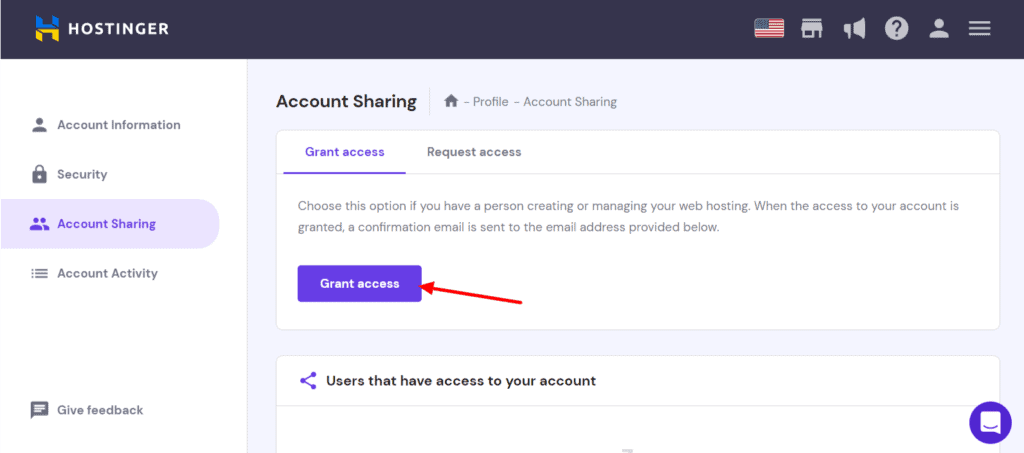
The interesting thing about this feature is that you can can selectively share access with your developers and team members. Instead of providing them complete access to your account, you can grant them access to specific websites, services, or hosting plans.
Email Hosting
You get a free email hosting service along with your hosting purchase. Depending on your chosen plan, you get 1 to 100 mailboxes.
However, there are a few limitations to the email service as well. You can only have 15k messages in every email account and send up to 500 emails each day. Overall, their email service is good.
Technology Used in Hostinger
Along with that, they also have in-built caching technology so you can enable ‘Automatic Cache’ and speed up your websites.
Hostinger uses the latest PHP 8.2 version, MariaDB 10.6, and have also recently introduced HTTP/3, improving performance and load time.
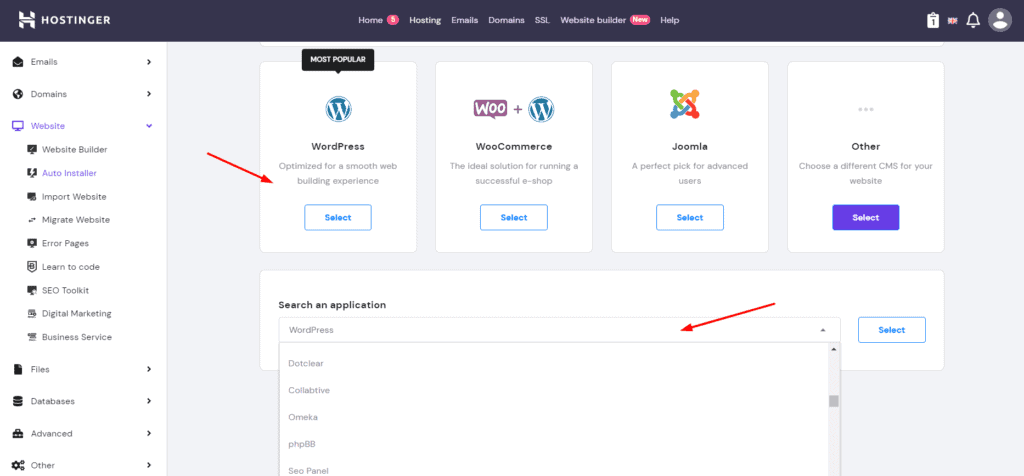
Talking about CMS, they support WordPress, Drupal, Joomla, and 100+ other CMS platforms! As of now, they don’t support Python and Node.js on their Shared hosting plans. I hope they implement it in the future.
Hostinger Website Builder
A website builder is especially helpful for those who want a quick website without getting into WordPress or other CMS platforms.
Hostinger offers its in-house Hostinger Website Builder (previously known as Zyro) on all its hosting plans. It lets you design everything from blogs to business sites, portfolios, and online stores with ease.
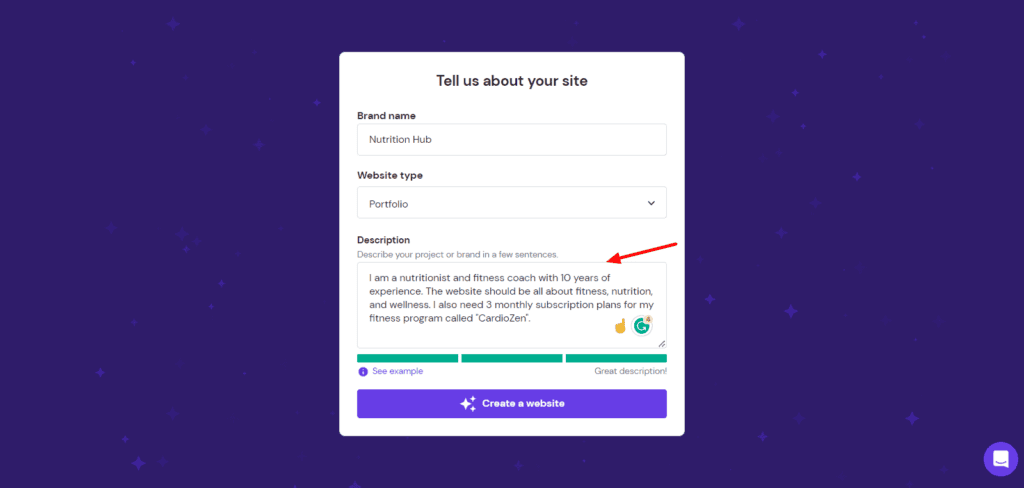
All you need to do is provide your business name and a short description. It will automatically generate a professional-looking website for you within seconds. It also features powerful AI tools to help you save time on designing.
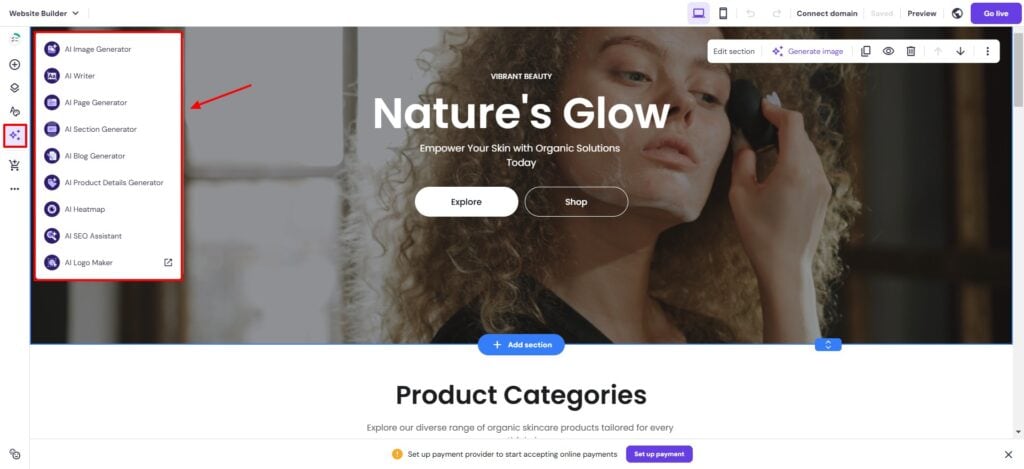
The best part is that it comes free with all the hosting plans of Hostinger. You can also get it separately for ₹149.00/mo.
Overall, Hostinger Website Builder is a viable option for anyone looking to design professional websites quickly. It’s one of the easiest website builder on shared hosting. It looks like a refined product comparable to Wix and Squarespace on a budget.
If you want to read more about it, you can check out my Hostinger Website Builder Review.
Hostinger AI Tools
Recently, Hostinger has introduced several AI tools on their platform. Let’s look at the popular ones below.
1) AI Domain Names
Need a catchy domain name but can’t think of something unique? Try Hostinger’s AI Domain Name Generator. All you have to do is provide a short description of your project or website. The AI suggests catchy names around it.
For example, I described my website as – “A hair salon that offers hair coloring and hair styling solutions”. These are the domain name ideas it generated for me.
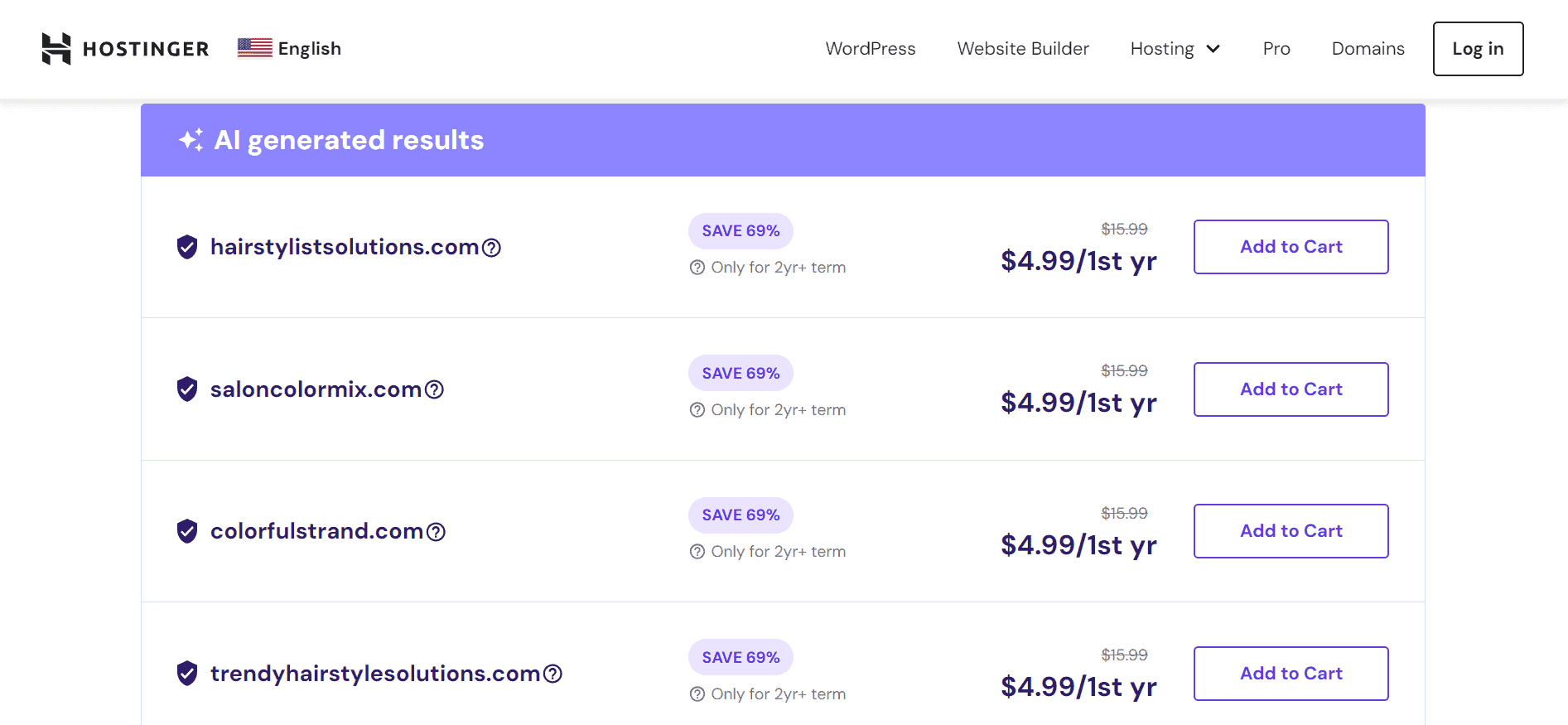
I liked the unique and catchy names it generated. You can experiment with different descriptions and keywords to get more interesting results.
2) AI Business Name Generator
Similarly, if you’re planning to start an online business but are struggling with naming it, you can check out Hostinger’s AI Business Name Generator.
All you have to do is specify a few keywords related to your industry. It’ll produce relevant business name ideas for you. For instance, these are some business names generated for the keyword “hair salon”.
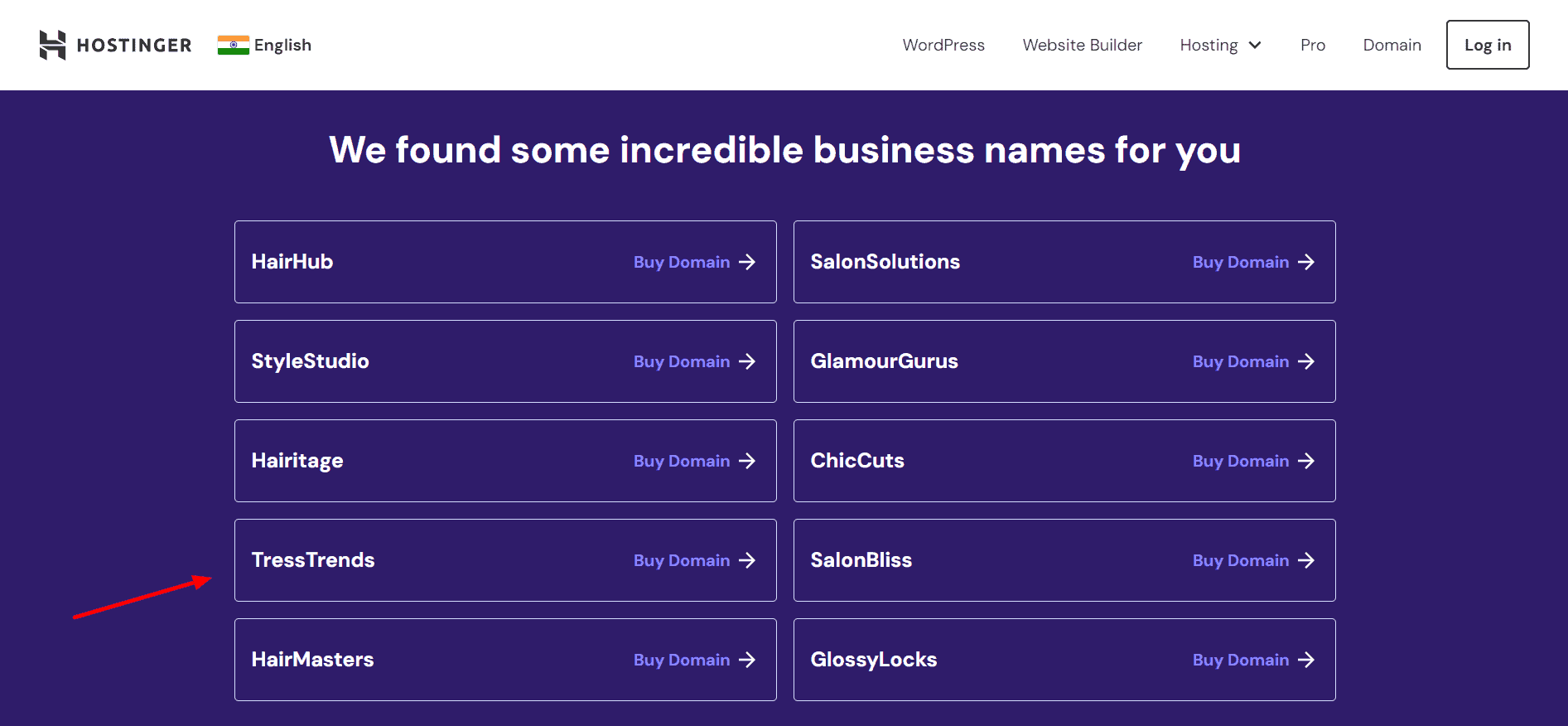
If you like any of the names, you can click on the Buy Domain button to purchase it from Hostinger. It’ll show you the pricing for different domain extensions.
3) WordPress AI Troubleshooter
WordPress AI Troubleshooter is a unique tool that makes use of AI to ensure your website always remains online. It automatically detects and notifies you if your WordPress website encounters any errors.
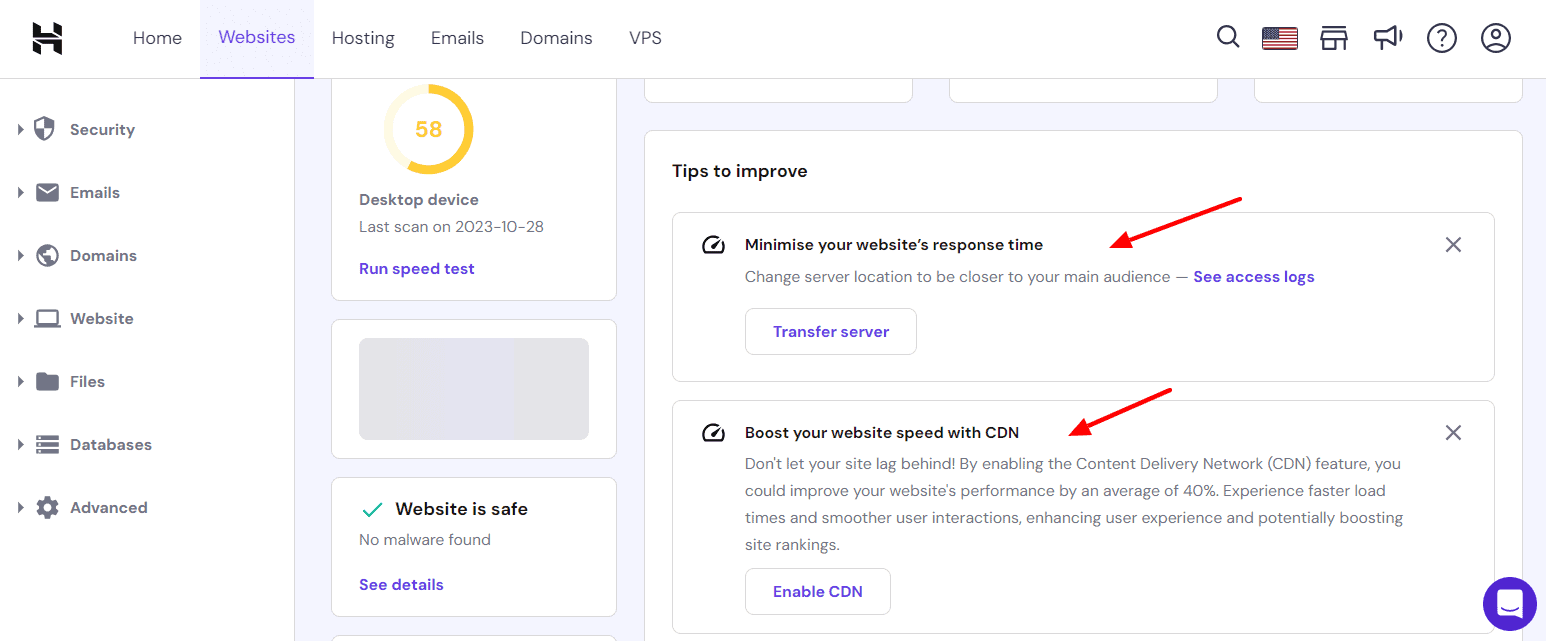
Going a step further, it also offers helpful solutions to fix those errors on your website. Overall, it’s a really valuable tool if you’re a beginner.
4) WordPress AI Assistant
WordPress AI Assistant is a free WordPress plugin that comes with their Business and Cloud hosting plans. It helps you generate long and short-form content with AI.
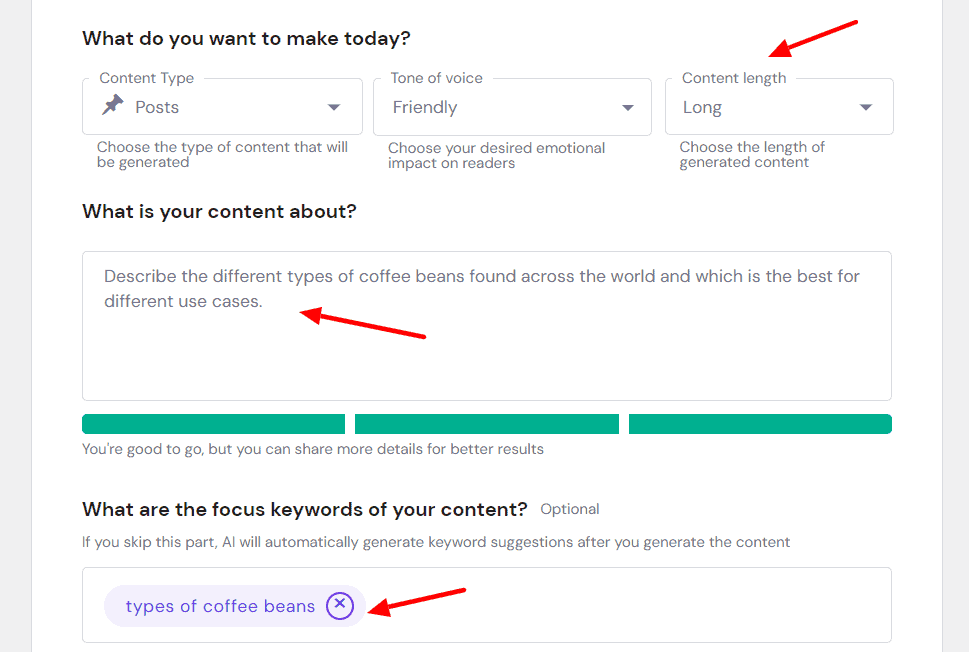
To get started, you need to specify the post type, content tone, and length, and add a short description with the focus keyword. In under 30 seconds, it generates a 650+ word article with proper headings and a relevant header image.
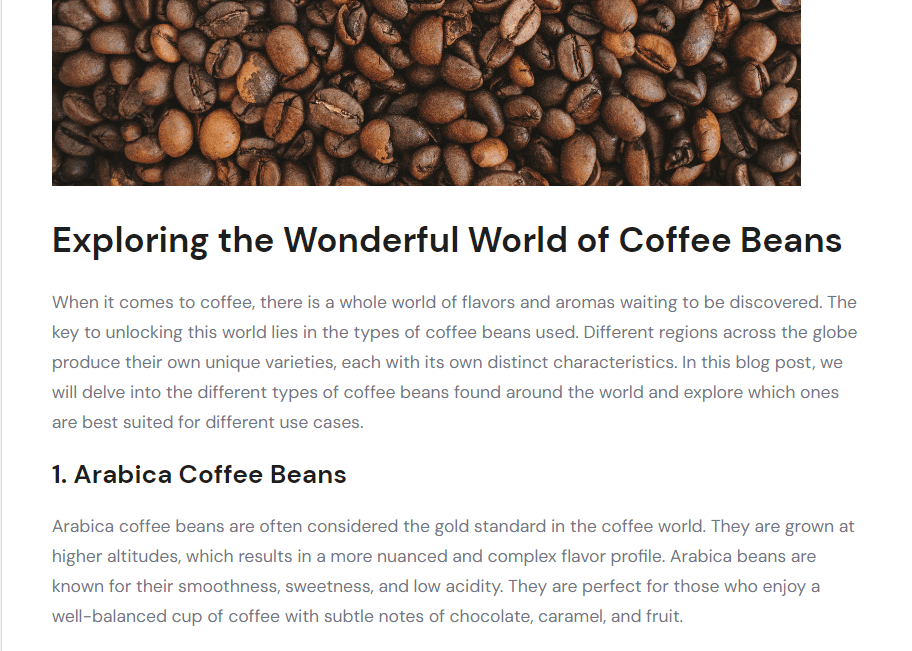
I personally liked the article generated by the AI. You can make further edits and integrate examples, anecdotes, and media elements in the content to make it publish-ready.
5) WordPress AI Website Builder
Hostinger also offers an AI website builder specifically for creating WordPress wbesites.
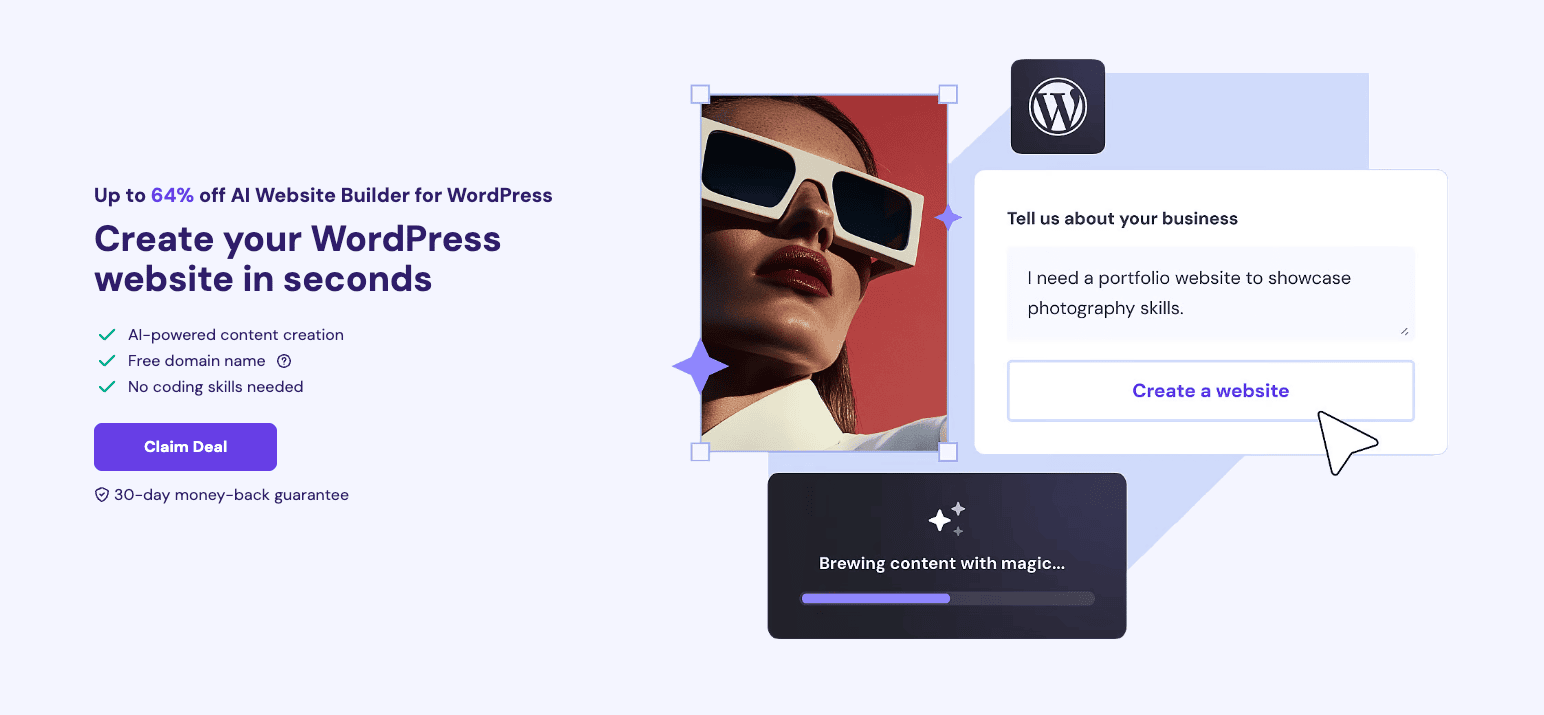
With this WordPress AI website builder, you get AI-powered content creation along with a free domain, managed WordPress hosting, free CDN, and more. Its pricing plans start from ₹249/month!
6) Amazon Affiliate Plugin
If your work revolves around Amazon affiliate marketing, you’ll find this tool very useful. Hostinger’s Amazon affiliate plugin gives you a pre-built Amazon affiliate site that you can edit as per your needs.
This plugin is available for free with Hostinger’s managed WordPress Business plans and above.
7) Hostinger Horizons
Hostinger is launching Hostinger Horizons, a no-code platform for transforming your ideas into complete web apps. It is perfect for entrepreneurs and businesses.
8) n8n Automation on VPS Hosting
Now, Hostinger also supports N8N automation on its VPS hosting plans. n8n is a no-code workflow automation tool that allows you to connect your apps and data in a single place.
If you want to create AI agents, you should definitely check out Hostinger’s n8n VPS hosting!
How Is Hostinger So Cheap?
Now, we have come to the main question! I’m sure you must have thought about it, too. How is Hostinger surviving at such cheap hosting prices? What’s the catch?
Well, I dived into the details, and after much research and analysis, I found that they recover their costs through Affiliate Marketing.
Hostinger keeps on collaborating with other companies like Patchstack, Fiverr, etc. These companies then promote their products and services through Hostinger.
For example, if you install WordPress on your Hostinger site, you will find a lot of pre-installed plugins (Bloatware) like:
- All-in-one SEO plugin
- All-in-One WP Migration Plugin
- OptinMonster
- MonsterInsights, etc.
Though these pre-installed plugins can be easily disabled, they are a way of promoting the collaborating companies. This is how Hostinger provides its services at such affordable costs!
What do you guys think about this tactic? Is it a good way to recover their costs? Let me know your opinions in the comments section below!
Hostinger Pros
1. Improved Indian Data Centers
This year, Hostinger’s Indian data centers have seen a significant improvement. I noted super swift speeds of 1.17 seconds on the Indian servers.
2. Reliable Uptime
In the last 365 days, I noted an uptime of 100% on Singapore servers, 99.99% on US servers, and 99.98% on Indian servers. This is pretty good and reliable for most websites.
3. Feature-Rich Hosting
Considering its price point, Hostinger is one of the most feature-rich hosting providers. Besides offering hosting services, you also get a free domain, website builder, email hosting, security tools, unlimited migrations, and lots of AI tools.
4. Easy to Use
The hPanel provided by Hostinger is modern and user-friendly. It lets you easily manage your websites and is ideal for beginners. Overall, the UI is super easy to manage.
5. UPI Payments and GST Invoices
You get a bunch of payment options with Hostinger India. Integrating UPI Payments is a big advantage for Indian users as it reduces the hassle of entering card or bank details. You can also get GST invoices on Hostinger.
6. Excellent Security
Hostinger provides all-around security for your hosting with advanced tools. These include SSL, 2FA, Patchstack Security, Cloudflare DNS, Malware Scanner, and BitNinja Security. Its Malware Scanner destroys any bugs or malware found in your website files.
7. Improved Support
Hostinger’s customer support has improved with Kodee AI assistant this year. Also, human support has seen significant improvement in speed and quality.
8. Good Backup Options
Hostinger offers good backup and restoration options. All plans support weekly backups, and the Business hosting supports daily backups as well. You can create manual backups and also selectively restore specific files, which is highly convenient.
9. Hostinger Website Builder
You can now enjoy a powerful website builder with all the plans of Hostinger. It helps you build professional sites within minutes with AI. I think it’s one of the best and most affordable website builders as of now.
10. Affordable Pricing
Hostinger offers pocket-friendly hosting plans when purchased for longer durations. For instance, its Single Shared Hosting plan, when purchased for 48 months, costs just ₹89/month!
Hostinger Cons
1. Average CDN Performance
Hostinger’s in-house CDN has seen some improvements in the last year. They have also included security features. However, I didn’t see any significant improvement in its performance.
2. Web Hosting Account Suspension
Recently, Hostinger’s automated system suspended my account with no prior information. Someone uploaded malware on my site, and they flagged it as abuse. The support offered to recover it and it was restored within 30 mins. However, they should inform users before suspending any accounts.
3. Reduced Backup Limits
Despite purchasing the highest web hosting plan, your backups are only retained for 7 days now. I hope they extend the backup retention limit to at least 14 days.
Who Should Buy Hostinger?
This is the sixth consecutive year I have reviewed Hostinger. I still feel that it’s an excellent hosting provider for beginners on a budget.
They have improved to a large extent in terms of their interface, backup options, speeds, and ease of use. Though they can work on improving their customer support speeds, CDN, and backup retention limits, I was satisfied with the overall performance of Hostinger.
So, if you have a US-based audience, you should go with a Hostinger plan with the US servers. They offer exceptional speeds and performance. The performance of Hostinger’s Shared hosting plans on the US servers is easily comparable to the performance of Cloud hosting plans!
However, if you have an Indian audience, I won’t be able to recommend their Indian servers. This is because the uptime and speeds that I observed on them were quite average. You can instead go with their Singapore servers that offer swift speeds and performance.
Overall, if you are a beginner who needs shared hosting that’s reliable, affordable, and easy to use, Hostinger is the best option for 2025. I have hosted dozens of my micro-niche blogs and websites on Hostinger and have faced no problems with it yet!
Hostinger Alternatives
For beginners, Hostinger is the go-to hosting solution. But, if you can hike up your budget, these are the best alternatives to Hostinger.
1) Hostinger vs ChemiCloud
ChemiCloud is a reliable American web hosting provider. Just like Hostinger, ChemiCloud offers LiteSpeed servers, ensuring fast speeds and reliable uptime. They both provide excellent load management, making them great choices for hosting.
However, ChemiCloud stands out with its top-tier customer support, a 45-day refund policy, and up to 200 free cPanel migrations—something Hostinger lacks. On the other hand, Hostinger offers a free domain, website builder, and AI tools, which ChemiCloud does not.
The pricing plans of Chemicloud start from $2.95/month.
2) Hostinger vs FastComet
FastComet is another renowned web host launched in 2013. Just like Hostinger, FastComet deliver lightning-fast speeds, good uptime, and solid support. Both hosts are affordable choices with user-friendly interfaces.
FastComet differentiates itself with a fixed discount across all durations and cPanel support, whereas Hostinger offers a free domain, website builder, and AI tools—but lacks cPanel. Also, FastComet does not include free domains.
The pricing plans of FastComet start at $1.79/month.
3) Hostinger vs Cloudways
Cloudways is a popular managed hosting built upon unmanaged hosting providers like Google Cloud, Digital Ocean, and AWS. Similar to Hostinger, Cloudways offers fast speeds, reliable uptime, and strong security.
The key difference is that Cloudways is a managed hosting solution with a pay-as-you-go model and scalability options. However, it doesn’t include email hosting. Hostinger, on the other hand, is more beginner-friendly and comes with a free website builder, AI tools, and a free domain.
The pricing plans of Cloudways start from $11/month (DO Servers).
Hostinger vs ChemiCloud vs FastComet
Why Should You Trust Me?
I have been working full-time in the digital industry since 2015. In all these years, I’ve used and tested all the popular web hosting services on my personal and client websites. I’ve been consistently reviewing hosting services like Cloudways, ChemiCloud, FastComet, etc, for the last 3 years.
Talking about Hostinger, I first purchased Hostinger hosting in 2019 for my micro niche blogs. Since then, I’ve bought multiple plans of Hostinger, including their Cloud Startup plan. I even have active subscriptions to various Hostinger plans that I keep testing every year.
Using, testing, and reviewing dozens of hosting services in the past few years has given me the knowledge and expertise to compare their features and recommend the best hosting for your requirements.
Conclusion
Hostinger continues to be one of the best budget-friendly web hosting solutions. It offers a friendly UI, fast speeds, a feature-rich website builder, and solid security features, along with seamless Indian payment options.
This year, Hostinger has made notable improvements, particularly for Indian users. They’ve improved their Indian data centers and upgraded to AMD EPYC servers, boosting bandwidth and speed.
Now their website builder also supports Razorpay, so you can make UPI payments. Overall, Hostinger proves to be a complete value for money product for beginners, bloggers, eCommerce store owners, website builders, and for its impressive AI features.
That being said, there’s still room for improvement. Its CDN performance remains average, and support speeds could be better.
Hostinger offers a 30-day refund policy, so you can test it risk-free. If it doesn’t meet your expectations, you get a full refund! For budget-conscious users looking for a feature-packed and modern hosting solution, Hostinger is a solid choice in 2025.
Anyway, I hope you found this Hostinger Review informative. Which hosting are you currently using? Do you think Hostinger could be a good option for you? Do let me know in the comments below.
This is Kripesh signing off! I’ll be back with more interesting content soon. Till then, stay home and keep learning! 🙂
FAQ
Is Hostinger good for beginners?
Yes, along with easy one-click app installations, Hostinger also offers easy backups and restorations.
Its intuitive hPanel is stacked with loads of features at pocket-friendly costs! All of this makes it one of the best hosting providers for beginners.
Does Hostinger provide an uptime guarantee and refund you for downtime?
Hostinger guarantees a 99.9% uptime on all its plans, which is quite low when compared to its competitors like ChemiCloud claiming to offer 99.99% uptime!
However, if you experience uptime less than what they claim, you can contact their customer support team and request a 5% refund of your monthly hosting fee.
Is Hostinger good for WordPress?
Yes, Hostinger is a pretty good option for WordPress sites. It offers an easy WordPress setup along with the Litespeed Cache Plugin for WordPress. It guarantees better speed and performance for your WordPress site.
Which is better: Hostinger or GoDaddy?
In my experience, Hostinger is a better value-for-money web host. It provides good speed, uptime, and an easy-to-use interface at affordable prices.
Can I pay Hostinger monthly?
Yes, you can pay for your hosting on a month-by-month basis, but the prices would be super inflated in that case.
For example, you can opt for the Single shared hosting plan for ₹399/mo. But if you opt for the same plan for 48 months, the price drops down to ₹89/mo!
Is Hostinger an Indian company?
No. Hostinger is a domain and hosting provider headquartered in Kaunas, Lithuania. Founded in 2004, it was called Hosting Media, which was rebranded to Hostinger in 2011. It has a localized Indian version that can be accessed at Hostinger.in.
Is Hostinger safe and legit?
Yes, Hostinger is a safe service that offers outstanding features like free SSL, 2FA, Patchstack Security, Cloudflare DNS, Malware Scanner, and BitNinja Security.
They have recently collaborated with Patchstack, (a WordPress security plugin) that will warn you of vulnerabilities in any plugins on your WordPress website.
How many visitors can Hostinger handle?
It all depends on your chosen hosting plan and traffic load. For example, these are the approx monthly traffic limits for different shared hosting plans:
Single Web Hosting – 10k visitors
Premium Web Hosting – 25k visitors
Business Web Hosting – 100k visitors
Cloud Startup Hosting – 200k visitors
Does Hostinger Provide cPanel?
No, Hostinger offers its custom interface called hPanel. Though it’s not as advanced as cPanel, its modern and attractive interface loaded with accessible features appeals to beginners.
Is Hostinger good for E-commerce?
Though Hostinger does not offer a dedicated eCommerce plan, you can build an eCommerce store through the Hostinger eCommerce website builder. Now, they even support UPI payments via Razorpay!
How do you pay for Hostinger?
Hostinger offers a variety of payment options including Visa, MasterCard, Discover, and American Express. You can also pay with UPI, Google Pay, PayPal, PayTM, and even cryptocurrency.
Can I create a free business email with Hostinger?
Yes, you can create up to 100 email accounts with Hostinger Shared Hosting plans. However, the Single web hosting plan is restricted to just 1 email account.
Does Hostinger offer refunds?
Yes, you get a standard 30-day refund policy with Hostinger. So, if you’re unhappy with your purchase, you can cancel it within 30 days and get a complete refund of your spent amount.
Do I need to pay extra for Hostinger backups?
The Single and Premium Web Hosting plans of Hostinger only support weekly backups. So, if you wish to enable daily backups on these plans, you need to pay an additional amount.
Hostinger Black Friday Deal 2025 (Up to 80% OFF)
Are you ready with your bucket list? The Black Friday Sale is here and everyone’s super excited about it. If you are looking for a hosting solution at the cheapest possible prices, you should definitely check out Hostinger!
Recently Hostinger has also released its Black Friday Deal where it is offering its hosting plans at up to 80% discounted rates! In this article, we are going to take a closer look at the Hostinger Black Friday Deal. So, with no further ado, let’s begin!
About Hostinger
Hostinger is one of the most popular web hosting providers in India established back in 2004 and rebranded to Hostinger in 2011. Hostinger’s pocket-friendly plans make it stand out from the crowd! With Hostinger, you get access to a modern interface, excellent speeds, security, and load-handling capacities.
Along with that, you get unlimited migrations, 24/7 support, Indian payment options, and GST invoices. Recently, they launched a data center in India, which means swift speeds and better performance for Indian users. These features make Hostinger a powerful hosting provider in the market!
Hostinger Black Friday Deal
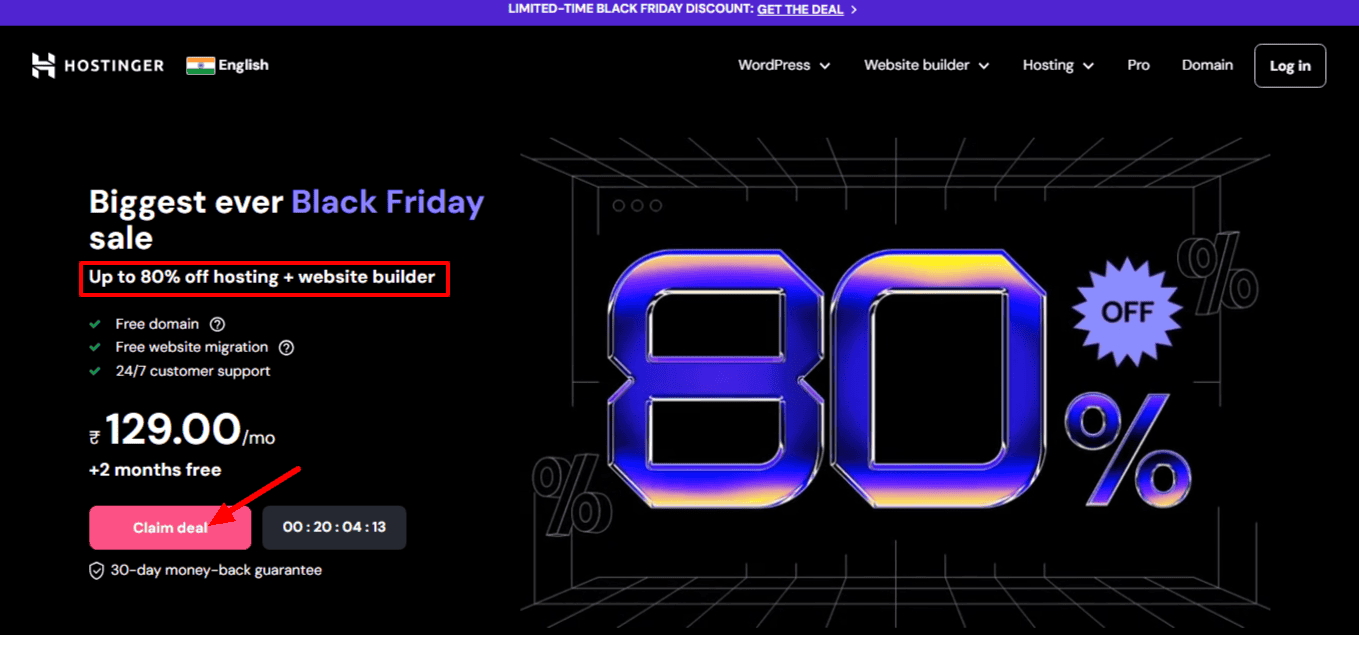
Hostinger has announced its terrific Black Friday Deal, where you can get its web hosting plans and website builder for up to 80% off with 2 months of free access. When you apply my coupon code KRRIPESH, you’ll unlock additional 10% discount. You will also get a free domain and SSL certificate, free website migration, and 24/7 customer support along with your purchase
The maximum discounts can be seen on purchasing any of their plans for a duration of 48 months. Following are their Hosting prices on the Black Friday Sale. All plans except the Single plan are offering 2 months of additional free access.
Hostinger Featured Plans
| Hosting Plan | Original Pricing | Discounted Pricing |
|---|---|---|
| Single Web Hosting | ₹62.10/month (4 yrs) | |
| Premium Web Hosting | ₹116.10/month (4 yrs) | |
| Business Web Hosting | ₹206.10/month (4 yrs) | |
| Cloud Startup Hosting | ₹629.10/month (4 yrs) |
Hostinger Black Friday Deal & Offers
| Hosting Plan | Original Pricing | 4 Yr Pricing | 2 Yr Pricing | 1 Yr Pricing |
|---|---|---|---|---|
| Single Web Hosting | ₹62.10/month | ₹107.10/month | ₹143.10/month | |
| Premium Web Hosting | ₹116.10/month | ₹152.10/month | ₹179.10/month | |
| Business Web Hosting | ₹206.10/month | ₹269.10/month | ₹323.10/month | |
| Cloud Startup Hosting | ₹629.10/month | ₹719.10/month | ₹764.10/month |
They also have a 30-day money-back guarantee. So, in case you don’t have a fulfilling experience, you can always get a 100% refund within the first 30 days of purchase!
The Single Web Hosting plan only lets you host a single website. It also does not have enough features to support any decent website. So, in my opinion, the Premium and Business plans would be the most value-for-money options in the Black Friday Sale.
Both the Premium and Business plans let you host up to 100 websites and offer a free domain, free email, and AI website building facility. The key difference is that the Business plan also offers a free CDN, daily backups, website staging, Object Cache, and more.
If you have an eCommerce website with a significant amount of traffic, then the Object cache feature with the Business plan would be totally worth it. You can go with either of the 24-month or 48-month plans, as per your requirements. Both of them are available at heavy discounts.
But if you’re a beginner, then the Premium plan would be more suitable for you. As you may not be sure about your blogging career right now, you can go with a 24-month or 48-month plan, whichever you feel more comfortable with. If you’re sure about your website, then you can opt for 48 months.
At the moment, you are getting the Premium hosting plan (48 months) for once-in-a-year pricing of ₹129/month along with 2 months of free access. But guess what? You can avail of an extra 10% discount by using the coupon code at checkout! Thus, the Premium plan would cost you ₹116.10/month for 4 years.
Well, this is a limited-time deal. It is already live from 11th November 2024 and last till 15th December 2024. So hurry and get your favourite hosting plan right now!
But wait! I have another surprise for you guys! If you purchase any hosting plan from Hostinger using my link, you will get a free entry into my Hostinger Training Program. This program is designed to help beginners work with Hostinger’s hPanel and manage their websites effectively.
Not just that, you will also get a free entry into my Lightning Blogs Blogging Course. This course will help you create a modern WordPress blog with a 90+ page speed score using free themes and plugins.
How to Activate Hostinger Black Friday Deal?
If you’ve made up your mind to finally get the Hostinger Black Friday deal, follow the below steps to activate it. In the following steps, I’ve shown the step-by-step process to purchase Premium Web Hosting for a duration of 48 months.
Step 1: Visit Hostinger Official Website
Visit the official website of Hostinger using my link. Click on the ‘Claim deal’ button.
Step 2: Select the Preferred Plan
Now, click on the ‘Choose’ button under the Premium Web Hosting plan.
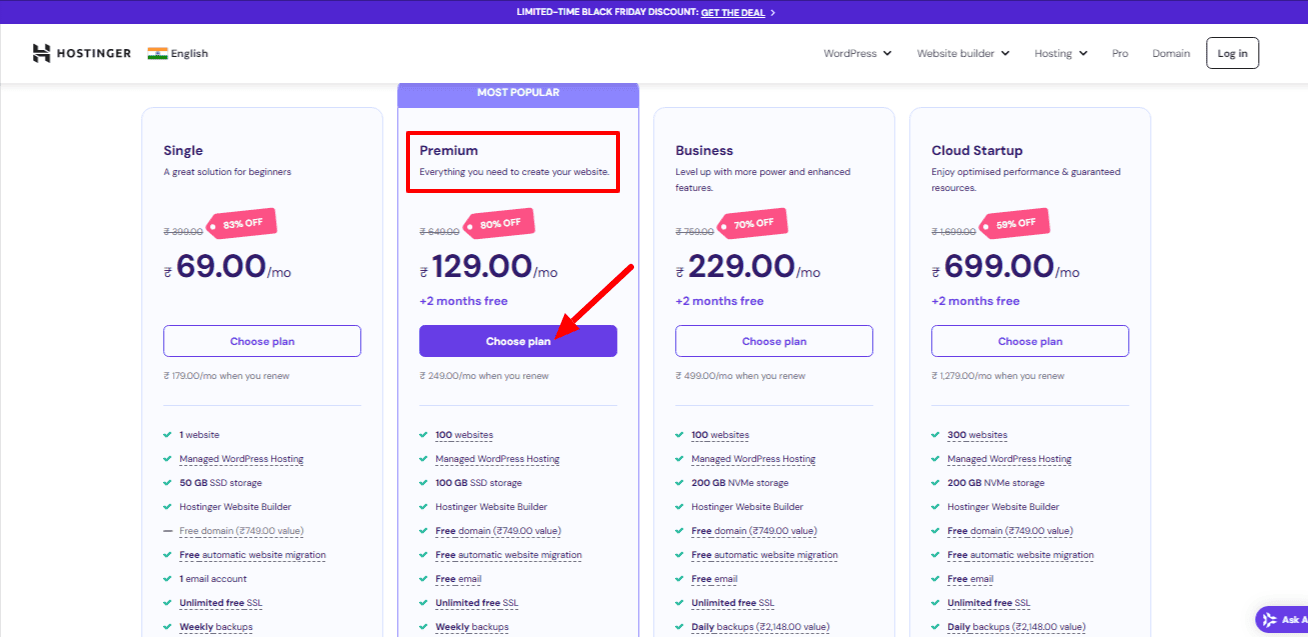
Step 3: Edit the Duration
Next, you will be forwarded to the pricing page. You can select a lock-in duration for your hosting plan.
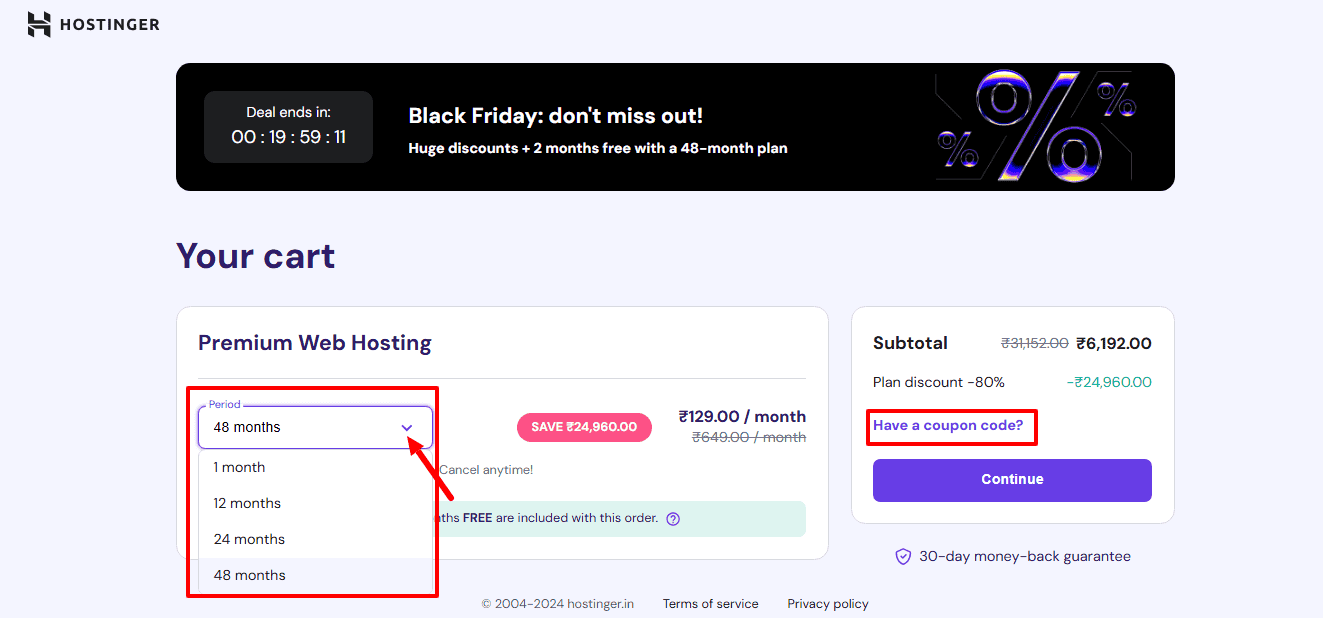
I have selected a period of 48 months for Premium Web Hosting which costs me Rs. 129/month.
Step 4: Enter the Coupon Code
Finally, under the coupon codes section, you can enter the coupon code . This would bring down the pricing of your 48-month plan to just Rs. 116.10/month.
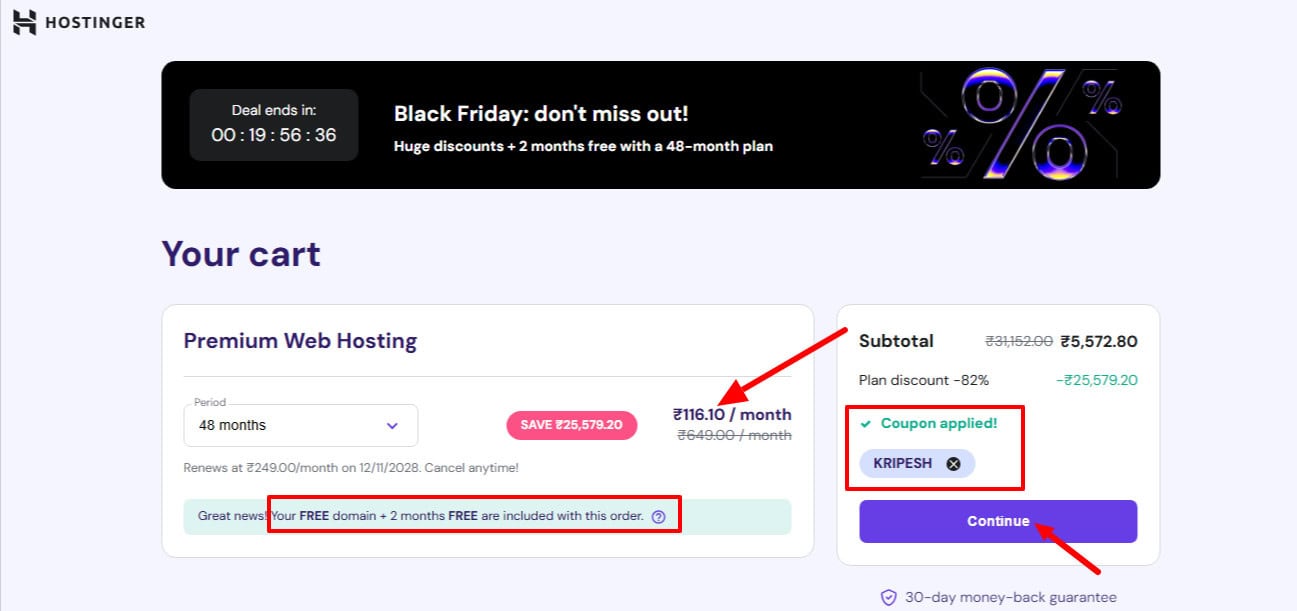
This is how you can activate the Black Friday Deal of Hostinger.
Step 5: Pay and Claim the Offer
Now, the last step is to mail your receipt to the email: team@kripeshadwani.com. Once my team verifies that you’ve indeed made your purchase through my link, you’ll be granted access to the Hostinger Training Program and Lightning Blogs course for free!
Pros & Cons of Hostinger Black Friday Deal
- Up to 80% Discount
- Attractive Interface
- Impressive Speeds & Uptime
- Affordable Pricing Plans
- Indian Payment & GST Invoices
- Indian Data Centers
- 4-Year Lock-In For Best Discounts
- Slow Customer Support
Conclusion
With that, we have arrived at the end. In this article, we saw the impressive Black Friday Deal of Hostinger. If you are looking for an affordable hosting solution at pocket-friendly rates, Hostinger is your best bet.
If you’re looking for the best hosting solutions, you can also check out our list of Best Black Friday Web Hosting Deals. Anyways, what hosting do you currently use? Are you going to get Hostinger’s Black Friday Deal? Let me know in the comments box below.
And, if you want to stay updated with the latest discounts and offers, make sure you are subscribed to my blog! With that, this is Kripesh signing off. Cheers! 🙂
FAQs
When is the Hostinger Black Friday Deal going live?
The Hostinger Black Friday Deal goes live on November 11, 2024. It will remain live throughout Black Friday.
Can I get a free domain?
Yes, with all the hosting plans purchased in the Black Friday deal, you will get a free domain and SSL for the first year.
What is the promo code for Hostinger Black Friday Deal?
You can use the promo code KRIPESH to get an additional 10% discount on Hostinger hosting plans in the Black Friday Deal.
Is there a money-back guarantee?
Yes, Hostinger offers a 30-day money-back guarantee on all the hosting plans purchased in the Black Friday deal.
When will the Hostinger Black Friday Deal end?
The Hostinger Black Friday Deal ends on December 15th, 2024. So, hurry and get your favorite plan right away!
Hostinger Coupon Code (2025) & Discounts

I have an interesting Hostinger coupon code for you all. If you are planning to get any hosting plan from Hostinger, you can get an additional discount on it by using my coupon code KRIPESH.
The following is a table comparing the pricing and features of its Shared Hosting plans.
| Single Hosting Plan | Premium Hosting Plan | Business Hosting Plan | Cloud Startup Plan | |
| Pricing (48 months) | ₹89/month | ₹149/month | ₹249/month | ₹599/month |
| No. of Websites | 1 | 25 | 50 | 100 |
| Monthly Traffic | 10k visitors | 25k visitors | 100k visitors | 200k visitors |
| SSD Storage | 10 GB | 25 GB | 50 GB | 100 GB |
| Free Domain | No | Yes | Yes | Yes |
| Mailboxes/website | 1 | 2 | 5 | 10 |
| Inode Count | 200k | 400k | 600k | 2M |
| Bandwidth | 100 GB | Unlimited | Unlimited | Unlimited |
| Daily Backups | No | No | Yes | Yes |
| Free CDN | No | No | Yes | Yes |
The maximum discounts are seen when you purchase any plan for 48 months.
How to Avail the Hostinger Discount?
Step 1
Use my link to visit the Hostinger official website. Select a hosting plan of your choice and click on ‘Choose plan’. To demonstrate, I have chosen the Business plan.

Step 2

Choose a time duration from 1 month, 12 months, 24 months, or 48 months. The best discounts are seen on the 48-month plans.
Step 3
Next, enter my coupon code to get an additional discount. You can use the coupon code to get 10% off on your purchase. For a limited time, you can also use the code to get 15% off on your plan!
Step 4
Now, click on ‘Continue’ and log in to your Hostinger account. Finally, select a payment method and check out securely. This is how you can avail additional discount on Hostinger hosting plans.
Hostinger Coupon Code for Domain
Planning to get a domain name from Hostinger? I’ve got some good news. If you purchase your domain name using my exclusive coupon code, you can avail of exciting discounts. Just enter the coupon code KPDOMAIN, and get an instant 10% off!
Frequently Asked Questions
What are the payment options available on Hostinger?
Hostinger supports a wide range of payment options:
International transactions – PayPal, VISA, MasterCard, and American Express.
Cryptocurrencies – Bitcoin, Ethereum, and Litecoin.
US and European users – Discover, Maestro, Diner’s Club, and JCB.
Indian Users – Net Banking, Rupay Card, PayTM, and UPI.
What is the Refund Policy of Hostinger?
Hostinger offers a 30-day money-back guarantee on all its hosting plans.
Hostinger Cloud Hosting Review (2025) || Cloud Nirvana or Budget Nightmare?
Shared hosting has always been a popular choice when purchasing a web hosting service. However, it has its drawbacks in terms of resources and security.
What if you could leverage the power of cloud services and expand your resources? That’s exactly what Cloud hosting is all about. It extends your server resources and ensures better security and scalability!
Hostinger is a leading player in the hosting market, well-known for its shared hosting services. While I’ve covered them in detail in my Hostinger Review, this article will specifically focus on Hostinger’s Cloud hosting.
In this Hostinger Cloud Hosting Review, we’ll delve into the major features of their Cloud plans and examine the results of various performance tests conducted on it. We’ll also compare the Shared and Cloud hosting plans and look at potential alternatives.
Even if you were considering shared hosting solutions, I assure you that this review will be worth your time. It will help you weigh the features of shared and cloud hosting plans and choose the right hosting package as per your requirements.
Discover if Hostinger cloud is the budget-friendly rocket fuel you need or a potential budget nightmare.
So, with no further delay, let’s dive right in!
Hostinger Cloud Hosting Features Overview
| Speed | 1.73 sec (India) 665 ms (Singapore) 3.98 sec (US) |
| Uptime | 99.95% (last 365 days) |
| Backups | Weekly backups stored for 7 weeks Automated daily backups stored for 7 days Manual backups and selective restoration are available |
| Pricing | Starts from $8.99/month |
| Refund Policy | 30-day refund policy |
| Payment Options | UPI, GooglePay, Paytm, Net Banking, International Debit and Credit Cards, and Cryptocurrencies |
Testing Parameters
For testing Hostinger’s Cloud hosting, I have purchased its Cloud Startup plan for $8.99/month. On this plan, I installed a WordPress website and implemented the following settings.
- OceanWP theme (Elementor based)
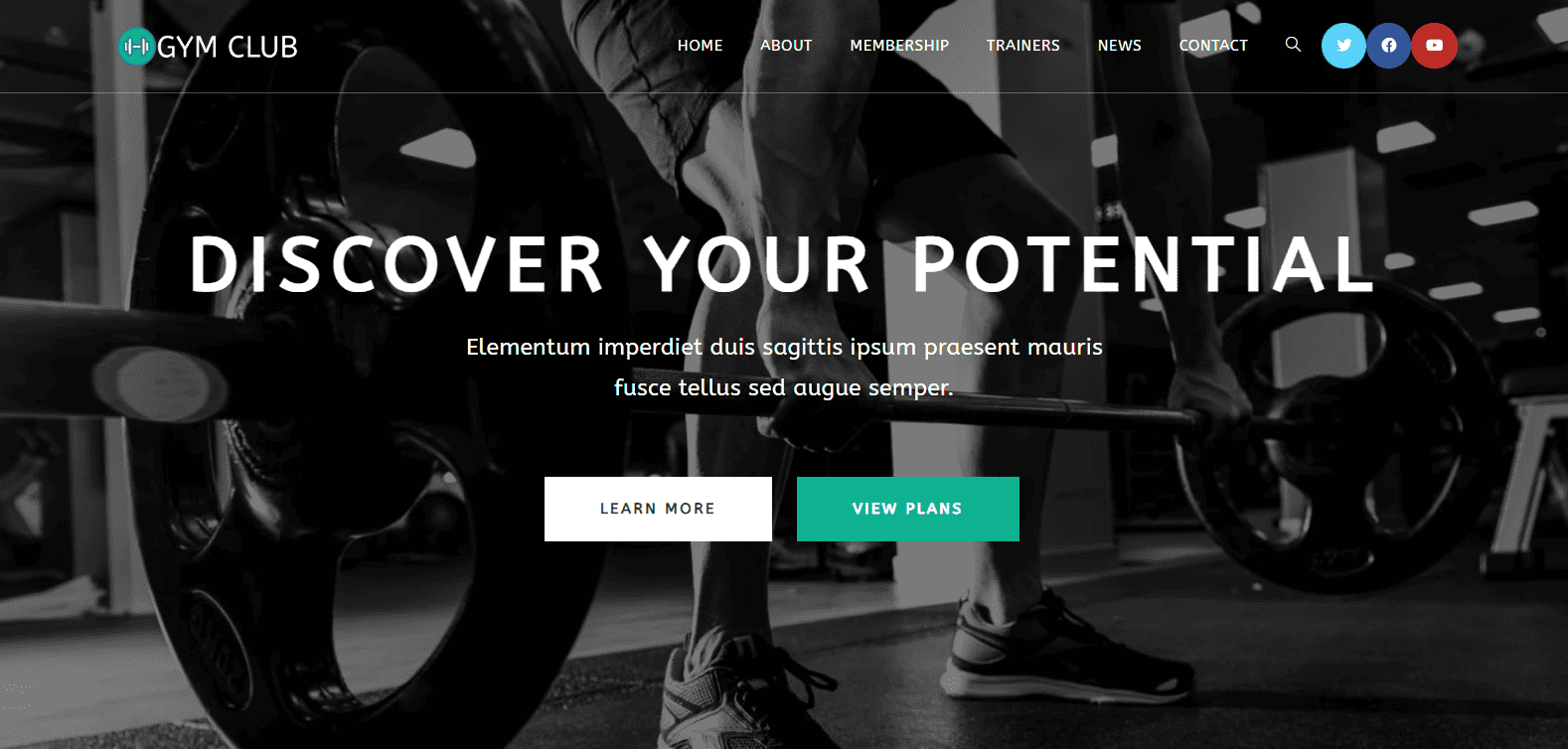
- Gym template
- Litespeed Cache plugin (default settings)
- Singapore servers
Hostinger Cloud Speed Test
Good page loading speeds are essential for a cloud hosting service. For conducting a speed test of Hostinger Cloud hosting, I used the KeyCDN tool.
First, I performed the speed test from India, where my website loaded in a swift 1.73 seconds. Next, I switched to Singapore. This time, it took merely 665.97 ms for my website to load. That was lightning fast!
Finally, I checked the loading speeds of my website from New York. It took a surprising 3.98 seconds to load this time.
The primary reason for these results is the fact that I had opted for the Singapore servers. As Singapore and India are both Asian countries, I saw quick website loading speeds.
Whereas, the speeds turned out to be poor in the US. I think implementing a good CDN can surely help improve the US speeds.
Hostinger Cloud Uptime
I have been monitoring the uptime of my Hostinger Cloud website for the last 1035 days (or 2 years and 10 months). For this, I have used the Better Uptime tool, which monitors my website’s uptime every 30 seconds.
Hostinger Cloud Uptime Status Report (Last 12 months)
This is the Uptime Report for Hostinger’s Cloud Startup plan (Singapore servers) for the last 365 days.
| December 2023 | 100% |
| November 2023 | 99.97% |
| October 2023 | 100% |
| September 2023 | 99.91% |
| August 2023 | 99.96% |
| July 2023 | 99.91% |
| June 2023 | 99.91% |
| May 2023 | 99.95% |
| April 2023 | 99.98% |
| March 2023 | 99.99% |
| February 2023 | 99.92% |
| January 2023 | 100% |
In the last 30 days, my website has been up 99.94% of the time. Whereas, in the last 365 days, it has been up 99.95% of the time. In the entire year, there have been 61 downtime incidents with the longest one stretching to 20 mins. The total downtime has been 3:45 hours.
Note: I have an active plan of Hostinger Cloud Startup plan. I will keep on updating the uptime every month here.
Hostinger Cloud Load Test
To evaluate the load management capabilities of Hostinger Cloud, I sent 50 virtual users to my website. These virtual users made a total of 17.6k requests. Surprisingly, none of the requests failed.
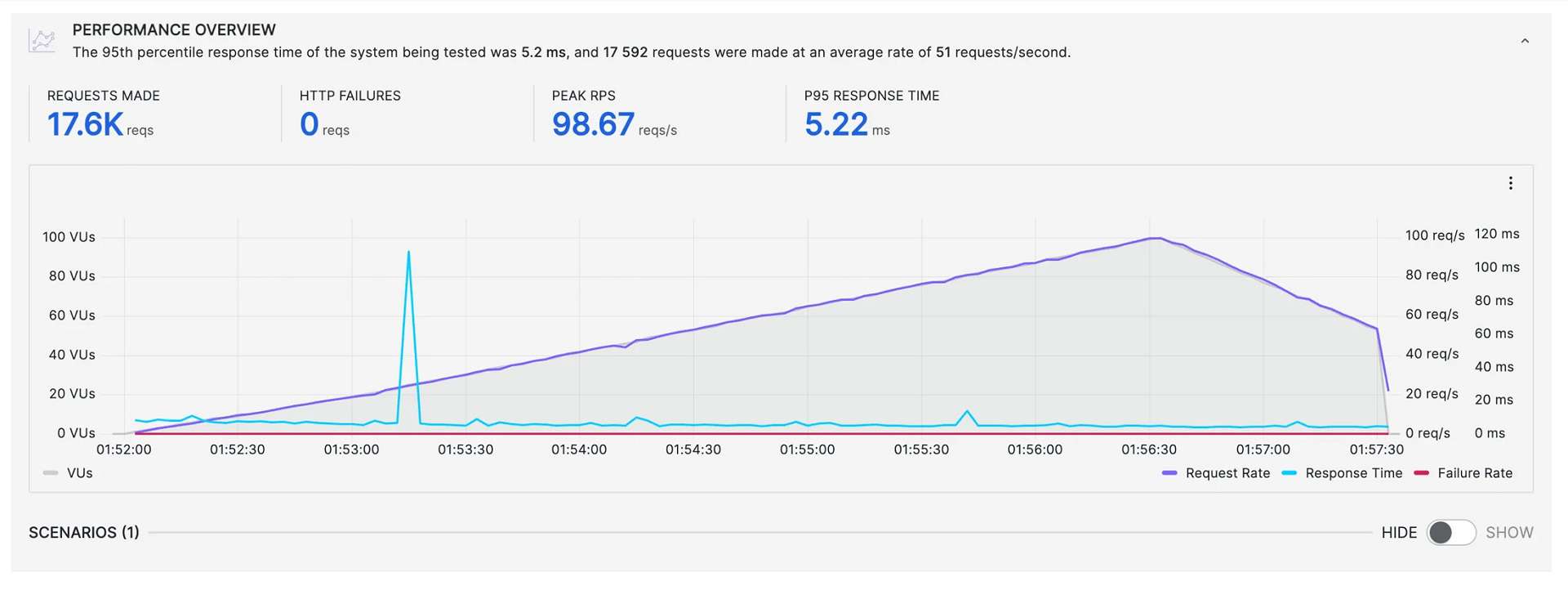
The peak requests reached 98.67 req/sec with a P95 response time of 5.33 ms. This means 95% of the requests had a response time of 5.33 ms or lower. Apart from one major spike, the response time was fairly stable throughout the test period.
Hostinger Cloud Support
Hostinger offers customer support via a live chat and knowledge base. Unlike the usual support provided on Hostinger Shared hosting, you get priority support in the Cloud hosting plans. This means faster replies, even during peak hours.
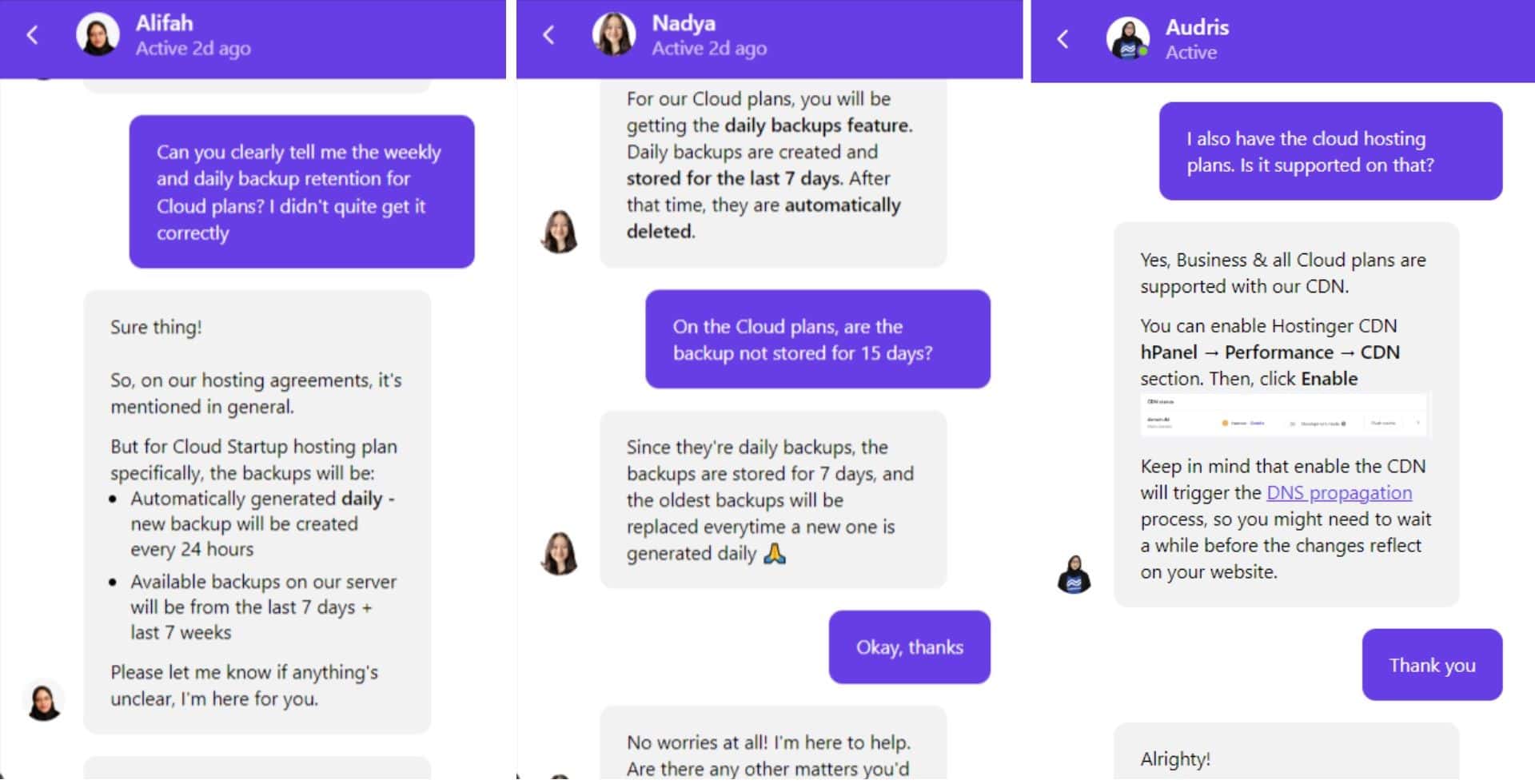
Their priority live chat support was quick and technically sound. They were able to resolve my general and technical queries with ease. Their knowledge base comprises an extensive collection of 1000+ annotated articles around all the major categories.
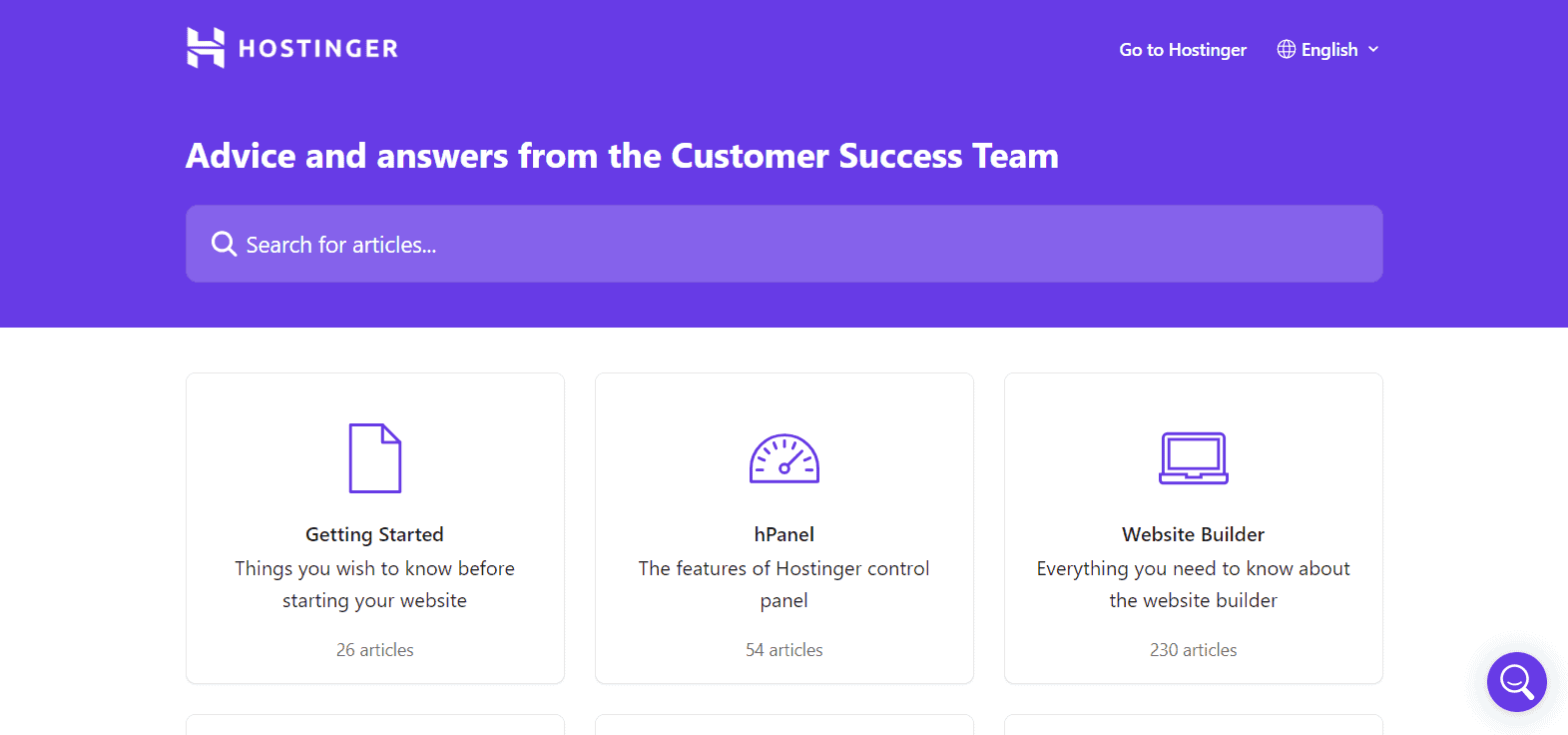
They also have a Tutorials page, where they offer webinars and video tutorials for beginners on Marketing, WordPress, eCommerce, and more. Overall, the customer support offered by Hostinger Cloud is really impressive!
Hostinger Cloud Backups and Restoration
Backups are the most important security feature on a hosting. It saves your website data in case any emergencies arise. Where shared hosting offers weekly backups with daily backups only on higher plans, you get daily backups on all the Cloud hosting plans.
Let’s look at the backups offered by Cloud hosting in detail.
1) Weekly Backups
Every week, a backup of your website files and databases is performed. Their servers store up to 7 weeks of weekly backups that can be restored anytime.
2) Daily Backups
You get automated daily backups of your files and databases. These backups are retained for 7 days. So, at any point, you can restore to a backup from the last 7 days or the weekly backups from the past 7 weeks.
3) Manual Backups
With Hostinger Cloud plans, you can create manual backups that are stored on a different server for 30 days.
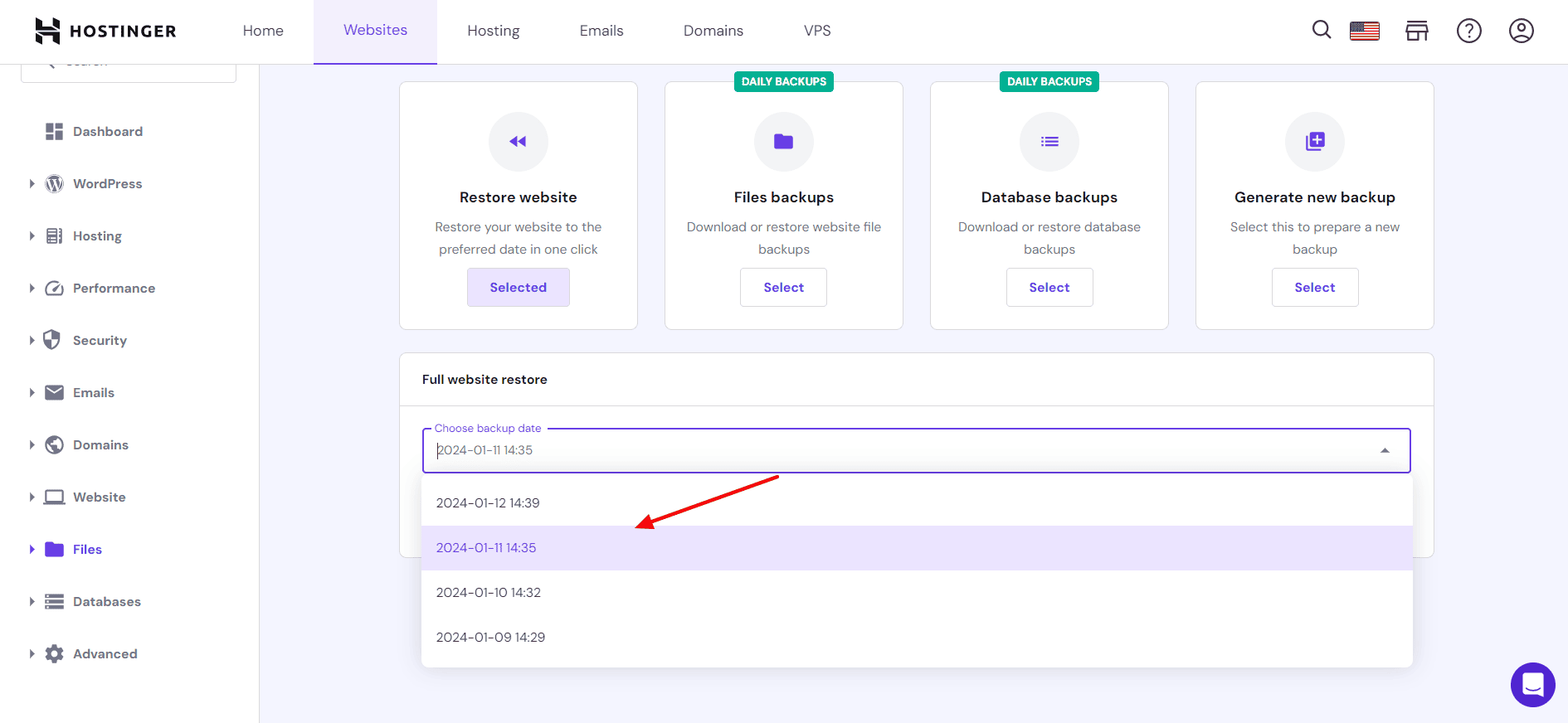
4) Backup Restoration
Backups can be easily restored with a single click. It also allows selective restoration, using which you can choose which files or folders you wish to restore.
Overall, it’s easy to create backups and restore them on Hostinger’s dashboard. Their backup facility is really impressive.
Hostinger Cloud Pricing
Talking about the pricing, Hostinger Cloud offers 3 different plans, namely Cloud Startup, Cloud Professional, and Cloud Enterprise. With each of these plans, you get 3 months of free hosting along with a free domain and free website migration.
The following table presents the key distinctions between its different plans.
| Cloud Startup | Cloud Professional | Cloud Enterprise | |
| Pricing | $8.99/mo | $14.99/mo | $29.99/mo |
| Websites | 300 | 300 | 300 |
| Subdomains | 300 | 300 | 300 |
| Storage | 200 GB NVMe | 250 GB NVMe | 300 GB NVMe |
| RAM | 3 GB | 6 GB | 12 GB |
| CPU Cores | 2 | 4 | 6 |
| Inodes | 2M+ | 2.8M+ | 3.2M+ |
| PHP Workers | 100 | 200 | 300 |
Hostinger Cloud Pricing
The Cloud hosting plans of Hostinger start from $8.99/month. I have its Cloud Startup plan. With this plan, you get 300 websites, 200 GB NVMe Storage, 3 GB RAM, and 100 PHP Workers. You can use it for medium to high-traffic sites and even eCommerce sites.
Payment Methods
Hostinger supports the following payment methods: UPI Payments, GooglePay, Paytm, Net Banking, International Debit and Credit Card, and Cryptocurrencies.
Refund Policy
Hostinger offers a standard refund policy of 30 days. So, if you’re unsure about your purchased plan, you can test out all the features and return it within 1 month to get your money back.
Hostinger Cloud Discount Coupon Code
If you’re looking for an additional discount on Hostinger Cloud plans, you won’t be disappointed! I have an exclusive discount coupon for you!
All you have to do is use my link to visit the official website of Hostinger. Choose your favorite Cloud hosting plan for at least a 1-year duration and enter the coupon code KRIPESH at checkout. This will give you a 10% extra discount on your purchased plan!
Hostinger Shared Vs Hostinger Cloud Hosting
There are stark differences between Hostinger’s shared plans and cloud plans. The right choice can make a huge difference in your hosting experience. If you’re confused between these two types of hosting, let me make it easy for you.
The following table contrasts the important parameters that you need to consider while selecting a hosting package.
| Hostinger Shared Plans | Hostinger Cloud Plans | |
| Pricing | Starts from $2.49/mo | Starts from $8.99/mo |
| Storage | SSD storage on Starter plans | NVMe storage on all plans |
| Websites | 100 | 300 |
| Dedicated IP Address | No | Yes |
| Free CDN | Not on Starter plans | On all plans |
| Daily Backups | Not on Starter plans | On all plans |
| Priority Support | No | Yes |
| PHP Workers | 40 to 100 | 100 to 300 |
| Best for | Small to medium websites | Large projects with heavy traffic |
If you have an eCommerce store or a blog that receives traffic of 100k+ visitors every month, Cloud hosting would be a better solution. It offers more PHP workers, storage, and better features to handle large traffic.
Whereas, if you’re a beginner who is just starting with their website and has fewer visitors, Hostinger’s Shared or WordPress hosting plans would be a better fit for your requirements. As you scale your blog or business, you can opt for the Cloud plans.
Beginners struggling with designing their first website can also check out Hostinger Website Builder. Besides hundreds of templates and features, it also offers AI website-building capabilities to generate professional and catchy websites within minutes!
Hostinger Cloud Alternatives
1) Hostinger Cloud vs Cloudways
Cloudways is a managed hosting built on unmanaged hosts like AWS, DigitalOcean, and Google Cloud. Similar to Hostinger Cloud, Cloudways features multiple server locations, lightning-fast speeds and uptime, excellent load management, and lots of security tools.
But unlike Hostinger Cloud, it also offers scaling options, server recovery options, safe updates, account sharing, and self-healing servers. You won’t find email hosting, a free domain, a website builder, or a refund policy on Cloudways, though. It also has a small learning curve!
The plans of Cloudways start from $11/month for the DigitalOcean servers. But if you use my link to purchase your plan and enter the coupon code KRIPESH, you can get a 20% discount on your hosting plan for the first 3 months!
2) Hostinger Cloud vs Nexcess
Nexcess is a premium managed hosting provider that offers excellent uptime and speeds, exceptional load-handling capabilities, email hosting service, lots of payment options, and selective restoration, just like Hostinger Cloud.
But unlike Hostinger Cloud, it features auto-scaling options, premium plugins, an average customer support team, CDN services, a complex staging facility, and no free domains.
The pricing of Nexcess hosting starts from $21/month. But if you use my link to purchase Nexcess, you can get extra discounts. The Starter plan can be availed for just $13/month instead of $21/month!
Not just that, you’ll also get access to premium WordPress plugins like iThemes Security Pro, Astra Pro, etc. So hurry and get your favorite Nexcess plan!
3) Hostinger Cloud vs Nestify
Nestify is a managed WordPress hosting service that exhibits fast speeds, advanced security, good uptime, and load management, secure automatic backups, and reliable performance, just like Hostinger Cloud.
Nestify differentiates itself by offering a powerful CDN, unlimited websites, one-click up-scaling features, a 60-day refund policy, and affordable prices. However, they can work on improving their support quality and providing free domain name or email hosting on their plans.
You get a variety of hosting packages on Nestify. Their Managed WordPress hosting package starts from $12/month!
Why Should You Trust Me?
I’ve been working full-time in the digital industry since 2015. In these years, I’ve used and tested all the popular hosting on my personal and client websites.
Hostinger, ChemiCloud, and FastComet are some notable shared hosting providers. Whereas, Kinsta, Cloudways, and Flywheel are popular managed hosting services I’ve reviewed. Detailed reviews are available on my blog and YouTube channel.
I’ve been testing the Cloud Startup plan of Hostinger for almost 3 years for this review. I even have an active subscription to it. Testing dozens of hosts in the past few years has given me the knowledge and expertise to compare them and recommend the best one for your requirements.
Conclusion
Overall, Hostinger’s Cloud hosting exhibits swift speeds, offers remarkable uptime and load management, fast and helpful support, and advanced backup options. It’s a suitable choice for anyone with an eCommerce store or a blog receiving monthly traffic over 100k.
Alternatively, beginners and small businesses with medium to low-traffic websites would benefit more from the Shared web hosting plans or WordPress hosting plans of Hostinger. As your business grows, you can upgrade to the Cloud plans.
Anyway, I hope this detailed review helped to understand the key features of the Cloud hosting package and also compare it with Hostinger Web hosting plans. I hope this information proves valuable to you in deciding which hosting is the right investment for your online journey.
Which hosting are you currently using? Have you ever used Hostinger Cloud hosting? Would you want to make a switch? Why or why not? Let me know in the comments box below. If you’re not much of a tech-savvy, you can also check out these Best Managed WordPress Hosting!
Anyway, this is Kripesh signing off. I’ll be back with more interesting content soon. Till then, keep learning and stay safe. Cheers! 🙂
FAQs
1) Is Hostinger’s Cloud Hosting better than shared hosting?
It depends on your requirements. For websites with heavy traffic, like online stores or news sites, Cloud hosting would be a better hosting option as it can handle excessive load. Whereas, for smaller websites, like blogs or business sites, Shared hosting would be a friendly choice.
2) How much traffic can Hostinger Cloud Hosting handle?
The Cloud hosting plans of Hostinger can handle anywhere between 200k to 400k monthly visitors depending on the plan you opt for. The Cloud Startup plan can handle 200k monthly traffic.
3) Does Hostinger Cloud hosting have a refund policy?
Yes, you get a standard 30-day money-back guarantee with Hostinger. In case you’re unhappy with your purchase, you can cancel it within a month of purchase and get your entire money back!
4) What are the payment methods supported?
Hostinger supports payments made through UPI, GooglePay, Paytm, Net Banking, International Debit and Credit Cards, and Cryptocurrencies.
5) Is there a Hostinger Coupon Code for Cloud hosting plans?
Yes. You can avail of the discount by using my link to purchase a plan for at least 1 year. If you enter the coupon code at checkout, you’ll get an extra 10% discount on your purchased plan!
6) Who should use Hostinger Cloud hosting?
Hostinger Cloud hosting is primarily beneficial for users with high-traffic websites that need high computational power, storage, PHP workers, and other resources. These may include eCommerce sites or blogs with 100k+ monthly traffic!
Hostinger Website Builder Review 2025(Formerly Zyro) – Best Website Builder?
Do you want to design a professional website but lack the creativity or technical skills? Well, you can get started with website builders. They offer a library of ready-made templates along with an intuitive editor to help you build the website of your dreams as quickly as possible!
One such website builder is Hostinger Website Builder (previously known as Zyro). I’ve been using it for the last 2 years. I have also used lots of popular website builders in the past, including Wix, Dukaan, Squarespace, Carrd, Swipe Pages, etc for designing portfolios, landing pages, blogs, and business sites.
With the recent integration of the Hostinger Website Builder with Hostinger web hosting service, I decided to review it for you guys.
In this Hostinger Website Builder Review, we are going to begin by discussing its user interface and essential features. We will also talk about its editor, AI tools, customer support, roadmap, pricing, and more. I found its AI website builder and AI tools to be the most impressive!
Excited to discover how you can create a stunning and fully functional website within minutes? With no more delay, let’s jump into our review!
About Hostinger Website Builder
Hostinger website builder, formerly known as Zyro, is a website builder powered by Hostinger web hosting. It was established in 2019 and has its headquarters in Kaunas, Lithuania.
The best part about using Hostinger website builder is that you don’t need any coding knowledge or design skills in order to get started with it. It lets you choose from a variety of pre-designed templates, use AI, or build your own website from scratch.
You can create professional business websites, attractive portfolio sites, and responsive online stores with it. You can use it along with your Hostinger plan or purchase it separately.
Hostinger Website Builder User Interface
The user interface of Hostinger Website Builder looks quite modern, attractive, and easy to use. The header section features options for customizing different aspects of your website.
Clicking on the Websites tab will forward you to the website builder, where you can add a new website or manage the existing ones. It offers 4 ways to build your website.
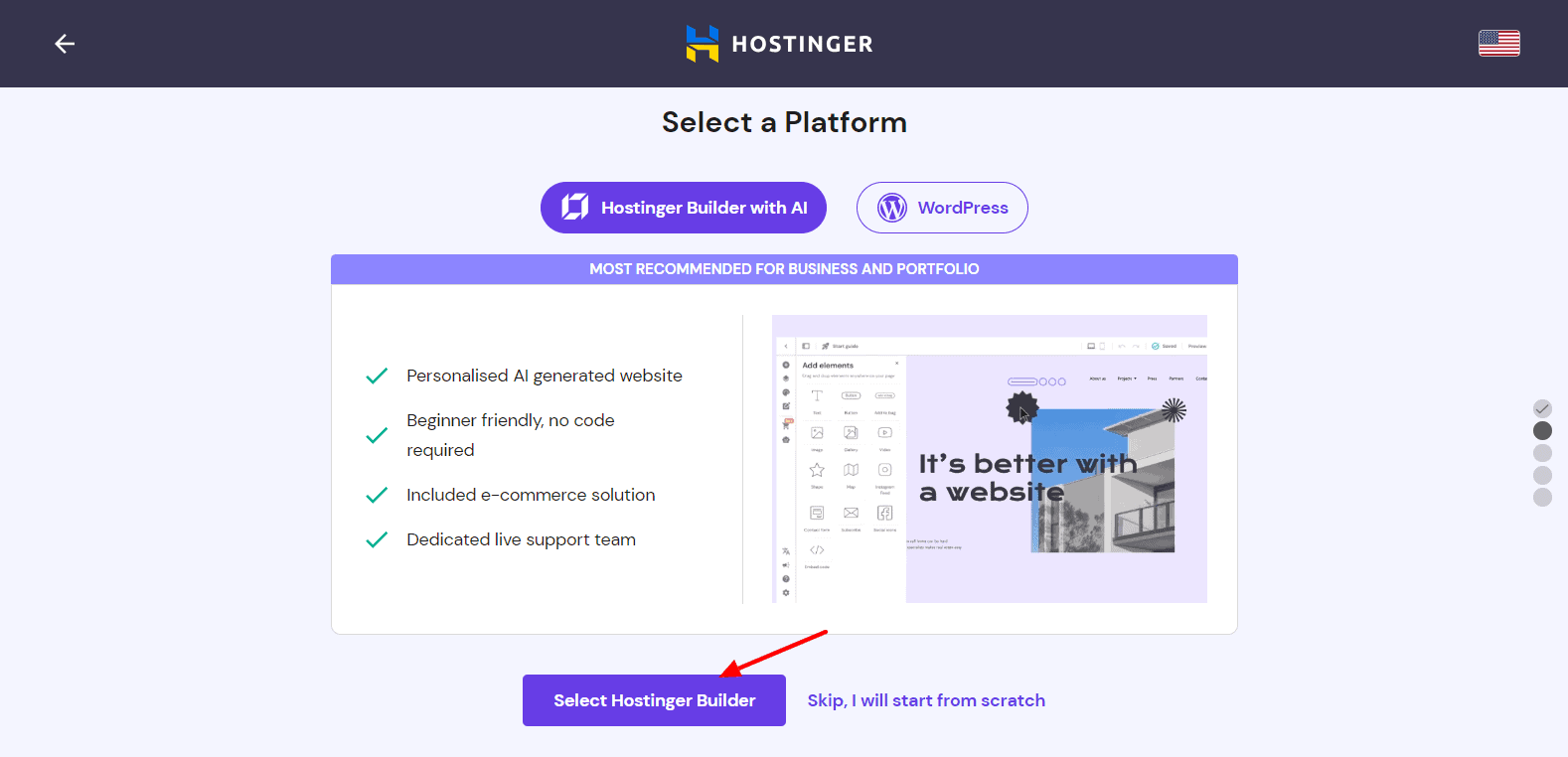
- Use WordPress CMS
- Use Hostinger Website Builder with Templates
- Use Hostinger Website Builder with AI
- Build your website from scratch
All your designed websites are visible on the Websites tab. You can view your live site, make edits to it, rename it, duplicate it, delete it, and access site settings. If you wish to create your website using templates, you get a range of categories, like fashion, technology, beauty, etc.
And if you want to create a website using AI, you simply need to supply the website name, category, and a short description of it. The AI will automatically generate a complete website for you within a minute! (Discussed at the end! Keep reading!)
Overall, the interface of the Hostinger website builder looks modern, organized, and friendly for beginners.
Hostinger Website Builder Editor
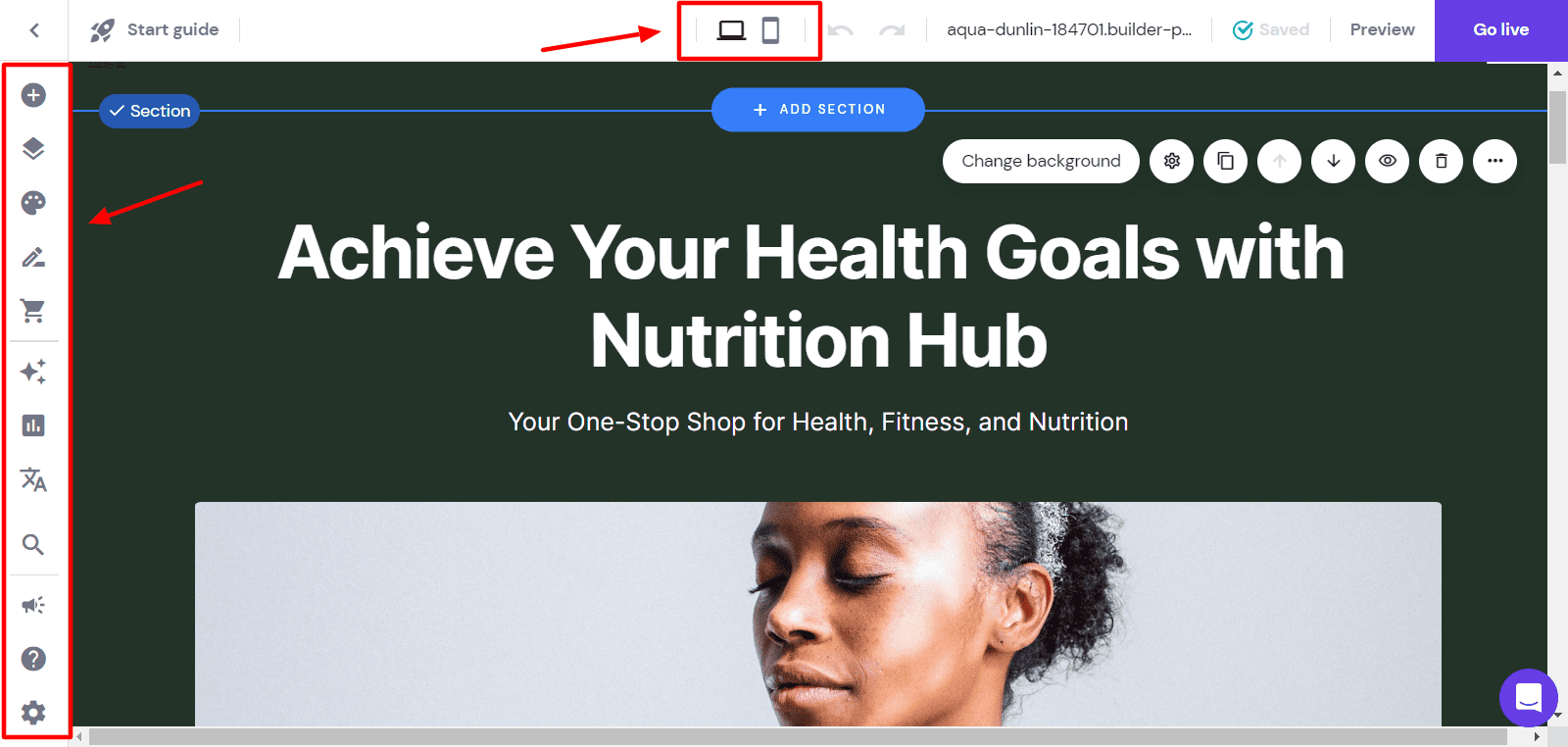
The editor looks pretty clean and easy to use. On the left column, you’ll find all the editable page elements like website styles, blog, online store, analytics, languages, settings, etc.
Drag & Drop Editor
With Hostinger Website Builder, you get the WYSIWYG (What you see is what you get) editor. This means the changes you make on the editor are reflected exactly the same way on the final website.
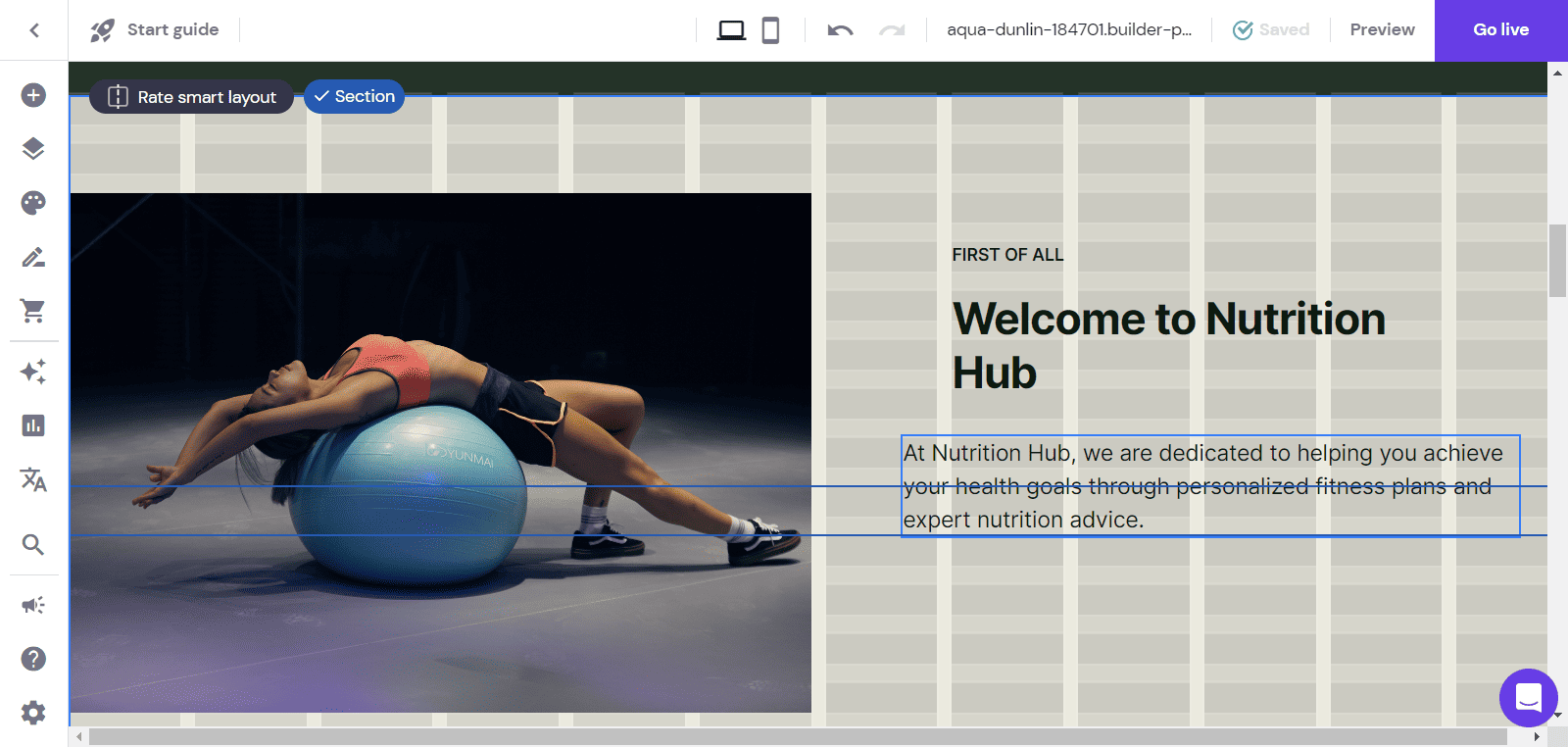
The editor supports drag-and-drop functionality and a unique grid system that offers greater design freedom. Thus, you can quickly arrange all the elements without messing up the appearance of your website.
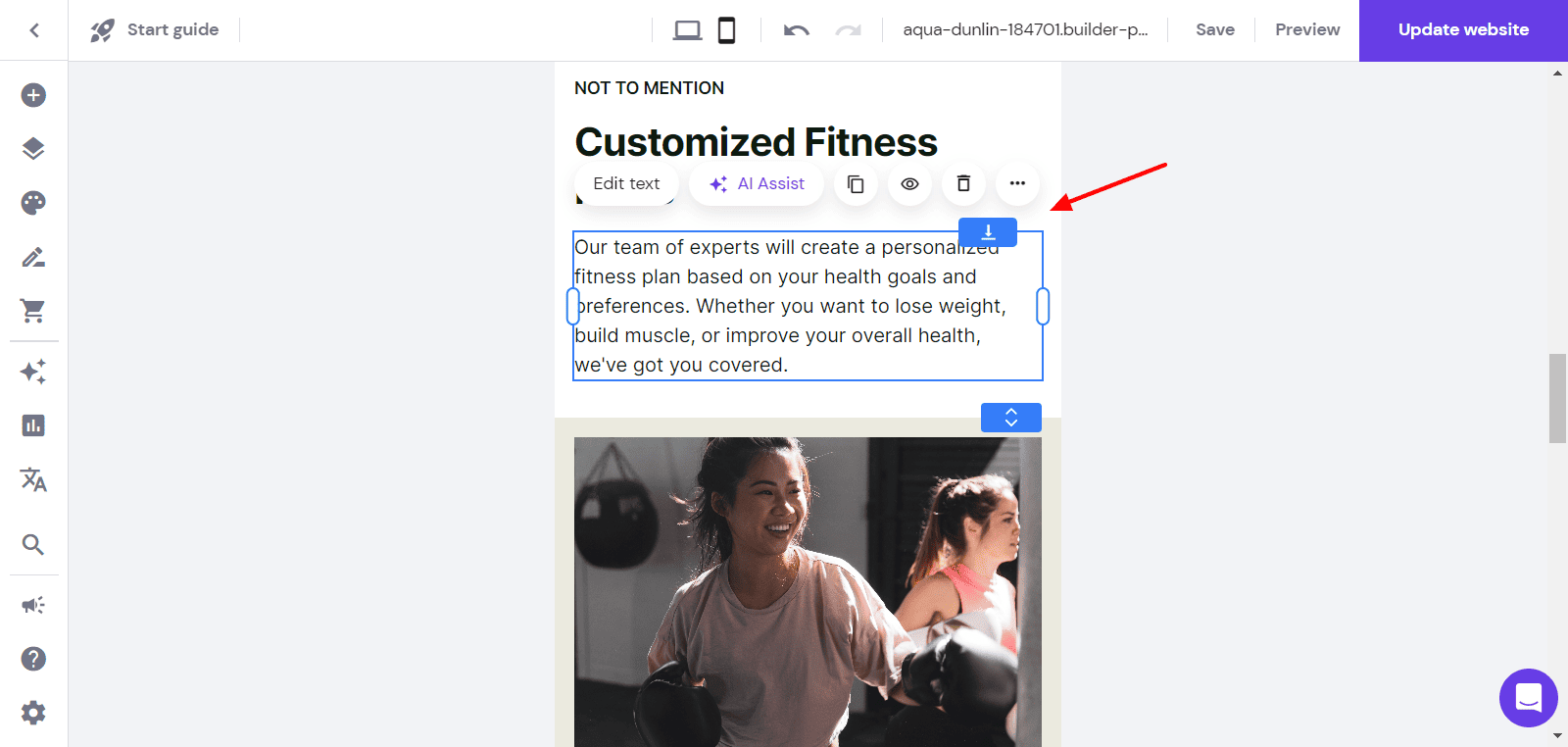
The editor is also responsive on both desktop and mobile devices. You can not only preview your site in the mobile view, but it also supports mobile editing! The best part is the desktop modifications do not apply to the mobile site.
So, you have the freedom to design your desktop and mobile views in separate ways without disturbing the other. Overall, the editor is intuitive, flexible, and easy to use for beginners.
Pages
Once you are in the editor window, you can find a list of pages on your website from the left panel. You can edit these pages separately by clicking on them.
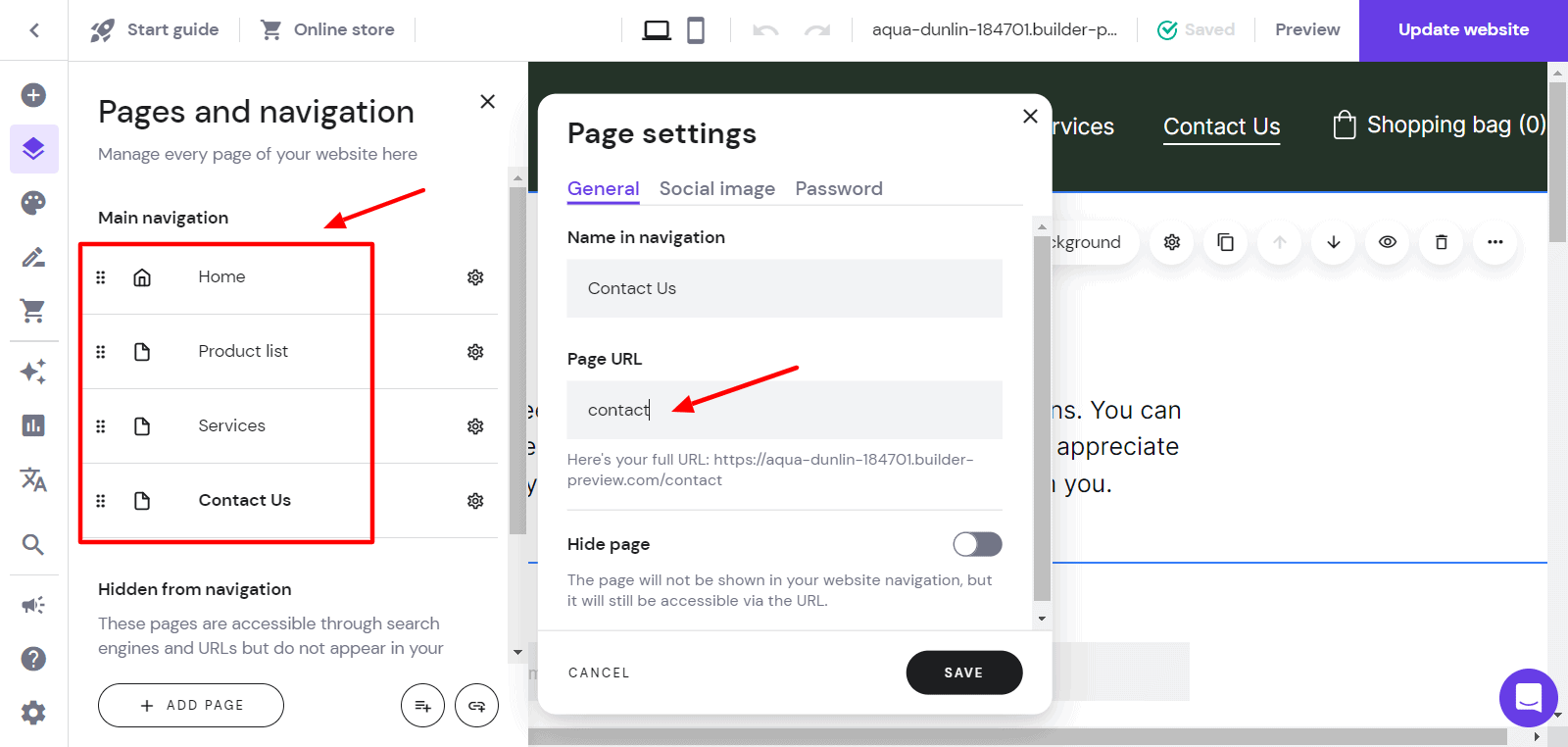
New pages can be added with a single click by selecting a template from pre-designed layouts or designing one from scratch. You can edit page settings, customize the page URL, hide specific pages from the navigation menu, etc.
Sections
Sections are pre-made blocks of content that you can directly use on your website. You can click on the + button below any section on your page to add a new section template or a blank section.
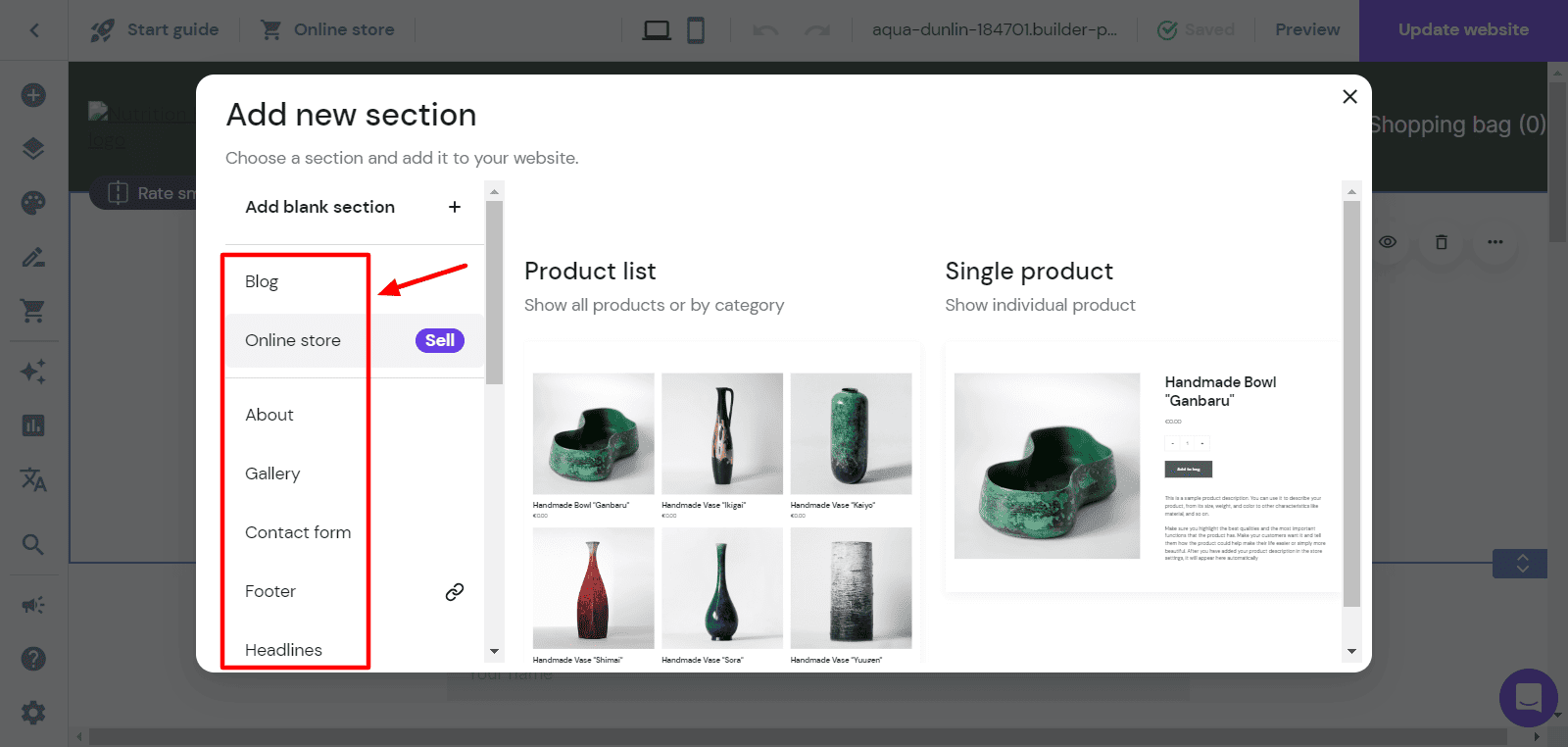
These comprise the About section, Contact Form, Headlines, Images, Map, Slide Show, Social Icons, Subscribe Form, Follow Us section, and more. For every section, you can infinitely edit the images, fonts, colors, content, etc.
Elements
Elements are the most important aspect of a website builder. Hostinger website builder supports 13 elements, including Text, Buttons, Videos, Images, Social Icons, Shape, Map, Insta Feed, Embed code, etc.
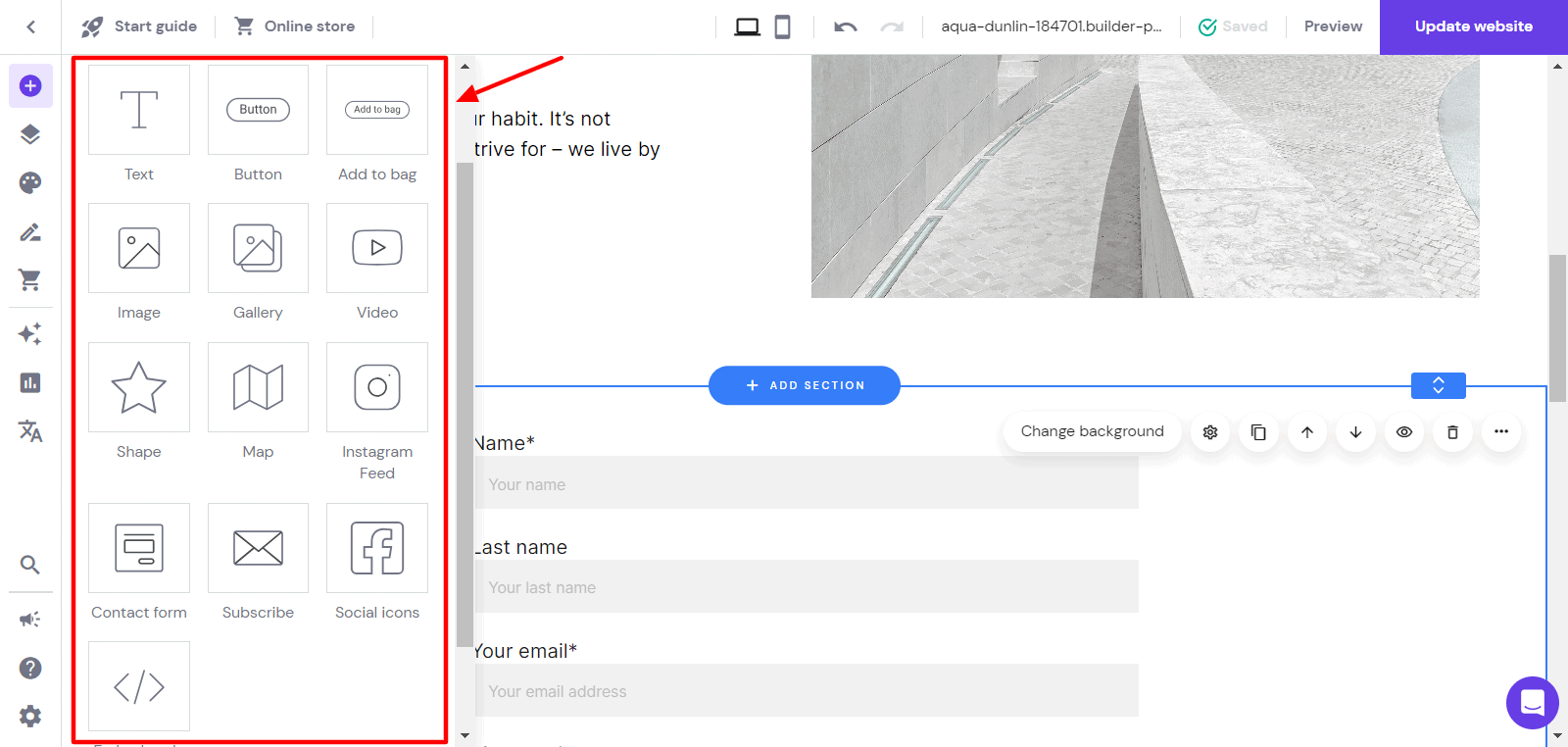
In my opinion, these elements are sufficient for beginners, but experienced users like me would find them to be quite limited. They can definitely work on adding more advanced elements to their editor.
Styles
The Editor also lets you experiment with the appearance of your website. You can modify colors, fonts, buttons, and animations from their list.
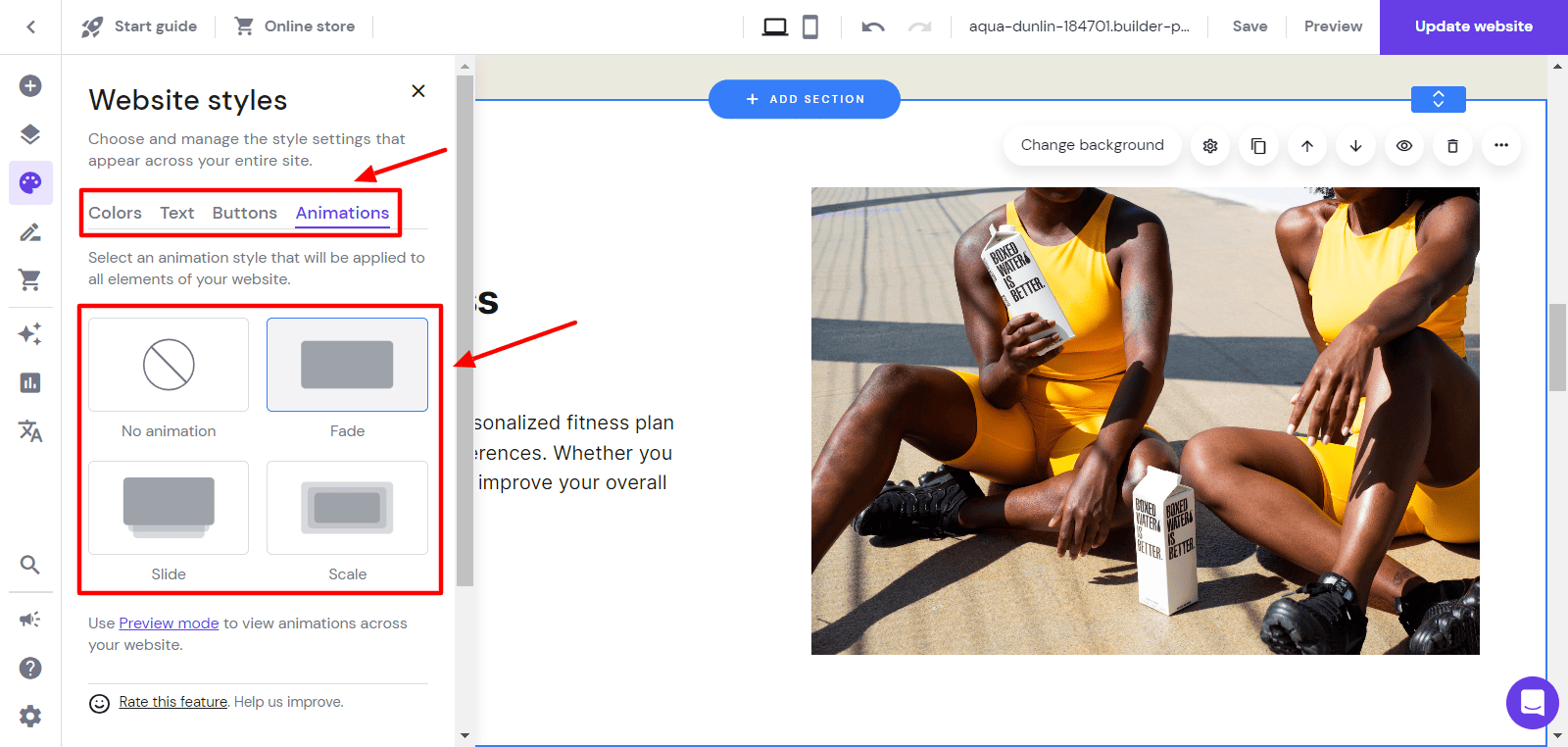
You can check the usage frequency of each color, choose font combinations that work well together, and select a button shape and an animation for your section.
Blogs
You also get fully functional blogging features with the Hostinger website builder. It lets you create and manage your blogs right from your website builder dashboard. However, the functions are quite basic.
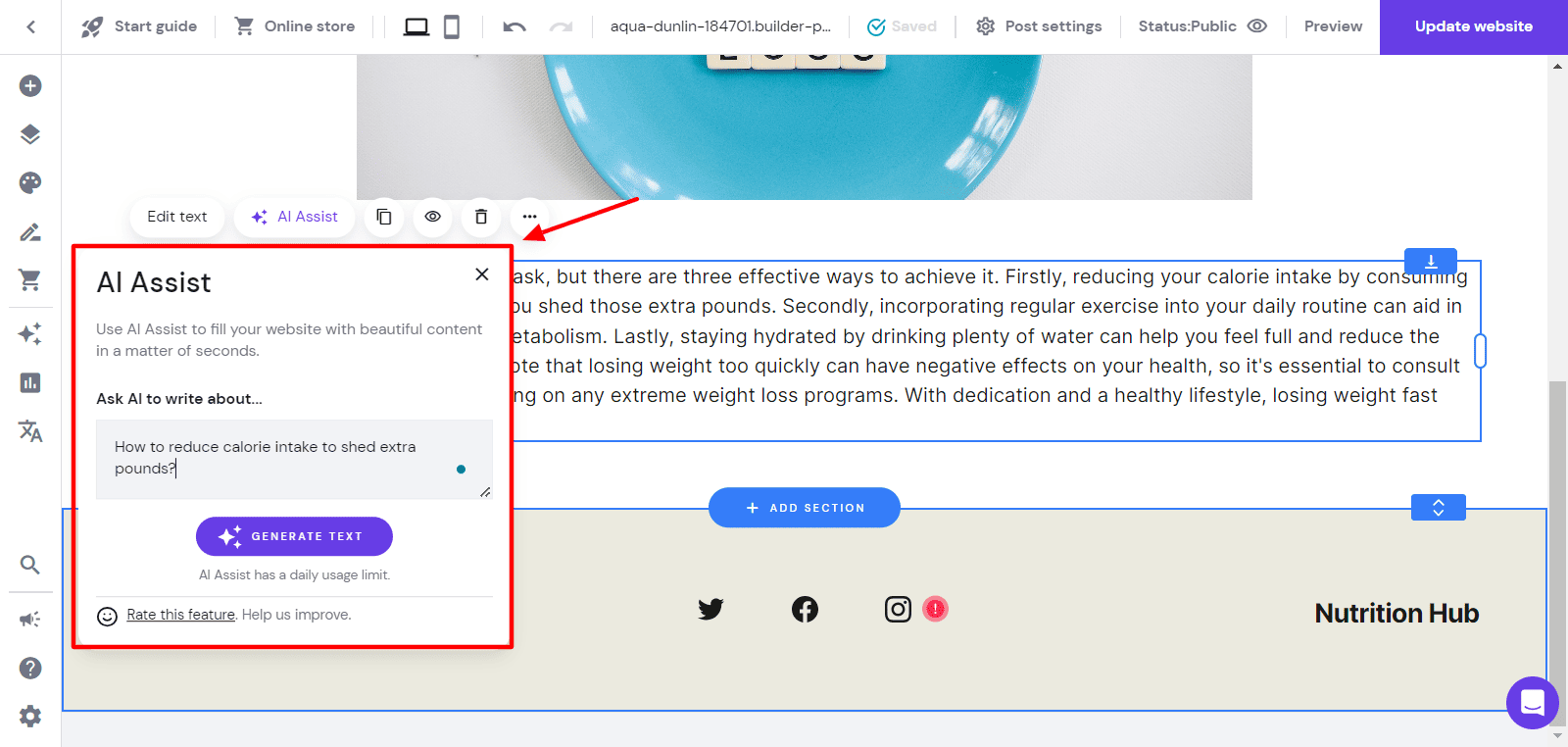
One interesting feature they’ve recently integrated is AI Assist. Here, you simply need to describe what you want to write about and it will generate a paragraph for you. You can also add sections to your posts, just like website pages, and schedule your posts to be published later.
If you wish to start professional blogging, go with WordPress. But if you’re just creating blogs for sharing information and don’t need to blog frequently, Hostinger website builder’s blogging tools will do the job for you.
E-Commerce
Hostinger Website Builder also supports creating eCommerce stores. They offer a separate interface to access this functionality. It lets you offer multiple types of products like physical products, digital products, services, donations, and appointments.
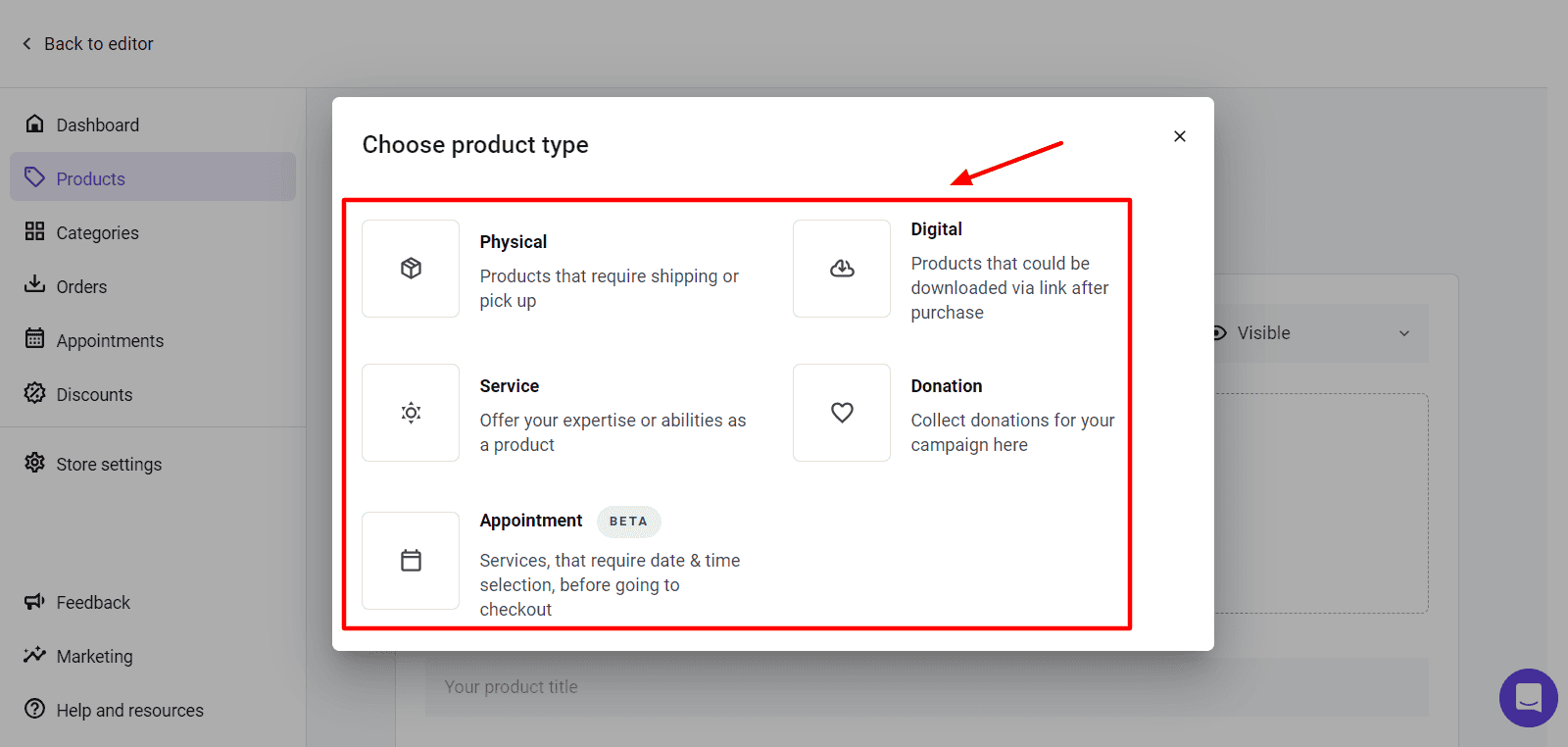
The Appointments feature seems to be a new addition. You won’t find it in most website builders. With this tool, you can book appointments with your clients and customers. However, it’s still in the Beta stage.
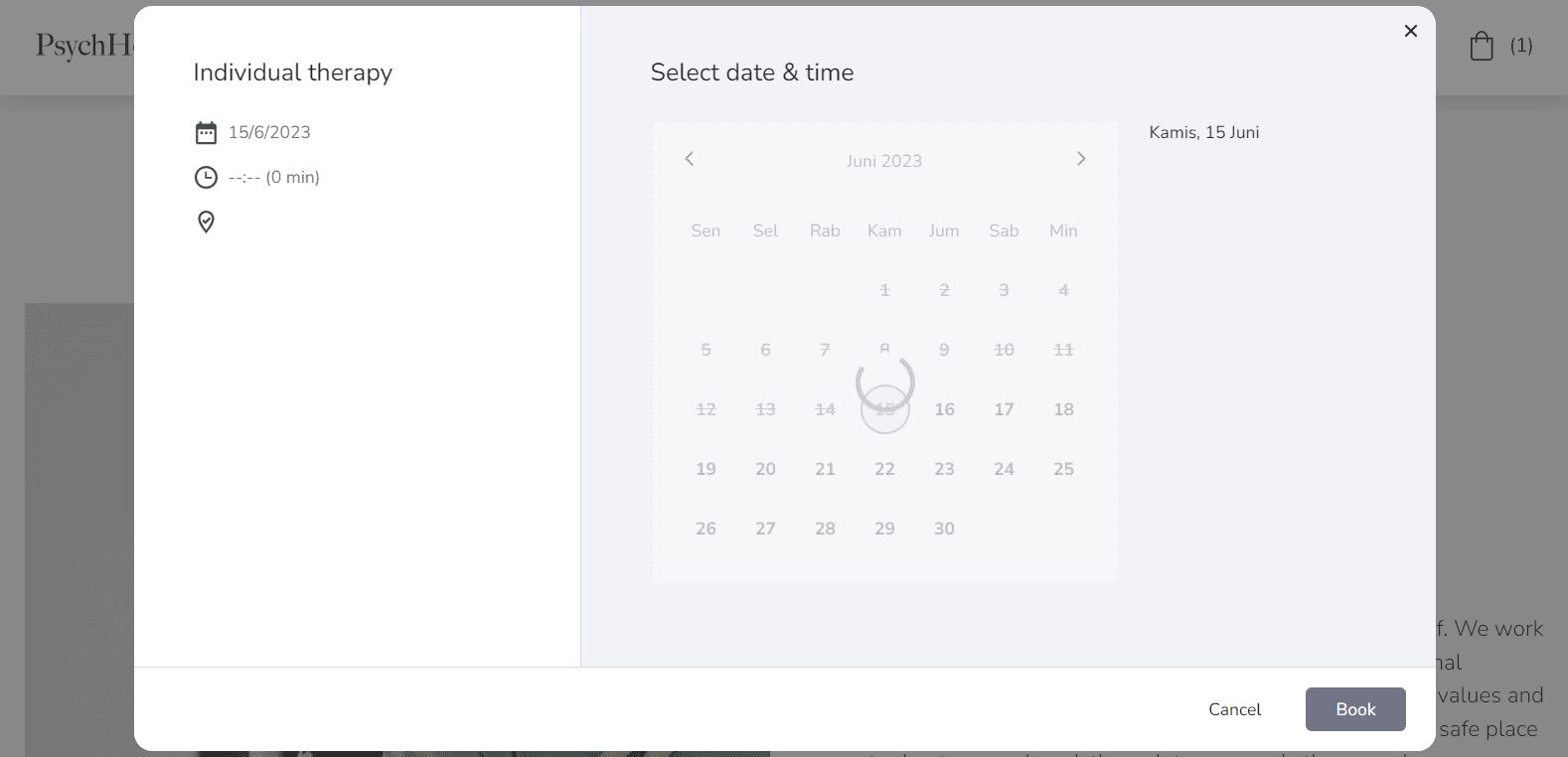
Apart from that, you can integrate multiple payment methods into your online store. It also supports the manual addition of payment methods if it doesn’t already exist in their list. For example, Cash On Delivery.
Overall, the eCommerce store functionality looks clean, simple, and convenient if you’re planning to set up an eCommerce store on your website.
Hostinger Website Builder Templates
Hostinger is focused on providing an easy and hassle-free website designing experience to newbies. Website templates play a significant role in making that possible!
You get 100+ fully customizable templates for creating different types of websites.
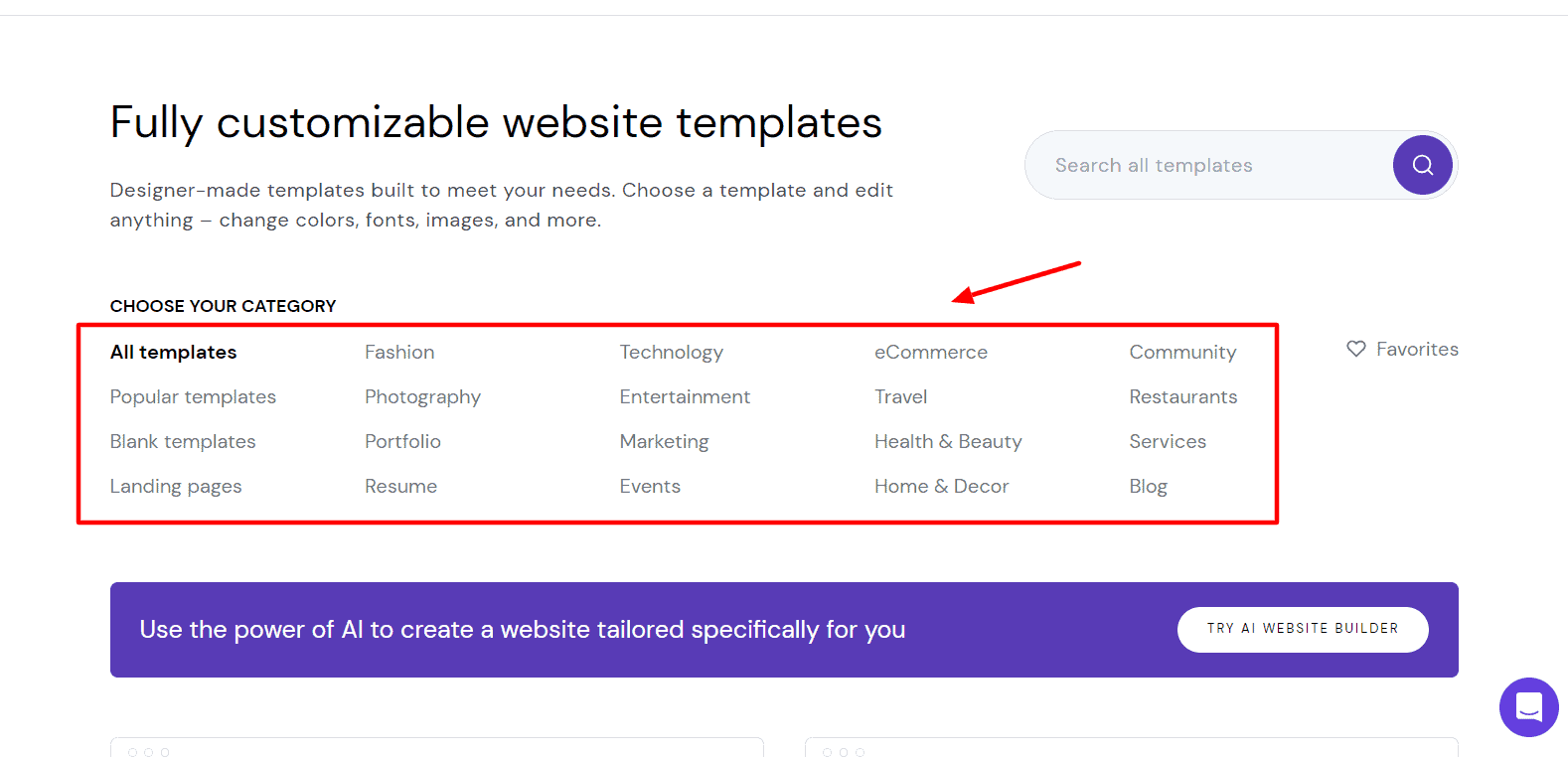
These templates look highly attractive and professional. They are available in the following categories: portfolio sites, photography sites, resume sites, blogs, eCommerce sites, landing pages, restaurant sites, technology, fashion, etc.
If you want to create a site from scratch, you can use the Blank website template and drag and drop different sections and elements onto it. Overall, I found their template collection quite impressive.
Hostinger Website Builder Speeds
Speed is not considered an important factor when evaluating website builders. Website Builders are mainly evaluated on their ease of use and design experience.
However, if your website doesn’t load quickly, you might lose SEO points and customers. We don’t want that now, do we? Keeping this in mind, I performed speed tests on my website loaded with all kinds of elements, along with an eCommerce store and a blog.
I checked the speeds of my website from two different locations – US and India. Let’s check out the results.
When I checked the speeds from New York (US), my website loaded in 2.31 sec. This speed is really impressive in my experience.
Next, when I tested the same website from Bangalore (India), my website took 2.47 sec to load.
Despite adding a range of elements and implementing eCommerce and blog functionality on my website, I still received speeds under 3 sec all over the globe. Overall, these speeds are excellent for a website builder.
Hostinger Website Builder Customer Support
Hostinger provides customer support in four ways: Email, Knowledge Base, Live Chat, and Contact Form. Their knowledge base has a few articles that help you get started with Hostinger Website Builder, and address topics like Integrations, Blogs, and SEO.
I found their customer support team to be quite good at solving technical queries. Though the support lagged at times, overall, I found them to be polite, helpful, and technically well-versed.
Hostinger Website Builder AI Features
What sets Hostinger Website Builder apart from others? The answer is its powerful and efficient AI tools. These tools will help you get started with your website quickly and more effectively. Let’s check out what they are!
AI Logo Maker
AI Logo Maker is an intelligent solution for quickly creating professional logos. You can create your logo by yourself or use their AI logo generator.
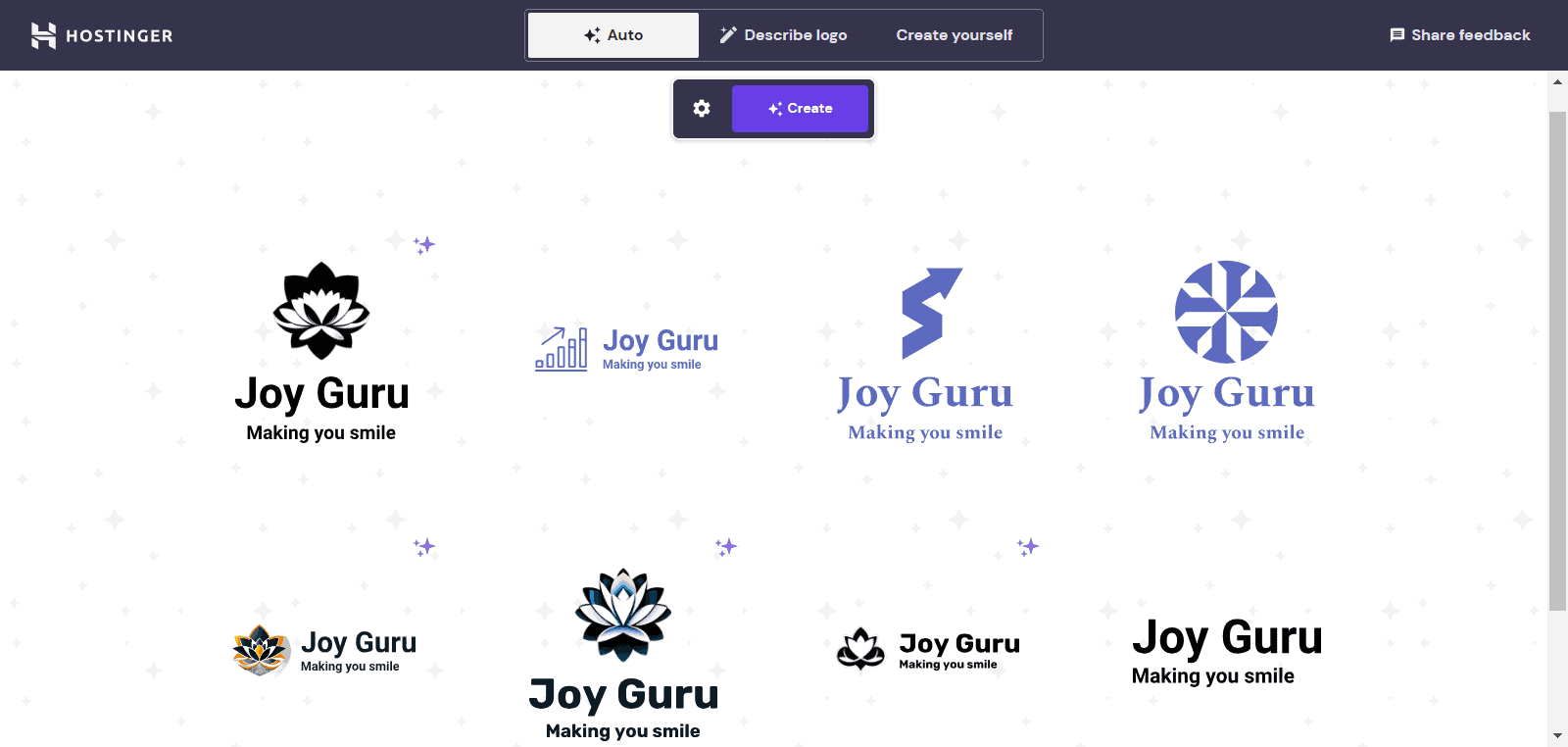
All you need to do is provide it with your brand name, its tagline, and the industry you belong to. It will automatically generate relevant logo options for you.
Once you find a suitable logo, you can make edits to you. You can resize your icon and text, and change the font family, layout, and icons. It offers a good collection of icons and you can even generate more unique icons with its AI.
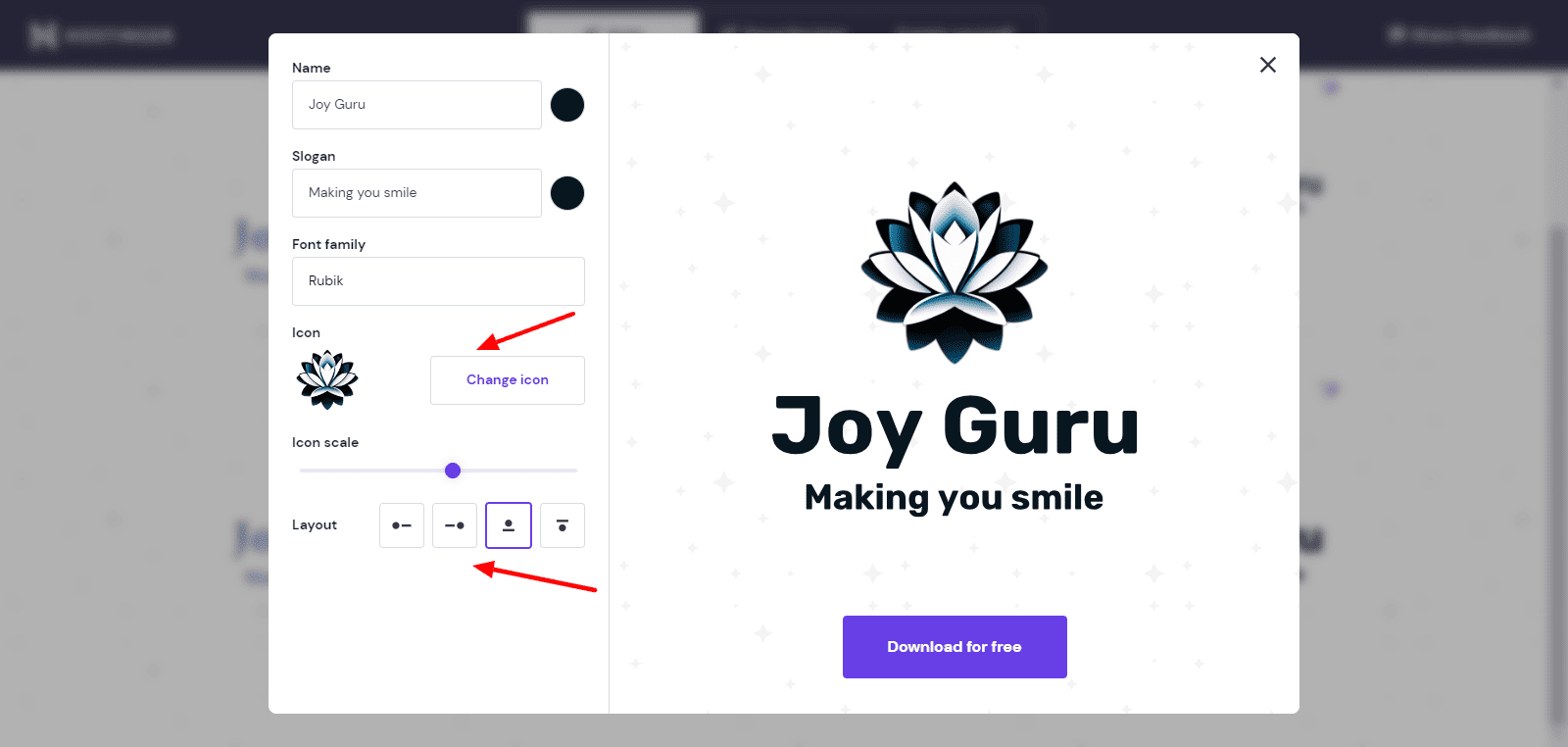
Finally, your logo can be downloaded with a single click. Overall, Logo Maker is a super convenient and time-saving feature for beginners.
AI Heat Map
Hostinger’s AI Heatmap is quite an advanced tool that analyzes your web page and displays those areas where the user’s attention would be focused.
You simply need to hit the AI Heat Map button and it will scan your current web page. The green highlights are the areas where the user’s attention is highest.
According to the suggestions offered, you can arrange major elements on the highlighted spots to increase your conversions. Thus, this tool can help you optimize your site better.
AI Writer
AI Writer is a GP3-based writing tool that generates plagiarism-free text content for your website. It’s similar to tools like ChatGPT, Jasper, Copy AI, etc.
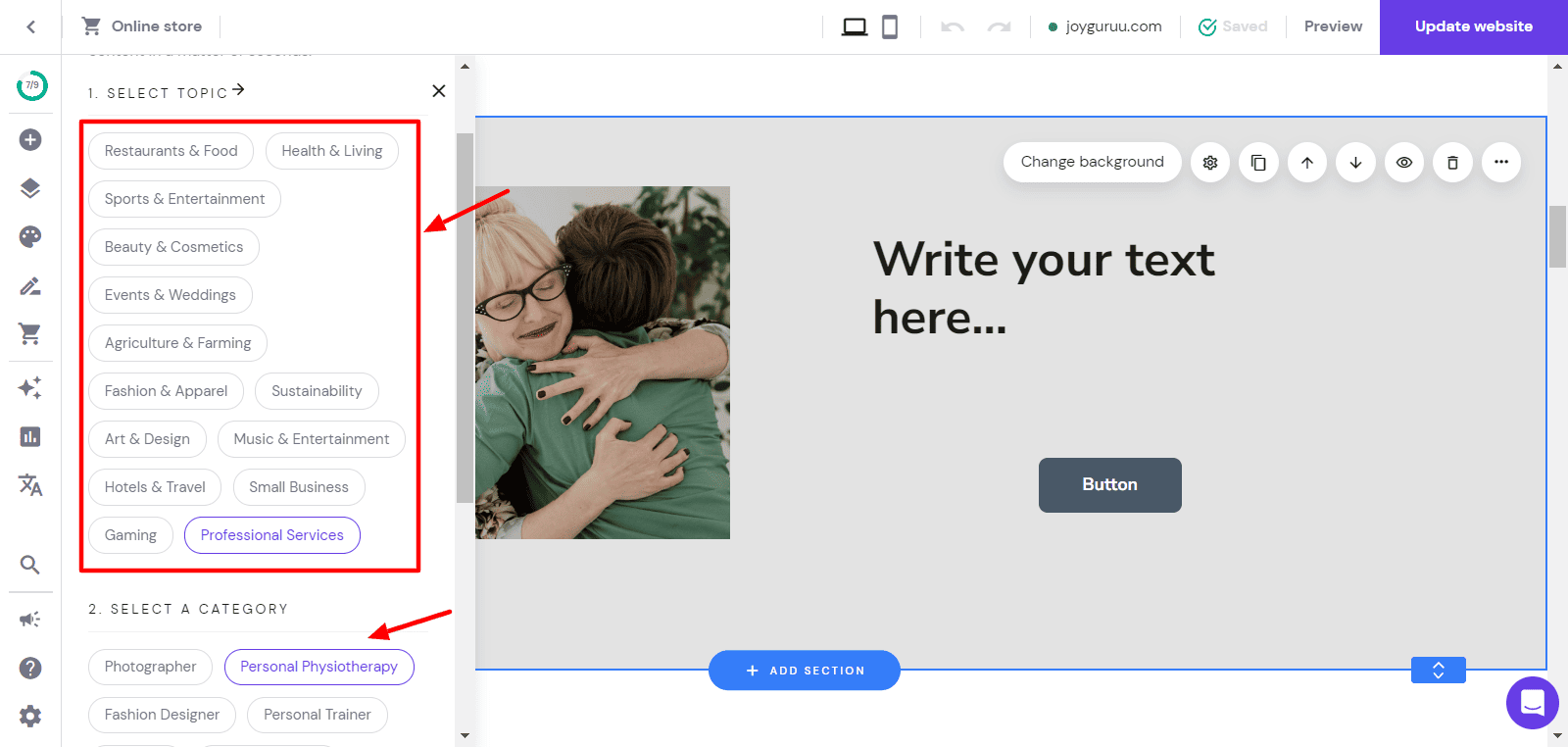
To get started with this tool, you need to choose one from various topics like restaurants and food, beauty and cosmetics, agriculture and farming, hotel, travel, etc. Then you need to select a specific category under it and choose a language of your choice.
It will generate a relevant paragraph that you can edit and integrate into your website. They also have the AI Assist feature for generating any additional content.
Hostinger Website Builder SEO Features
Search Engine Optimization has become a primary requirement for every website these days. Hostinger website builder offers some basic SEO features for their users.
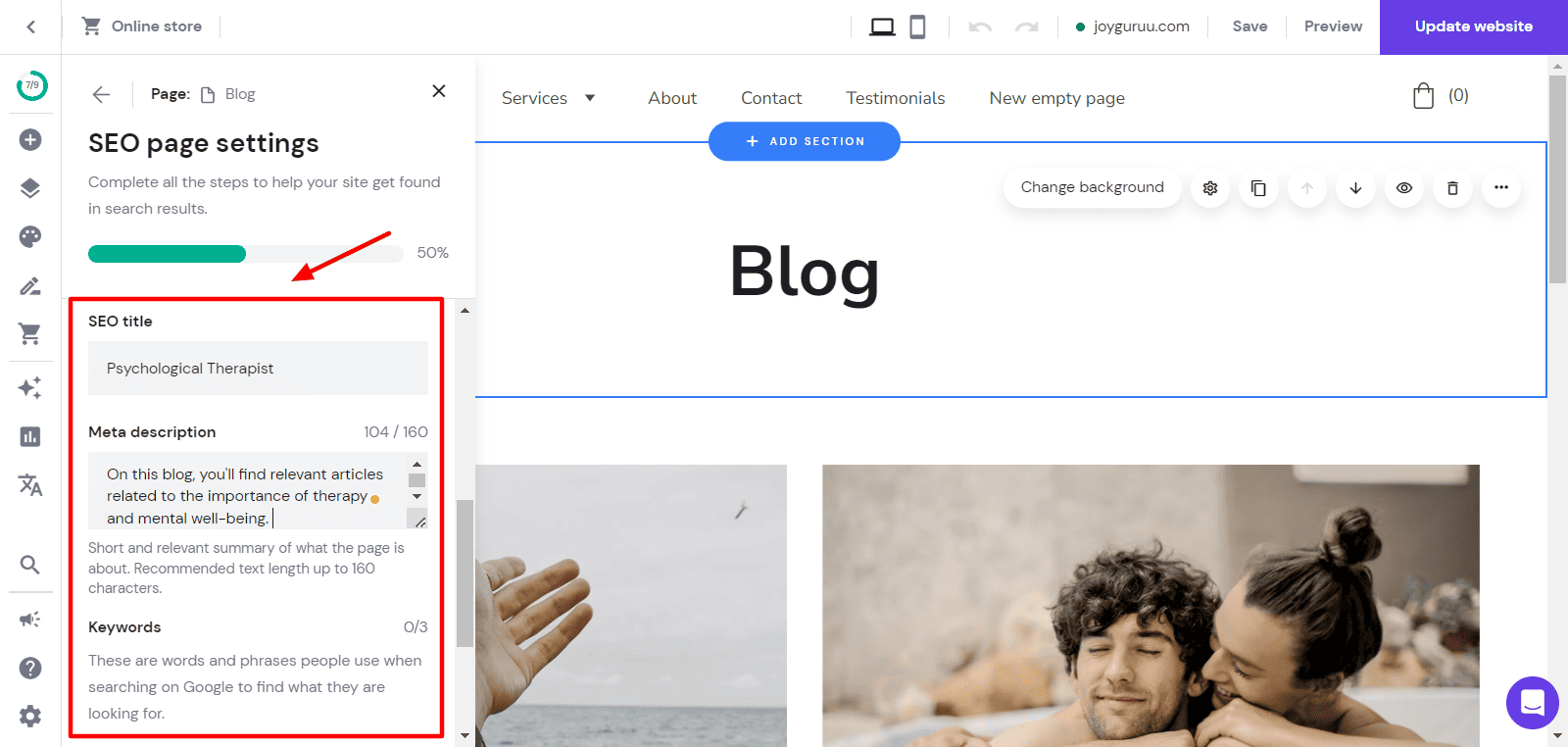
It basically presents a checklist of steps for improving your website’s SEO. It includes basic steps like adding SEO titles, meta descriptions, keywords, and heading tags to every page. Though these features are pretty basic, they are enough for beginners and non-technical users!
Hostinger Website Builder Integrations
Hostinger Website Builder integrates with several third-party services to enhance the functionality of their platform. Let us check out what they are. Apart from the following services, you can also add custom code to connect other apps.
Image Library
Hostinger Website Builder integrates with Unsplash, a stock photo platform, to offer you an image library comprising millions of free images!
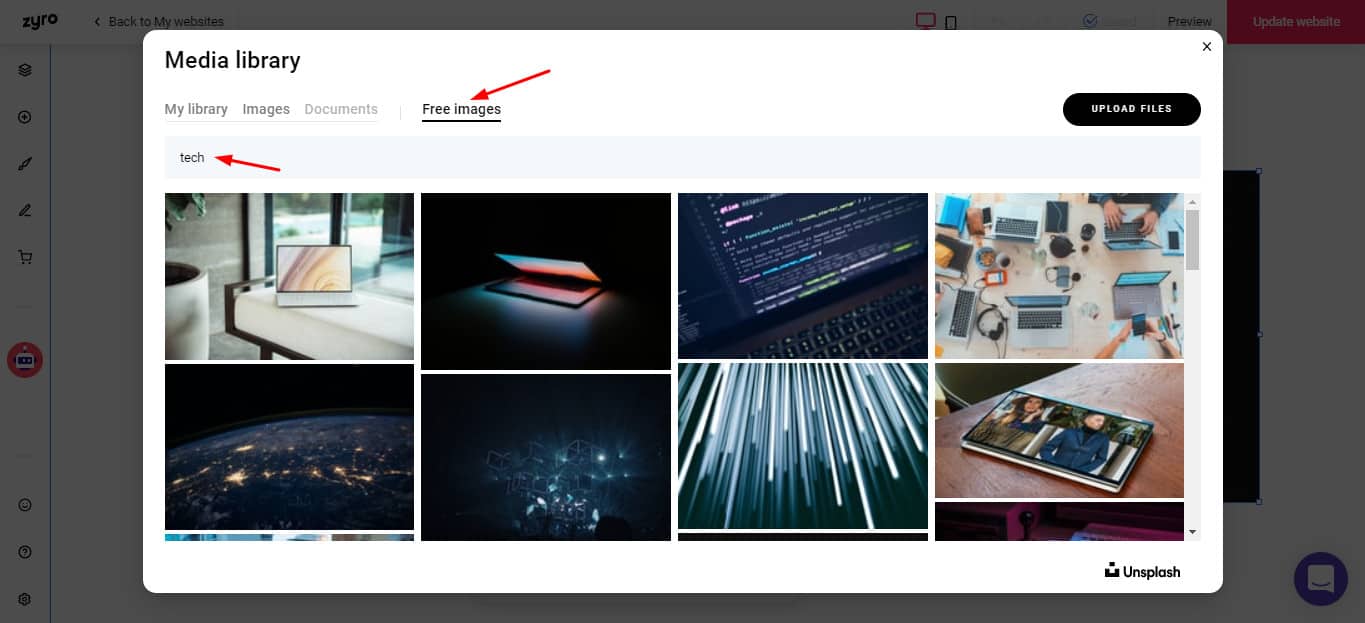
When designing your website, you can directly import images from Unsplash or search for relevant ones using the handy search bar.
Live Chat Services
Live Chat services help you stay connected with your customers around the clock. Hostinger Website Builder integrates with live chat apps like Messenger Live Chat and WhatsApp.
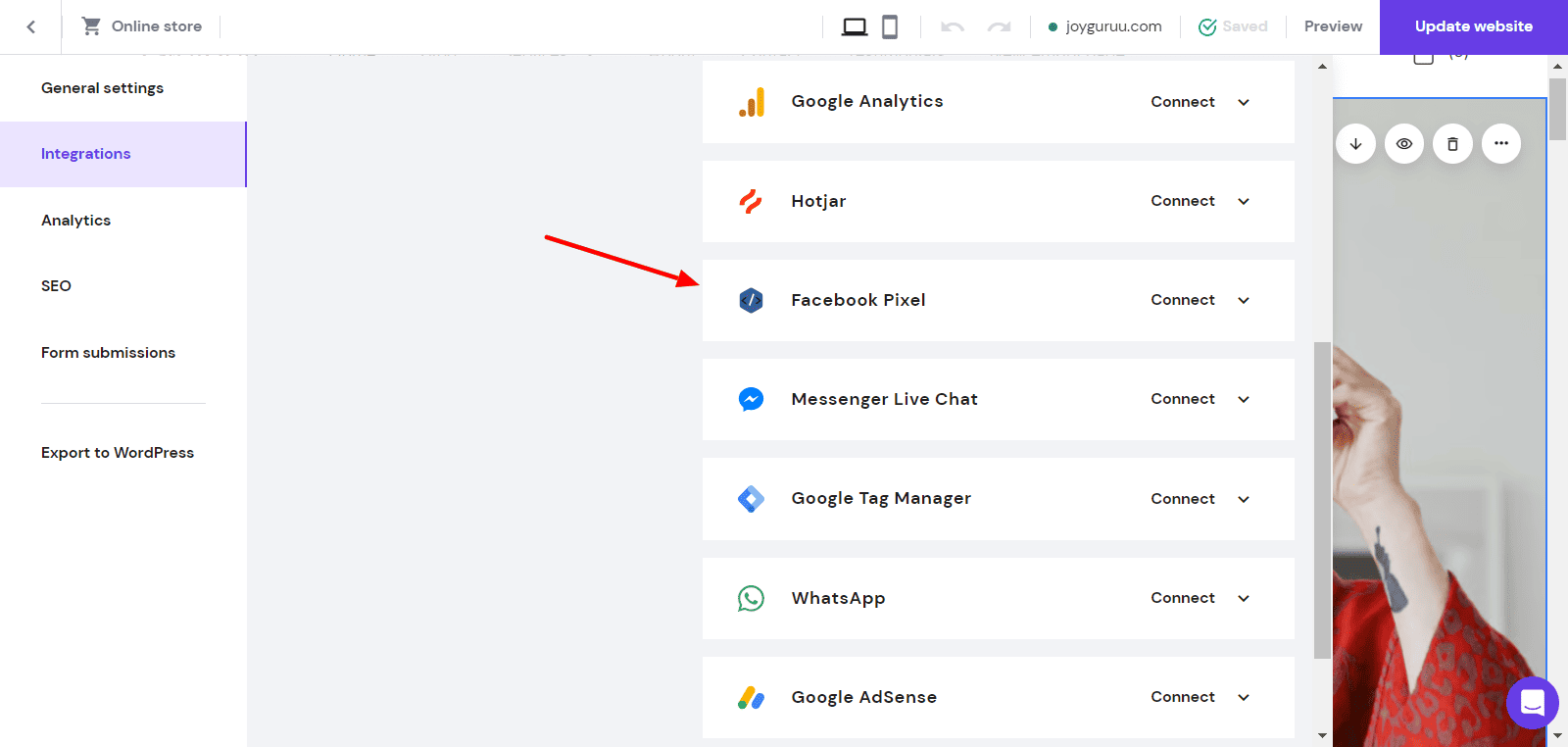
Analytics and Marketing Services
With Analytics services, you can analyze your website traffic, keep track of your visitors’ activity, and measure your conversion rates.
Hostinger Website Builder integrates with all the popular platforms like Facebook Pixel, Google Analytics, Hotjar, Google Tag Manager, Google AdMob, and Google Adsense.
Hostinger Website Builder Pricing
There are two ways of getting the Hostinger Website Builder. You can either purchase it separately or get it along with your hosting plan. It is priced at ₹149/month when purchased separately.
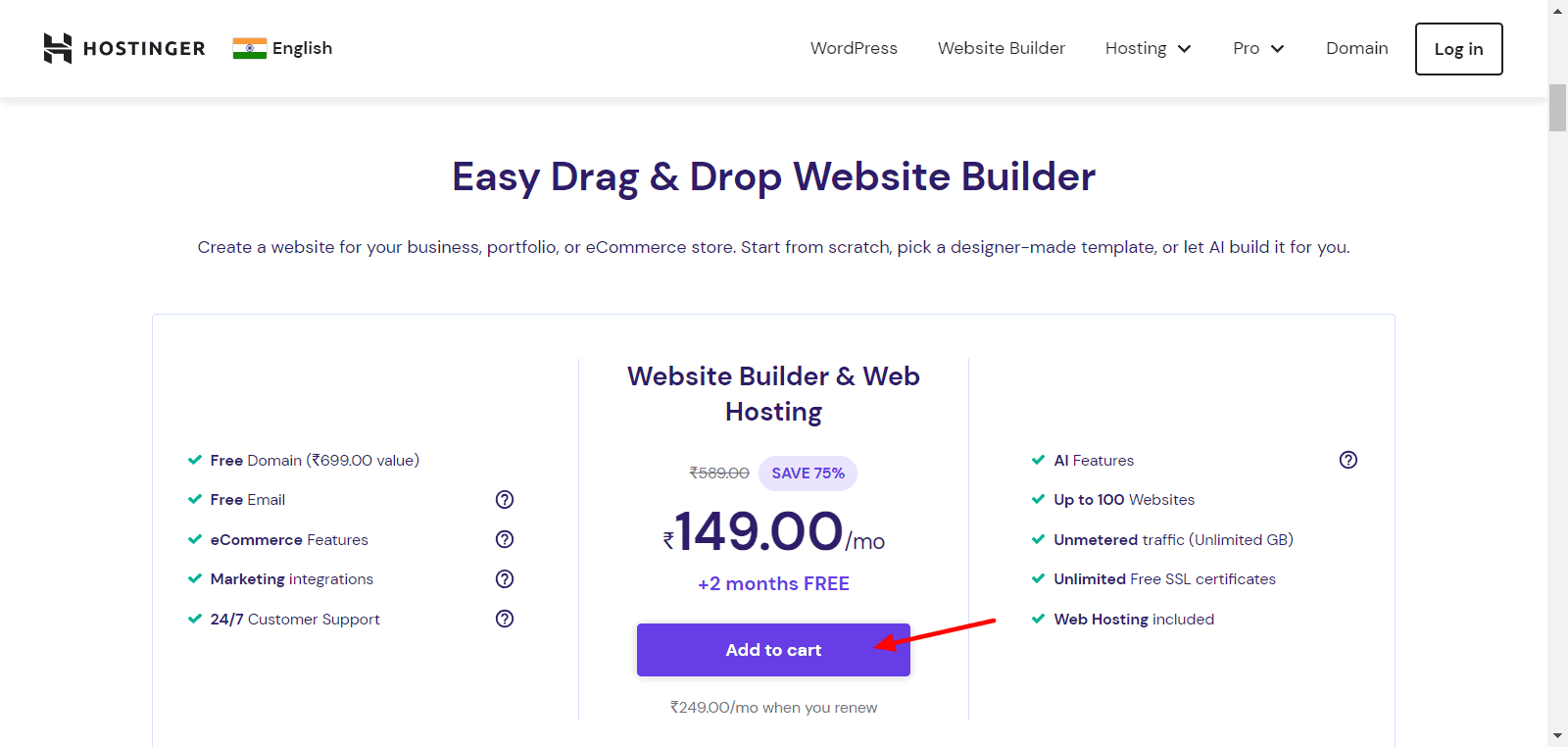
This plan gives you access to a free domain, web hosting, and email. You can create up to 100 websites and enjoy AI features and unmetered traffic on your plan.
Payment Methods
Hostinger Website Builder offers a variety of payment methods, including credit and debit cards, local card schemes (Rupay cards), Net Banking, UPI Payments, e-Wallets (PayPal, Google Pay, Paytm), and Cryptocurrency.
I liked the inclusion of Indian payment methods like UPI and e-Wallets, which are highly beneficial for Indian users.
Hostinger Website Builder Refund Policy
You get a standard 30-day money-back guarantee with Hostinger Website Builder. This means that if you are not satisfied with your purchase, you can return it within 30 days of purchase and get a 100% refund.
Hostinger Website Builder Discount Coupon Code
If you really wish to get the Hostinger website builder for yourself, I have a special discount coupon code for you.
If you purchase any plan of Hostinger website builder using my link and enter the coupon code KRIPESH, you will get 10% off on your purchase! Thus, if you’re planning to get Hostinger website builder for a duration of 1 year, it’d cost you around ₹3,000 with my coupon code!
This is an educational online course guiding beginners on how to create a modern and professional-looking blog with a 90+ page speed score and advanced security. I usually offer this course at a price of ₹3499.
However, by purchasing the Hostinger website builder using my link, you can get access to both these educational resources for FREE.
So, if you are a beginner in the field of blogging, make sure you grab this exciting opportunity!
Hostinger AI Website Builder
You even get to see an AI Website Builder in Hostinger. With this tool, you simply specify your website’s name, type, and a short description. For instance, here is the description I supplied for a fitness and nutritionist trainer’s website.
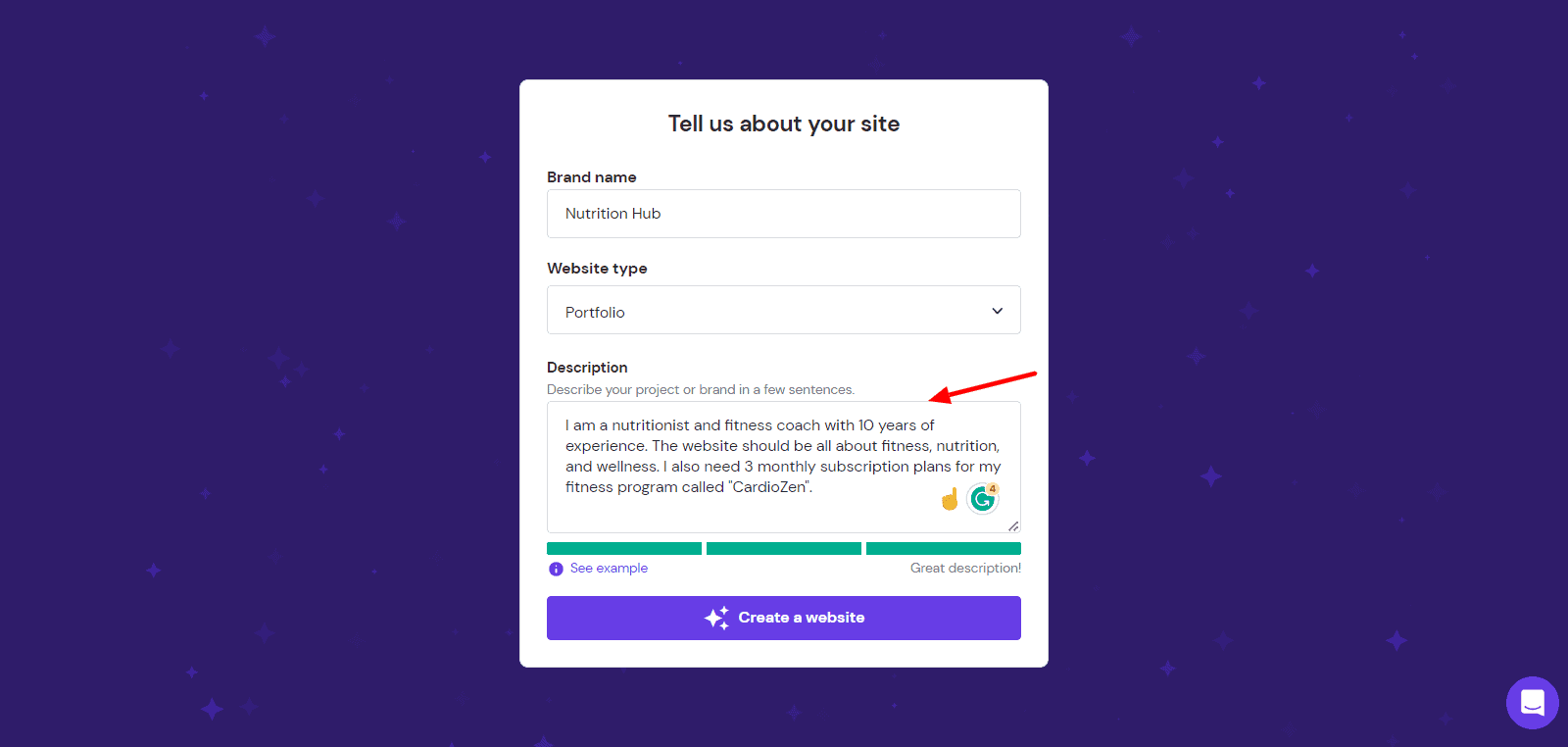
The entire website is generated by AI in under a minute! You get to choose from 3 website variants along with multiple font pairings and color palettes. Surprisingly, it contains relevant content, images, icons, and pages that a full-fledged website must have.
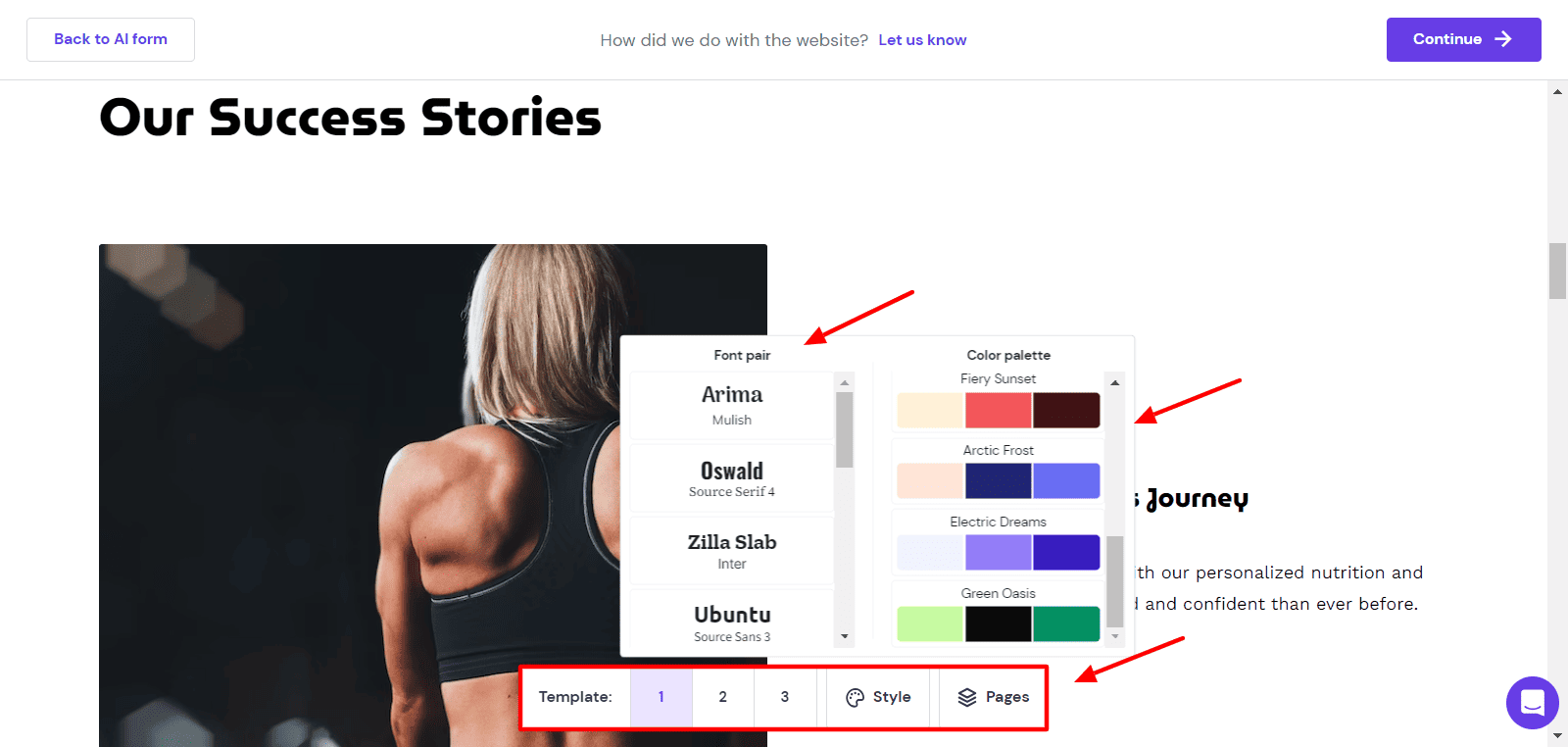
Overall, I found it to be really useful. The AI builder was not exceptionally amazing with its designs. But for designing instant websites, it’s the best option!
Hostinger Website Builder Pros
1) Website Builder and Web Hosting
With your plan, you get both a website builder and web hosting. You can build your website using the website builder or WordPress as per your requirements.
2) Value for Money Tool
Hostinger Website Builder offers a range of functionality at pocket-friendly rates! You get free hosting, unlimited bandwidth, a free domain name, and AI tools. All these features make Hostinger website builder a value-for-money tool!
3) UPI Payments Option
Hostinger Website Builder supports payments made through modern payment modes like UPI. This is highly convenient for Indian customers.
4) Swift Speed
I conducted speed tests on the Hostinger Website Builder from different locations around the globe. My website loaded in under 3 sec, which is remarkable for a website builder!
5)Good Security Features
You get good security features like unlimited free SSL certificates, weekly backups, 2FA, and email authentication with Hostinger website builder.
6) Powerful AI Tools
Hostinger website builder gives you access to powerful AI tools like the AI Writer, AI Logo Maker, and AI Heatmap. These tools help you save a chunk of time while designing your website.
7) User-Friendly
Getting started with Hostinger website builder does not require you to be equipped with any web design or technical skills. It features a clean and friendly interface that is simple to understand for beginners!
8) Impressive Template Collection
You can choose from a list of 140+ website templates belonging to various categories. All of their templates look captivating and highly professional.
9) Convenient AI Website Builder
With its fast and convenient AI website builder, you can get your entire website generated within a minute. Then, you can experiment with 3 different templates, font styles, and color palettes to get a professional-looking site.
Hostinger Website Builder Cons
1) Can’t Add a Search Bar
Unfortunately, you cannot add a search bar on your blog or your eCommerce site with Hostinger website builder. The search bar is an important option for users’ convenience and I hope they add it soon.
2) Limited Elements
Compared to other website builders like Wix and Squarespace, Hostinger website builder has limited elements. This might’ve been done to reduce complexity for beginners.
3) No Free Plan
Unfortunately, Hostinger website builder does not come with a free plan like Wix or Weebly. All its paid plans offer a 30-day money-back guarantee, though.
Testing Parameters
For testing Hostinger Website Builder, I purchased a hosting plan from WordPress and connected my domain to it. Then, I explored all of its features, including its editor, user interface, support, etc.
I also conducted speed tests from different locations to review its performance. After testing it out for a few weeks, I wrote this review.
Why Should You Trust Me?
I have been working full-time in the digital industry since 2015. In the past years, I have created dozens of websites for my business, personal use, and clients. For this, I have used a range of paid and free website builders. Some popular names include Wix, Dukaan, Squarespace, Carrd, Swipe Pages, etc.
Using a range of website builders over the last few years has given me the knowledge, experience, and expertise to compare and suggest you the best one for your requirements.
Hostinger Website Builder Alternatives
Carrd
Carrd is an attractive and easy-to-use website builder for creating 1-page websites. Along with an intuitive interface, you get access to a variety of elements, 110+ beautifully designed templates, lots of integrations, and a decent free plan! Its pricing plans start from $9/year!
Wix
Wix is a popular website builder that offers 500+ highly customizable website templates. All plans of Wix give you access to a free domain and 24/7 customer support.
On the higher plans, you can enjoy unlimited bandwidth and 35 GB of storage space. Its pricing plans start from ₹80/month.
Weebly
With Weebly website builder, it is easy to design a blog, a website, and even an online store! It also offers loads of customizable website templates, along with a generous free plan.
The higher plans give you access to a custom domain, unlimited storage, advanced features for eCommerce and marketing, and enhanced customer support. Its pricing plans start from $9/month.
Squarespace
Squarespace is another popular website builder that you can use to build all kinds of websites including portfolio sites, e-commerce sites, business sites, etc.
All its plans give you access to unlimited bandwidth and storage space, custom domain, customizable templates, an SSL certificate, SEO features, third-party integrations, and 24/7 support. Its pricing plans start from $12/month.
Who Should Use Hostinger Website Builder?
Hostinger Website Builder is a good option for anyone looking to design professional websites quickly and at affordable prices. It is ideal for newbies, bloggers, freelancers, or small businesses wanting to design their portfolio website or business site under a budget.
The best part about Hostinger Website Builder is that you don’t need any coding skills in order to create your website. It’s an easy-to-use and affordable option compared to other website builders like Wix, Squarespace, Carrd, etc.
Conclusion
I hope you enjoyed reading this Hostinger Website Builder Review. It looks like a promising tool if you want to design websites quickly and at affordable rates. If you are planning to design a simple online store, blog, portfolio, or consultancy site, Hostinger Website Builder would be a great option.
The primary advantage of Hostinger website builder lies in its affordable pricing, ease of use, UPI payment options, and fast speeds across the globe. Later on, you can even install the WordPress CMS if you don’t prefer to use the website builder. This flexibility and freedom is rarely provided by any website builder.
In my opinion, it is surely worth a try! If you use my link and apply my coupon code at checkout, you can also get a 10% off on your purchase along with access to my Hostinger Training Program and Lightning Blogs Course for free.
What other website builders have you tried before? Do you think Hostinger Website Builder is a good option? Let me know your views in the comments section below. This is Kripesh signing off. I’ll be back with more informative stuff soon. Till then, take care and keep learning. 🙂
FAQ
What kind of websites can you build with Hostinger Website Builder?
Hostinger Website Builder can be used for building all types of websites. This includes portfolio websites, business websites, blogs, and even bulky websites with lots of web pages.
Does Hostinger Website Builder offer website hosting?
Yes, you get free hosting along with unlimited bandwidth and unmetered traffic on the Hostinger Website Builder.
How Is Hostinger Website Builder Different From Other Website Builders?
Hostinger Website Builder differs from other site builders in terms of its ease of use, affordable pricing, UPI payments option, and powerful AI tools.
Does Hostinger Website Builder offer free trials and/or money-back guarantees?
Yes, you get a 30-day money-back guarantee with Hostinger Website Builder. However, it doesn’t provide a free trial.
Will I be able to build a shop with Hostinger Website Builder?
Yes, you can easily build your eCommerce store with some limited functionalities on the Hostinger Website Builder. It offers a separate dashboard for accessing the online store.
What marketing features and integrations does Hostinger Website Builder offer?
It integrates with a lot of third-party marketing, analytics, and live chat services like Google Analytics, Google Adsense, Hotjar, Facebook Pixel, Google Tag Manager, WhatsApp, Messenger Live Chat, etc.
Can you connect your own domain with Hostinger Website Builder?
Yes, it is possible to connect your own domain with Hostinger Website Builder. All you need to do is edit the A records and CNAME records at your domain registrar account.
Is it possible to move your current website to Hostinger Website Builder?
As of now, it is not possible to move your whole website from a different platform to Hostinger Website Builder.
Hostinger Holi Sale (2025) – Hostinger Sale March 2025
If you were planning to get a hosting for your website, the wait ends here! In this article, I am going to walk you through the exciting Holi Sale running on Hostinger.
I will also reveal how you can get an additional discount on their hosting plans and an entry into my Hostinger training program for free. So, all of you looking to buy a hosting at affordable rates, do read this article till the end.
With no more delay, let’s begin!
About Hostinger
Hostinger is a popular Lithuanian web hosting provider established back in 2004.
They offer a range of hosting, including Shared Hosting, WordPress Hosting, Cloud Hosting, cPanel Hosting, VPN Hosting, Minecraft Hosting, CyberPanel VPS Hosting, etc.
At the moment, Hostinger has over 29 million users around the globe and over 15k+ websites are installed using Hostinger every single day!
Hostinger Holi Sale
Now, coming to the most awaited part, Hostinger’s Holi Sale is live now! You can find steep discounts on their Premium web hosting plan.
Their Premium Web Hosting plan is usually priced at around ₹200-₹250/month. But at the moment, it is available for just ₹139/month! You need to purchase this plan for 48 months to avail this offer.
| Premium Hosting Plan | |
| Pricing (48 months) | ₹139/month |
| No. of Websites | 100 |
| Monthly Traffic | 25k visitors |
| SSD Storage | 100 GB |
| Free Domain | Yes |
| Lifetime SSL | Yes |
| Up to 100 | |
| Inode Count | 400k |
| Bandwidth | Unlimited |
| Daily Backups | Weekly |
| Free CDN | No |
The Premium Web Hosting plan is the best value for money plan. It is ideal for blogs, portfolio sites, business websites, etc. If you need an additional discount, I also have an offer for you!
Hostinger Additional Discount
If you use my link to purchase the Hostinger Premium Hosting plan, and enter the coupon code, you can get an extra discount. Let me walk you through the entire process. All you need to do is:
- Select the Premium Hosting plan and click ‘Add to Cart’.
- Choose the 1/12/24/48 months in the duration. (We see maximum discounts on 48 months plan)
- Select a payment option. (UPI and Paytm are available as well.)
- Enter coupon code KRIPESH.
Finally, you will be able to get your Premium Hosting for super pocket friendly rates!
Hostinger Training Program
Once you get a web hosting plan, you would also need help with configuring the hosting settings and getting started quickly. Therefore, I have created a Hostinger Training Program that will help you set up your website step by step.
It comprises in-depth video tutorials on everything, including setting up your hosting, connecting it to your domain, installing WordPress, taking backups, contacting customer support, enabling cache plugins, etc.
Conclusion
I have extensively recommended Hostinger as a budget web hosting provider. Along with fast speeds and an attractive interface, it also offers Indian payment options.This makes it a very convenient option for the Indian users.
If you were planning to start your own blogging journey, this is the right time to get Hostinger hosting at pocket friendly rates. The Premium Web Hosting is good when purchased for 24 months or 48 months.
Which hosting are you currently using? Would you be getting Hostinger in this Holi Sale? Also, you can leave your doubts regarding this Holi Sale in the comments section below. I’ll try my best to answer them as quickly as possible.
Hostinger Horizons Review 2025 [I Created an AI App] – My Honest Experience With Pros and Cons
The AI App building is a real thing now! Lot’s of companies are coming up with their AI app builders in the market.
Hostinger Horizons is one of them created by the Hostinger company. Well, it offers great pricing with a promise to offer genuine app development.
Well, I tested it and created an app with it.
Was my experience worth it?
In this Hostinger Horizons review, I will share my honest opinion, the main problems of this tool, the app development process, integration, and deployment.
I will also explain in detail when you should consider using Hostinger Horizons and when you should not.
Without any delay, Let’s explore…
My Personal Experience With Hostinger Horizons AI Web App Builder
I was curious to test Hostinger Horizons.
Back in my college days, we used to build apps from scratch by learning coding.
But now with the rise of AI technology, things have changed so much that I discovered tools like Hostinger Horizons are available in the market which can create a web app or website for you just by following your instructions supplied in text prompts.
It did not take me long to turn that curiosity into a real life experience.
I took a subscription of Hostinger Horizons and actually built a “Keyword Golden Ratio Calculator” with it.
Our team and I had never built a web application even for our own blog, so web development through Horizons was something completely new for us.
When I discussed this with the web developer in our team, he mentioned that if we hired someone manually to build and deploy this “Keyword Golden Ratio Calculator” from scratch, it would take at least one to two weeks.
The cost would also come to around $500 to $2000.
At that stage, I honestly could not believe that Horizons could build an app so quickly and at such a low cost.
When the process of creating the app started, I realized that if you don’t give proper instructions to Horizons, your messages and credits can get consumed before you even notice.
That’s why, with the help of my developer, I prepared a detailed app requirement document in Word and submitted it to Horizons through a single text prompt.
Although the AI app building process impressed me a lot, I did not like the message-based credit system of Horizons. It even consumes messages when fixing bugs and errors
In my initial attempts, I wasted almost 30 credits just on fixing small mistakes. Occasionally, it fails to fix its mistakes.
It would be better if Hostinger Horizons restores the lost messages because of its own mistakes.
Later, I discovered that if you use ChatGPT or Claude as a prompt writer for Horizons, the number of errors reduces significantly.
Horizons also drafts the complete scope of app work that needs to be done including all the tasks for Supabase.
Its UI is best compared to all the AI app builder tools I have used before.
Their AI app builder also has a functionality to embed a dark mode toggle button in your app or website, which I feel is a little bit advanced and great.
It works best in steps and once it proceeds a module you have the option to edit the code manually or I can always roll back to the previous version.
When it finishes the app development, it gives me an option to download the code and export the project completely. Obviously, I have full App ownership.
Once it finishes the app creation process, it gives me a temporary link to preview the app. I can always connect the domain to make it live and finish the deployment.
If I have to sum up my experience with Hostinger Horizons, I would say that this AI app builder truly delivers a finished product that I can take live anytime. It reduces the overall app development time by around 45 to 50 percent.
However, if you are not using it sensibly or giving wrong prompts, it will consume the messages so fast that you have to upgrade your plan.
Overall, it is perfect for small website apps, websites, and prototype ideas testing.
I guess, for people who do not have deep knowledge of coding and databases, it makes the workflow much smoother for handling complex tasks. Developing simple web apps becomes very fast.
Hostinger Horizons is a relatively new AI App Builder in the market, and I hope it will improve further. Lots of features are in the pipeline as per their roadmap.
Hostinger Horizons Pros (Benefits):
- Hostinger Horizons AI app builder understands human prompts in 80 languages.
- Support for voice prompts, design sketches, project related files, is available.
- Apps can be published on external domains as well.
- A 30 days money back guarantee is a plus.
- 24*7 fast priority support via chat is applicable for all users.
- No charges for exporting project related code and files.
- To make your app live, Horizons gives you hosting for free for 1 year.
- The user will own a complete app and can use it anywhere
- Files, Images, etc, can be easily imported as instructions in Hostinger Horizons
- The app can be easily imported to a website, either using an embed method or an iframe. Horizons assisted a user with the same.
- You can integrate Horizons with any third-party service as long as you have an API.
- No spam, Horizons is a genuine service that can develop a web app or website for real world usage
Hostinger Horizons Cons (Limitations):
- As of now, Hostinger Horizons cannot create a mobile app for the Play Store or Apple App Store.
- Phone support is absent.
- GitHub integration is absent.
- Visual editor is not present
- Most users complain about its message credit system. The credits get consumed because of errors and bugs caused by the AI tool itself. Users then have to upgrade their plan in order to continue using it.
What is Hostinger Horizons used for?
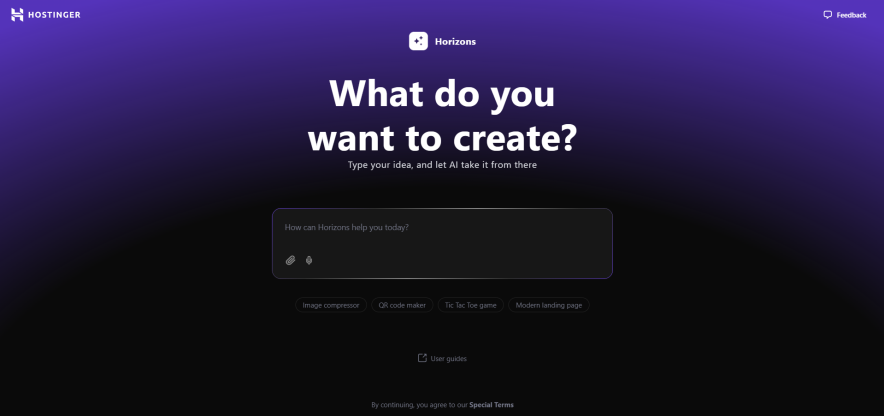
Hostinger Horizons is an no code AI web app developer tool introduced by a popular web hosting company named Hostinger.
The main motive behind creating Hostinger Horizons was to enable the development and deployment of web apps and websites through AI as quickly as possible without requiring any technical skills.
Get it?
Basically, It is like having a web/software developer who is ready to turn your idea into a functional responsive web application through simple text prompts.
But do remember, this AI web app builder is not for everyone.
Now before you decide whether this is truly useful for you or if you actually need Hostinger Horizons let me first introduce its key features:
Key Features:
Simple User Interface: Horizons offers a simple chat-style interface, especially for beginners where you can provide text to initiate the app development process. In addition, the code editor is designed in a way that allows you to easily edit and modify the code.
All-in-one AI Powered System: Along with Horizons, Hostinger also provides hosting services through which you can take your app live. You also get email services in the same place. All this makes it very convenient for users.
API Support: In Hostinger Horizons, you can fully integrate any external service into your app through the code editor with just one click using APIs. For example, to enable payments on an eCommerce app, you can integrate PayPal or Stripe.
One-Click Deployment: Once your app is ready, you can publish it with a single click through Hostinger Horizons without any technical hassle. You also have the option to export the project files including HTML, CSS, and JavaScript to your computer.
Supabase Integration: You can easily enable real backend functionality in your app, such as saving user preferences and storing user data, through the integration of Horizons and Supabase.
Auto Error Fixing: Horizons has an ability to fix common errors related to Syntax and whatnot without any human involvement.
Please continue reading…
Here’s who I believe will benefit from using Hostinger Horizons AI app builder…
As I mentioned, Hostinger Horizons is not for everyone, but this tool is going to be most effective for SMBs, startups, educators, and solo professionals who want to quickly build their AI powered app or website at a low cost without hiring a developer and zero technical skills.
To make it clearer, let me share some examples where Hostinger Horizons works best:
- For creating AI-Powered chatbots
- For creating blog sites and eCommerce stores
- For building AI assistants for team productivity (data lookup, report generation, summarization, etc)
- For AI-powered content generation. For example, you can generate an app with Horizons that generates Instagram captions and LinkedIn posts
- For Prototyping & MVPs for startups. This is the most common use case where users pick Hostinger Horizons for quickly validating their idea without hiring developers. It saves huge time and money.
The use cases are endless. I hope you are getting it.
Hostinger Horizons is best for small apps hence if you’re looking to build a web app with complex custom logic or unique algorithms, then I don’t think it will work.
For example, if you are an AI startup that wants to build a fraud detection engine that uses ML models, then no AI app builder, including Horizons will support the level of customization needed. You’ll have to code from scratch.
Similarly, avoid Hostinger Horizons for app development, in which you need:
- Ultra high performance and scalability
- Strict data privacy & compliance
- Complex custom logic or unique algorithms
- Deep integration with legacy systems
- High latency for real time interactive apps.
I hope it is clear to you now whether you need Hostinger Horizons for your app development or not.
How you can get started with Hostinger Horizons:
It took me some time to learn Horizons features and functionality. However, I’m honestly satisfied with their powerful AI App Builder.
Let me show you how Hostinger Hostinger works and what I use it for.
As soon as I joined Hostinger Horizons, I landed on the dashboard which had an AI text box in the center where prompts could be entered.
With the help of my developer and ChatGPT, I had already prepared a perfect prompt for building a Keyword Golden Ratio web app.
So, without any delay, I supplied the prompt to Horizons.
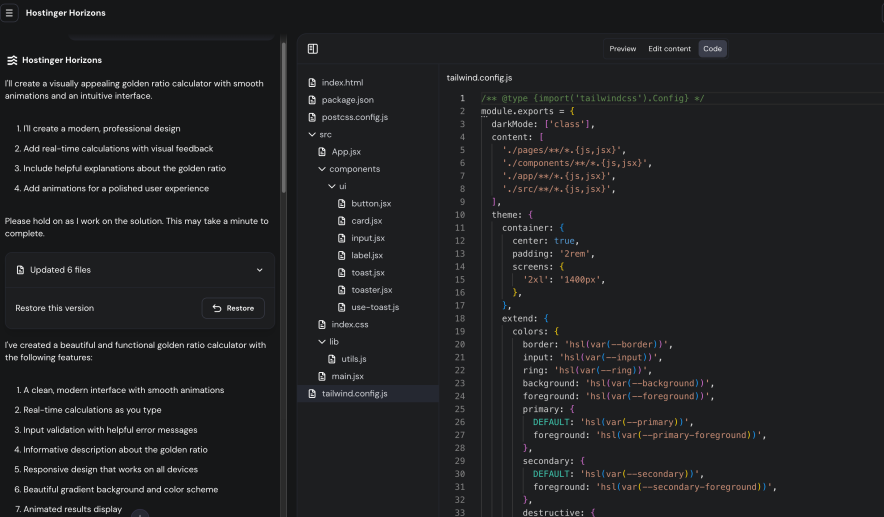
Within a few seconds, it analyzed my app idea and responded with a set of suggestions, basically the plan of what it was going to perform.
Once I approved, Hostinger Horizons began coding, and to my surprise, it completed the entire app in just seven to eight minutes. I was able to preview the app easily in both desktop and mobile viewports.
Once coding was finished, Horizons also provided additional suggestions to extend the functionality of the app. I personally found 3-4 of them quite useful
At this stage, you also get the option to modify the code manually.
I attempted to make changes as a beginner, but that introduced some errors. Fortunately, Horizons has a rollback feature that allowed me to restore a previous version, and my app returned to a working state.
I never specifically asked Horizons how to test my Keyword Golden Ratio app, yet it presented me with clear testing instructions. This level of help was extremely useful and improved my overall experience
Despite everything great, Horizons AI App Builder made some mistakes. I have to review everything in a preview window.
Once I encounter the errors, I usually press the fix button then the platform will analyze the issue itself. But the issue is, I lost so many messages in fixing errors.
Horizons not only understands text but also interprets images and performs tasks based on them. For example, once I had a set of instructions inside a visual chart. I supplied the image, and Horizons successfully implemented the required changes in my app.
At one point, Horizons also suggested adding a user profile feature to my app, but I denied it because I did not need it.
Still, if you want to integrate databases, user profiles, user authentication, and more, Horizons allows you to connect everything through Supabase. The process is straightforward as long as you provide the required credentials.
I also skipped payment gateway integration since I wanted my app to remain free for public use. Connecting Stripe, PayPal, or any external service is as simple as long as you have an API.
Deployment inside Horizons comes in two parts. I was given an option to publish my app on a separate domain.
Alternatively, Hostinger provides a random URL connected to a Hostinger subdomain where the app can be used.
Until you are fully ready to deploy your app publicly, you can share this temporary URL with your team or on social media, collect feedback, and improve your app accordingly.
I followed this workflow and published my app on a Hostinger subdomain. I then shared it across my social media handles to gather responses.
I hate the fact that we can’t share my app code to Github.
My developer also wanted to make changes to the exported HTML, CSS, and JavaScript files, but Horizons gave us a warning that code edited offline cannot be re-imported back to the platform.
For embedding the app into my website, Horizons suggested two methods: using an embed code or an iFrame. The instructions for this were clear and easy to follow.
This is the kind of workflow I experienced with Hostinger Horizons. My final app is working properly, but to fully utilize Horizons, you must be careful while supplying prompts, otherwise common errors appear frequently.
Personally, I don’t require any technical assistance to reach the final app deployment stage. However, if you need support, you can always connect with a support team that is available 24*7.
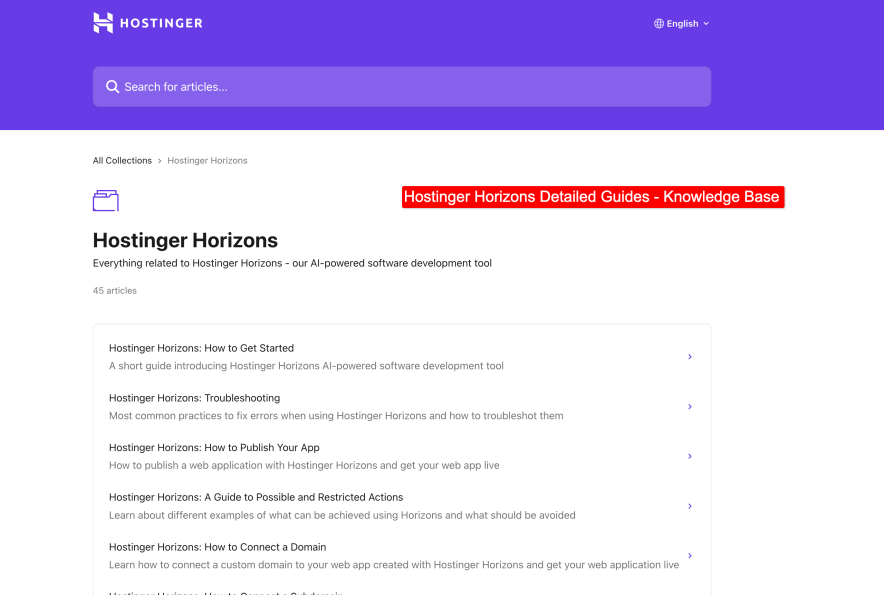
Plus lots of user guides and video tutorials are accessible within the platform.
I already had experience with the Hostinger support team from their other products, like hosting, AI Builder, and email marketing.
They are responsive, though you should not expect very advanced technical expertise from them.
Having a developer on your team is helpful when using Horizons because there is always a chance that some errors may occur in your app-building journey.
Horizons usually fixes the common issues, but if you need custom functionality that goes beyond what Horizons can provide, then developer assistance will be necessary.
Hostinger Horizons Pricing: How Much Does It Cost?
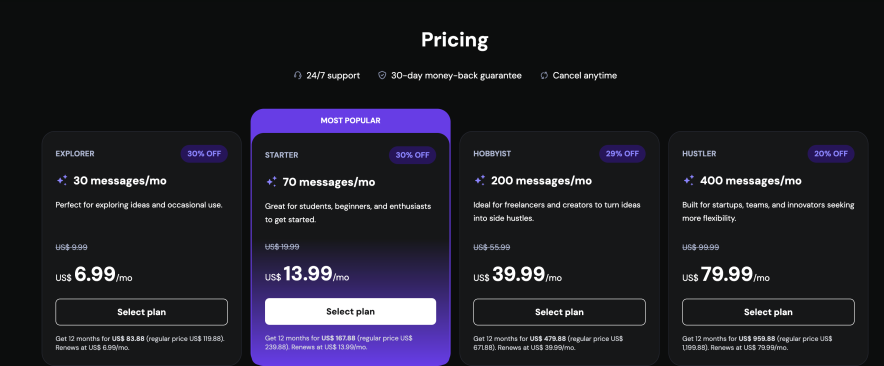
Hostinger Horizons plans start at $6.99 dollars per month. Compared to other AI app builders, this is quite affordable.
The good part is that all plans include the full feature set, such as online store integration, Stripe and PayPal integration, free domain, daily backups, Supabase integration, auto error fixer, code editor, and more.
From my perspective, the Hobbyist plan at 39.99 dollars per month is the best starting point.
The Starter plan seems useless because it only gives you 70 messages. Since Horizons consumes messages when fixing errors, handling bugs, and using rollback versions, you will likely need more.
That is why the Hobbyist plan makes more sense as a minimum starting option.
If you’re looking forward to it, then don’t forget to use Hostinger Horizons special discount link to get an extra 10% OFF (no coupon code needed.)
FAQs About Hostinger Horizons:
Have you had the chance to use Hostinger Horizons yet? I’d love to hear your thoughts and personal experience in the comments section.
I’ve gathered a list of the most common questions that users are often curious about.
What is Hostinger Horizons?
Hostinger Horizons is a no code AI app builder. It helps you create and deploy web applications by writing simple text prompts. You do not need coding skills to use it.
Can it really build a complete app through AI?
Yes. Horizons can turn your written idea into a working app. It creates layouts, writes the code, and connects services like Supabase or Stripe. You just need to provide clear instructions.
What kind of apps can I build with Hostinger Horizons?
You can build small and medium level apps. Some real examples are a recipe recommendation app, a keyword golden ratio calculator, productivity dashboards, chatbots, and simple business tools.
When is Horizons not a good choice?
It is not suitable for very complex projects. Apps that require advanced algorithms, very high scalability, strict data privacy rules, or legacy system integrations are not a good match. It also cannot create mobile apps for Play Store or App Store.
What are the common issues with Horizons?
The most common complaint is about its message credit system. Credits get used even when the AI makes mistakes. This means you may need to upgrade your plan sooner than expected. Other issues include no GitHub integration, no visual editor, and no mobile deployment option.
How can I write effective prompts for a Horizons app builder so that it clearly understands my requirements?
To write effective prompts for an AI app builder, start by clearly stating the purpose of your app and the problem it solves. Break down the features step by step, explain the user flow, and describe how the interface should look and feel. If you need integrations like APIs, payments, or databases, mention them directly. Keep your instructions simple and structured rather than long and vague. Finally, add optional or future features separately so the AI knows what to prioritize first. This way, the tool can easily translate your idea into a working app.
What are the some best Hostinger Horizons alternatives?
If Horizons doesn’t suit you, then you can explore Lovable, Bolt, DronaHQ AI, DeepSeek V3.
Can I connect it with other services?
Yes. Horizons supports API integrations. You can link it with external services like Stripe, PayPal, or any other tool that works with an API.
How easy is it to deploy an app?
Deployment is very simple. Horizons gives you a temporary subdomain to test and live your app. Or if you want to deploy it on your domain, then this option is also available.
Is Horizons beginner friendly?
Yes. The interface is like a chat box where you type your prompts. Beginners can create apps without coding knowledge.
How much does Hostinger Horizons cost?
Horizons pricing starts from 6.99 USD per month. The Starter plan comes with 30 messages.
Bottom Line: Is Hostinger Horizons Worth It in 2025?
I think Hostinger Horizons is a good option for anyone who wants to build functional web apps quickly without diving deep into coding.
More importantly, it has the potential to deliver a working app.
It can save nearly half the development time compared to traditional methods. Plus, the tension of “high investment in testing prototypes” is gone.
For beginners and non-technical users, it feels like a shortcut to bring ideas to life.
I guess this app is in the development stage so Horizons does have some limitations.
The message credit system can become frustrating since credits are consumed even when errors come from the AI itself.
Advanced customizations are also harder to achieve without a developer’s help. Exporting code and re-importing it is restricted, which may be a drawback for teams that like to refine their apps outside the platform.
Overall, if you are someone looking for a fast and affordable way to experiment with app ideas, prototypes, or even launch simple projects, Hostinger Horizons is absolutely worth a try.
But if your goal is to build a highly complex, fully customized product, you may still need a developer on your team to complement what Horizons offers.
Hostinger India Customer Care — Contact Help Center
Many users might search for a “Hostinger India Customer Care Number,” but it’s essential to understand that Hostinger has adopted a modern approach to customer service that doesn’t include traditional phone support.
Unfortunately, they don’t offer a customer care number but there are a lot of other options that resolve your issues within minutes.
This article will guide you through the available support options and how to make the most of them.
Hostinger India Customer Care Number
Hostinger India has strategically chosen not to provide phone support. This decision might initially seem unconventional, but it’s rooted in the company’s commitment to efficient and effective customer service.

By focusing on digital communication channels, Hostinger can offer 24/7 support, maintain detailed records of customer interactions, and provide more comprehensive solutions to complex technical issues.
Primary Support Channels Offered By Hostinger India
While there isn’t a direct phone line, Hostinger India offers several robust support channels designed to address customer needs promptly and effectively:
1. Live Chat Support
The cornerstone of Hostinger’s support system is its live chat feature. Available 24/7, this option allows you to connect with a Customer Success Team member in real-time. The live chat feature is only accessible if you have a paid account. If you don’t have one, use our exclusive Hostinger coupon code to purchase hosting kn
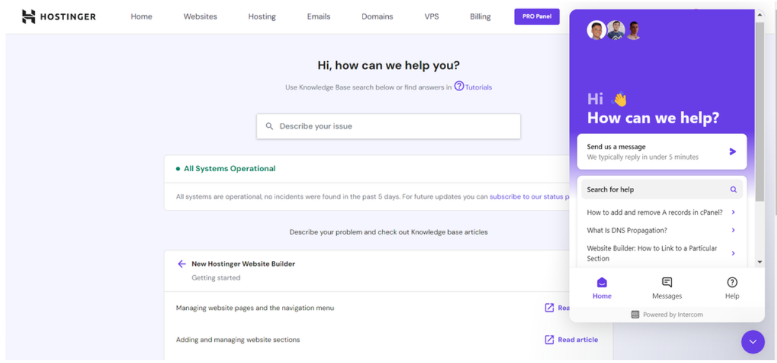
To access live chat, simply log into your Hostinger account and click on the “Help” icon in the top right corner. This method is ideal for quick questions or issues that require immediate attention.
2. Ticket Submission System
Hostinger offers a ticket submission system for more complex issues that may require in-depth investigation.
This allows you to provide detailed information about your problem, which a specialist will thoroughly review. The ticket system ensures that your issue is tracked and resolved efficiently.
3. Email Support
If you prefer email communication, you can reach out to Hostinger’s support team via email. This method is suitable for non-urgent inquiries or when you need to send additional information or screenshots. You can contact Hostinger support at support@hostinger.com.
4. Report Abuse Form
Hostinger takes security and content policy violations seriously. If you need to report abuse or a violation, there’s a dedicated form available.
You can email abuse@hostinger.com or use the “click here” option provided on their support page.
5. Account Recovery
In case you’ve lost access to your 2FA or Hostinger profile email, don’t panic. Hostinger has a dedicated process for account recovery. You can contact account-recovery@hostinger.com to initiate the recovery process.
Hostiner Self-Help Resources
In addition to direct support channels, Hostinger India provides an extensive array of self-help resources:
Knowledge Base
Hostinger Knowledge Base is a treasure trove of information. It covers a wide range of topics, from basic setup procedures to advanced troubleshooting techniques.
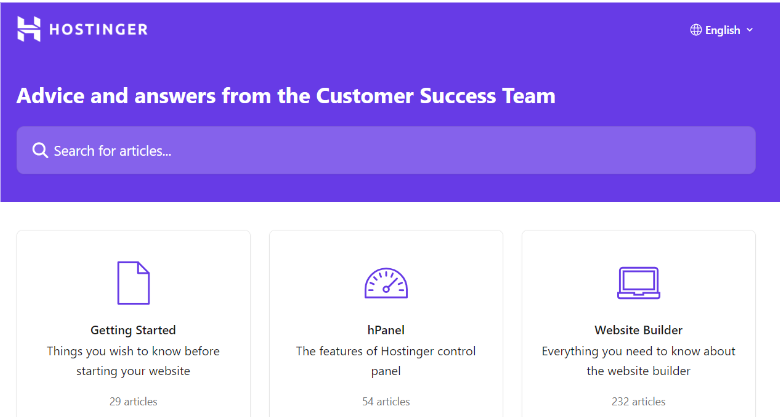
Before reaching out to support, it’s often worthwhile to search the Knowledge Base for answers to your questions. Whether it is purchasing a WordPress hosting or renewing a domain, you will find step-by-step guides and articles related to all.
Video Tutorials
Hostinger offers a collection of video tutorials for visual learners. These step-by-step guides can help you navigate various aspects of website hosting and management.
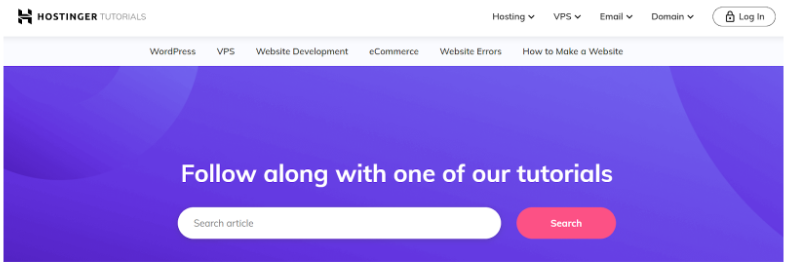
Hostinger Blog
The Hostinger blog is regularly updated with articles on web hosting, website development, and digital marketing. It’s an excellent resource for staying informed about industry trends and best practices.
Hostinger Academy
For those looking to expand their knowledge, Hostinger Academy offers in-depth courses on various web-related topics.

This resource is particularly valuable for beginners and those looking to enhance their skills. You can subscribe to Hostinger’s YouTube channel to access the academy courses for free.
Benefits Of Hostinger Support System
While the absence of phone support might initially seem like a drawback, Hostinger’s approach offers several advantages:
- 24/7 Availability: Unlike traditional phone support with limited hours, Hostinger’s digital support channels are available round the clock.
- Efficiency of Written Communication: Written interactions allow for clearer communication of technical issues and solutions, reducing misunderstandings.
- Extensive Self-Help Options: The extensive self-help resources empower users to find solutions independently, often faster than waiting for support.
- Multilingual Support: Hostinger’s digital platforms can easily accommodate multiple languages, ensuring support for a global customer base.
Tips For Getting The Best Support
To make the most of Hostinger India’s support system:
- Before contacting support, gather relevant details about your issue, including any error messages or screenshots.
- Use live chat for quick queries, submit a ticket for complex issues, and refer to self-help resources for general information.
- Many common questions can be quickly answered by searching the Knowledge Base or watching a tutorial video.
- When describing your issue, provide all necessary details but avoid unnecessary information to ensure a faster resolution.
- If your issue isn’t resolved immediately, don’t hesitate to follow up through the same support channel.
Conclusion: Hostinger India Doesn’t Provide Phone Support
Hostinger India’s extensive support system addresses client needs efficiently without a customer care number. Users can solve hosting issues 24/7 via live chat, ticket system, email assistance, and numerous self-help materials.
The key to getting the best support is to choose the right channel for your issue and provide clear, concise information. Whether you’re a beginner setting up your first website or an experienced developer troubleshooting a complex problem, Hostinger India’s support system is equipped to assist you on your web hosting journey.
Hostinger Lifetime Deals (2025) – Is It Available?
Looking for a budget-friendly WordPress hosting solution? Hostinger offers huge discounts of up to 83% on its powerful WordPress hosting plans.
Whether you’re starting a personal blog or launching a full-fledged online store, Hostinger offers reliable and affordable options to suit your needs.
In this article, we’ll review the latest Hostinger WordPress Hosting coupon codes, how much you can save, and what features each plan has. Plus, we’ll show you how to grab these deals quickly and easily.
Let’s get started!
Hostinger WordPress Hosting Coupon Codes
Hostinger provides two separate pricing plans for WordPress hosting, each with significant discounts:
- Managed WordPress Hosting – Up to 83% discount
- Managed WooCommerce Hosting – Up to 65% discount
Let’s break down each plan and see what they offer.
1. Managed WordPress Hosting
Hostinger’s Managed WordPress Hosting comes in four tiers, each with its own set of features and discounts:
| Plans | Original Price | Discounted Price | Discount Percentage |
|---|---|---|---|
| Single | ₹399/month | ₹69/month | 83% |
| Premium | ₹599/month | ₹149/month | 75% |
| Business | ₹699/month | ₹249/month | 64% |
| Cloud Startup | ₹1,699/month | ₹599/month | 65% |
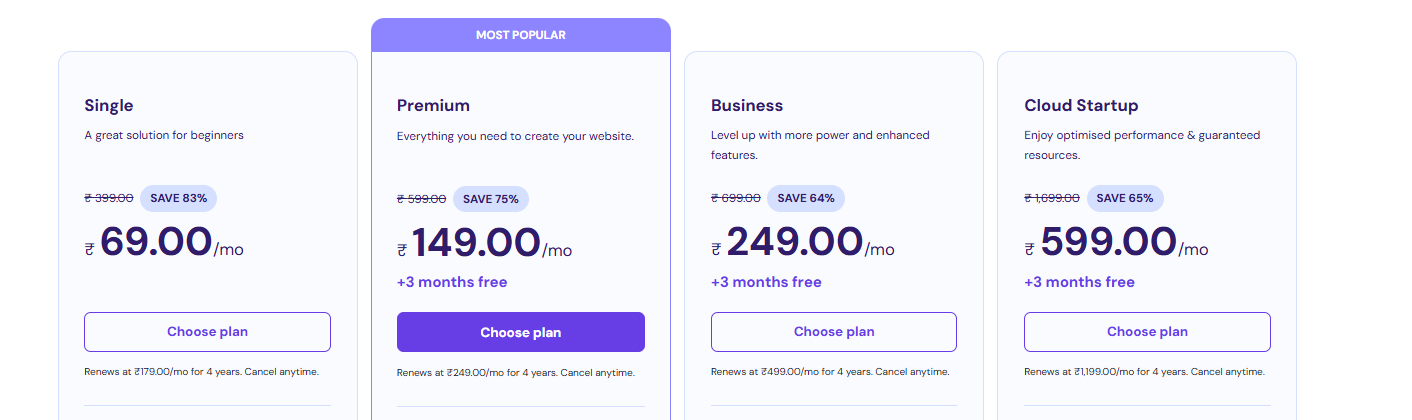
Now let’s break down all the plans with discount offers:
Single Plan:
The Single Plan is perfect for beginners or small personal websites. An incredible 83% discount makes it an excellent choice for those on a tight budget.
Premium Plan:
The Premium Plan offers more resources and features, making it suitable for growing websites or small businesses. The 75% discount makes it an attractive option for those who need more power than the Single Plan.
Business Plan:
The Business Plan is designed for established websites with higher traffic. It provides advanced features and resources to handle increased demands. A 64% discount is an excellent value for serious website owners.
Cloud Startup Plan:
The Cloud Startup Plan offers cloud hosting benefits, including better performance and scalability. It’s ideal for high-traffic websites or those requiring top-notch performance. The 65% discount makes this premium service more accessible.
2. Managed WooCommerce Hosting
For those running online stores, Hostinger offers Managed WooCommerce Hosting plans:
| Plans | Original Price | Discounted Price | Discount Percentage |
|---|---|---|---|
| Business | ₹699/month | ₹249/month | 64% |
| Cloud Startup | ₹1,699/month | ₹599/month | 65% |
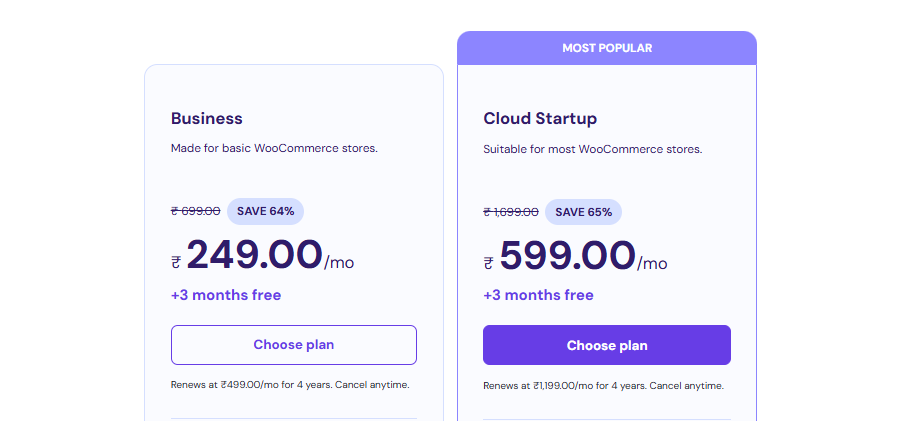
Here are the details of all the WooCommerce hosting plans with discount offers:
Business Plan:
The WooCommerce Business Plan is perfect for small—to medium-sized online stores. It provides the necessary resources and optimizations for smooth e-commerce operations.
Cloud Startup Plan:
The Cloud Startup Plan offers enhanced performance and scalability for growing online stores. It’s an excellent choice for businesses experiencing increased traffic and sales.
In addition to these WordPress hosting deals, Hostinger coupon codes can give you up to a 90% discount on different hosting plans.
Other Bonuses
Hostinger doesn’t stop at discounted prices. They sweeten the deal with several additional perks:
- Two Months Free: When you choose a 48-month term, you get two extra months of hosting at no cost.
- Free Domain: All plans except the Single Plan come with a free domain name for your website.
- Free SSL: Every plan includes a free SSL certificate, which ensures your website’s security and helps with search engine rankings.
- Free Email: You’ll get a free email account with 1 GB of storage, perfect for professional communication.
- Free CDN: A Content Delivery Network is included, improving your website’s speed and performance globally.
- 30-Day Money-Back Guarantee: If you’re unsatisfied, you can get a full refund within the first 30 days.
These bonuses add significant value to your hosting package, making Hostinger’s offers even more appealing.
If you are a student, you get an additional 10% discount with the Hostinger Student discount code.
How To Claim Hostinger WordPress Hosting Coupon?
Claiming your Hostinger WordPress Hosting coupon is a breeze. Follow these simple steps:
Step 1. Visit Hostinger’s official website.
Step 2. Select either the Managed WordPress Hosting or Managed WooCommerce Hosting.
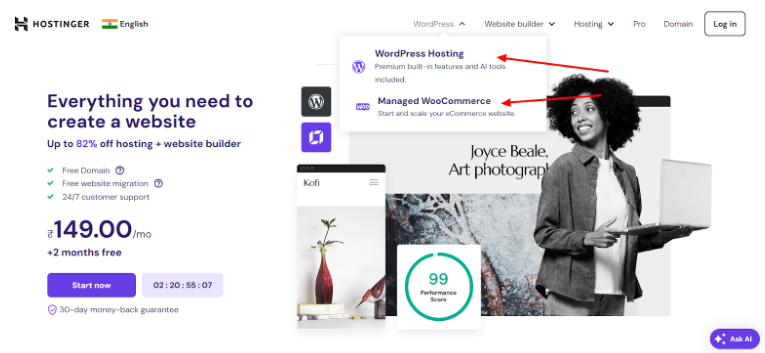
Step 3. Choose your preferred WordPress plan.
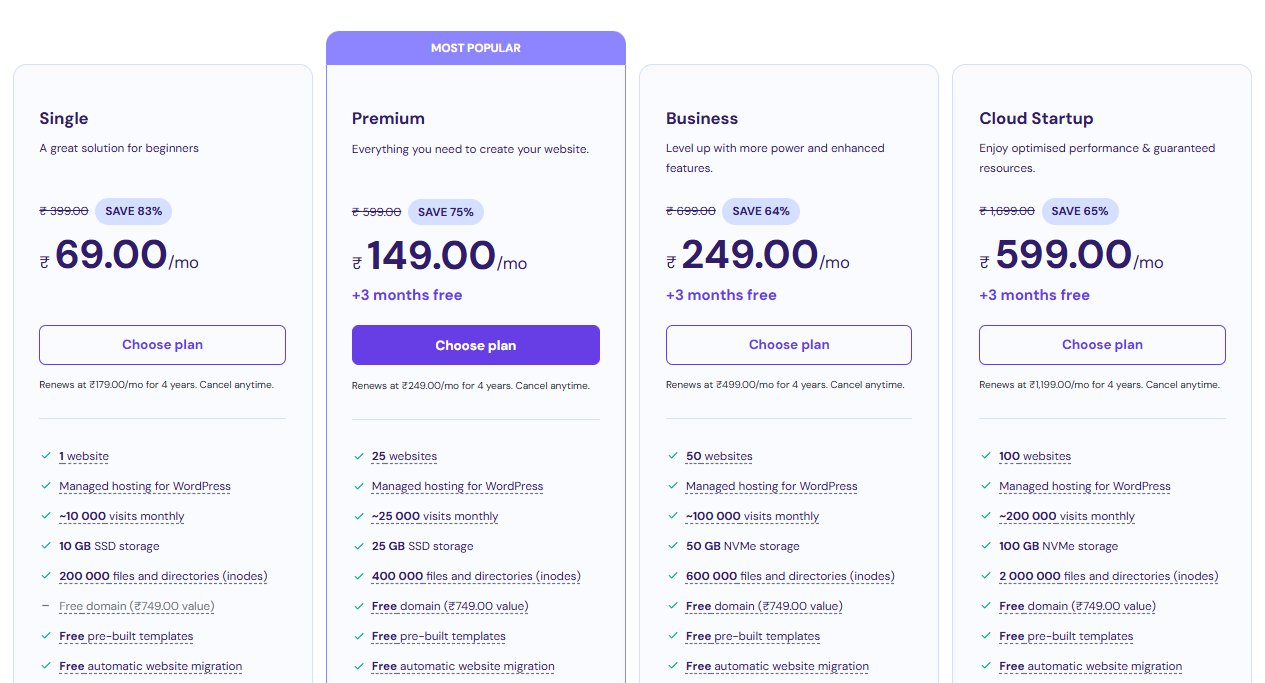
Step 4. Choose the hosting duration. Remember, longer terms often come with bigger discounts.
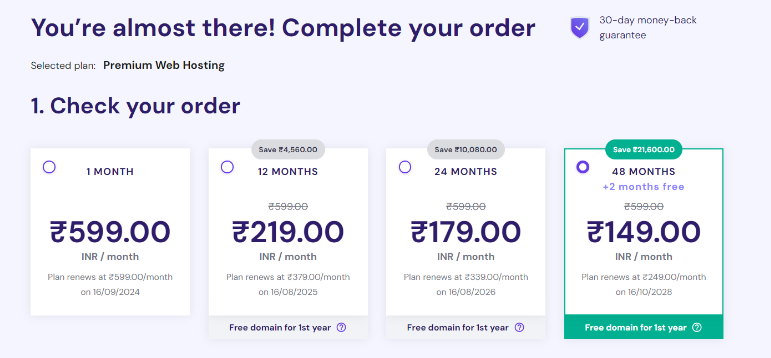
Step 5. If you are new to Hostinger, create a new account.
Step 6. Enter your billing address and provide your payment information.
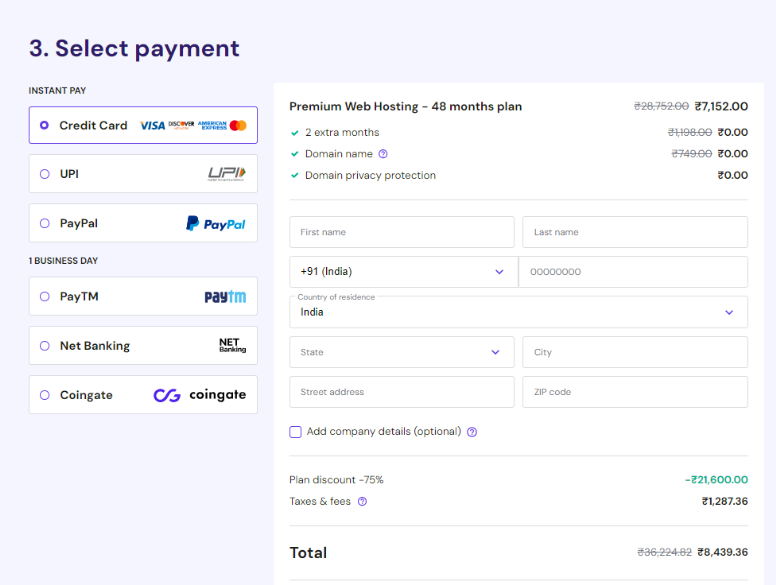
Step 7. Confirm your order and finalize the transaction.
The discount will be automatically applied during the checkout process. You don’t need to enter any special coupon code – the reduced price will be reflected in your total.
Related Reads:
Conclusion: Get Up To 83% Discount With Hostinger WordPress Hosting Coupon Codes!
Hostinger’s WordPress hosting plans offer exceptional value for money. With discounts ranging from 58% to 82%, these plans cater to various needs and budgets. Whether you’re starting a personal blog, running a business website, or managing an online store, there’s a plan that fits your requirements.
The additional bonuses, such as free domains, SSL certificates, email accounts, and CDN, further enhance the value of these hosting packages. The 30-day money-back guarantee also provides peace of mind, allowing you to try the service risk-free.
Remember, these discounts won’t last forever. If you’re in the market for reliable, high-performance WordPress hosting at an unbeatable price, now is the time to act.
Hostinger Domain Coupon Code (2025) — Get 97% OFF
When it comes to renewing your domain with Hostinger, many users face the challenge of losing the initial discounts they received during sign-up.
After your registration period ends, the costs can revert to standard rates, which can be quite a burden, especially for long-term domain owners.
While Hostinger doesn’t offer specific renewal coupons, there are ways to manage costs, like opting for longer registration periods upfront to lock in discounts.
In this article, we’ll explore your options and help you navigate Hostinger’s domain renewal process with ease.
Does Hostinger Offer Domain Renewal Coupons For Discounts?
The unfortunate reality is that Hostinger does not officially release any special coupon codes for domain renewals. This is the message you’ll see while registering your domain name for the first time.
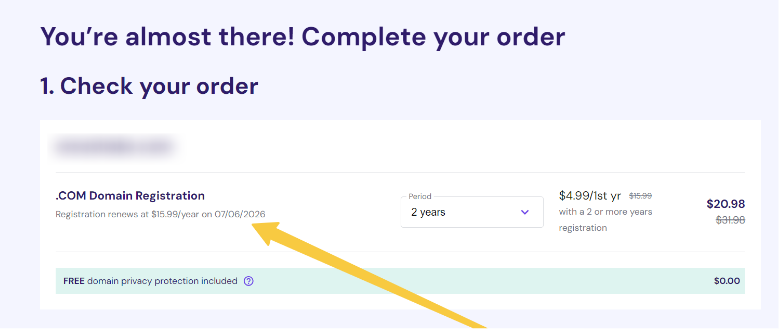
While third-party coupons may be available, it’s essential to approach them with caution and carefully consider the pricing information shared by Hostinger.
Available Discounts For Domain Registrations On Hostinger
Hostinger does offer discounts on domain registrations, but these are primarily for new domain purchases, not renewals.
So, before you reach a renewal stage, you can choose an extended domain registration period on Hostinger.
Available Hostinger domain discounts include the following:
| Domain Type | Available Discount |
|---|---|
| .com | 71% |
| .cloud | 90% |
| .shop | 97% |
| .io | 46% |
| .icu | 94% |
| .info | 84% |
| .pro | 88% |
| .online | 94% |
For further insights on the discounts on the specific domain type of your choice, visit the Hostinger domain page.
Price To Pay For Hostinger Domain Renewal
The cost of renewing a domain name with Hostinger can vary depending on the type of domain you have.
Here are some estimated prices for domain renewals:
| Domain | Renewal Price (per year) | Discounted Price (per year) |
|---|---|---|
| .com | $16.99 | $9.99 |
| .cloud | $19.99 | $1.99 |
| .shop | $34.99 | $0.99 |
| .io | $58.99 | $31.99 |
| .icu | $15.99 | $0.99 |
| .info | $24.99 | $3.99 |
| .pro | $24.99 | $2.99 |
| .online | $34.99 | $1.99 |
These prices are subject to change and may differ based on various factors, such as the TLD, the length of the renewal period, and the domain rates during renewal.
Hostinger Domain Name Renewal Terms And Conditions
Hostinger’s domain name renewal process is governed by their Domain Name Registration Agreement. There are two main types of domain renewals:
- Automatic Renewal: Hostinger will automatically renew your domain name when the expiration date approaches unless you manually opt out of this process.
- Manual Renewal: You can choose to renew your domain name manually before the expiration date. This allows you to have more control over the renewal process and potentially explore other domain registrars or negotiation options.
It’s essential to familiarize yourself with Hostinger’s domain renewal terms and conditions to ensure a seamless experience and avoid any unexpected charges or service disruptions.
Bottomline: Hostinger Does Not Offer Domain Renewal Discounts!
In summary, Hostinger does not provide any official coupon codes or discounts specifically for domain renewals. The company’s focus seems to be on offering discounts for new domain registrations rather than renewal periods.
If you’re a Hostinger customer, planning ahead and budgeting for your domain renewal costs is crucial.
While you may not be able to take advantage of any Hostinger-specific discounts, you can explore alternative domain registrars or negotiation strategies to save on your renewal expenses.
Remember to sign up for the longest time when first buying a new domain to get extended discounts and avoid high renewal costs!
Hostinger VPS Coupon (2025) – Get 69% OFF Discount
If you’re looking for a reliable and affordable VPS hosting solution, Hostinger has you covered. With a range of VPS plans designed to suit various needs, Hostinger offers up to 69% off on its hosting services, making it a budget-friendly choice for your online projects.
Whether you’re running a small website or a complex application, Hostinger provides flexible and powerful hosting options to support your growth.
In this article, we’ll guide you through the available VPS coupons and how to redeem them, helping you make the most of these fantastic discounts.
Let’s get started!
Hostinger VPS Coupon Code 2025: Key Pointers
- Hostinger offers up to 69% off on all four VPS hosting plans: KVM 1, 2, 4, and 8.
- Create a Hostinger account, add your information, and use the Hostinger VPS coupon code to get the discount.
- Hostinger offers up to an 82% discount on its web-hosting plans with the coupon code COUPONSPAGE.
What Are Currently Active Hostinger VPS Coupons?
Hostinger offers four VPS (Virtual Private Server) hosting plans, each customized for different business needs and requirements. At the same time, Hostinger is offering up to a 69% discount on its four plans.
Hostinger offers different discounts for its US and Indian customers. The maximum discount is 67% in the US, whereas it is 69% in India.
The following table shows the price, discount, and savings in USD for US customers.
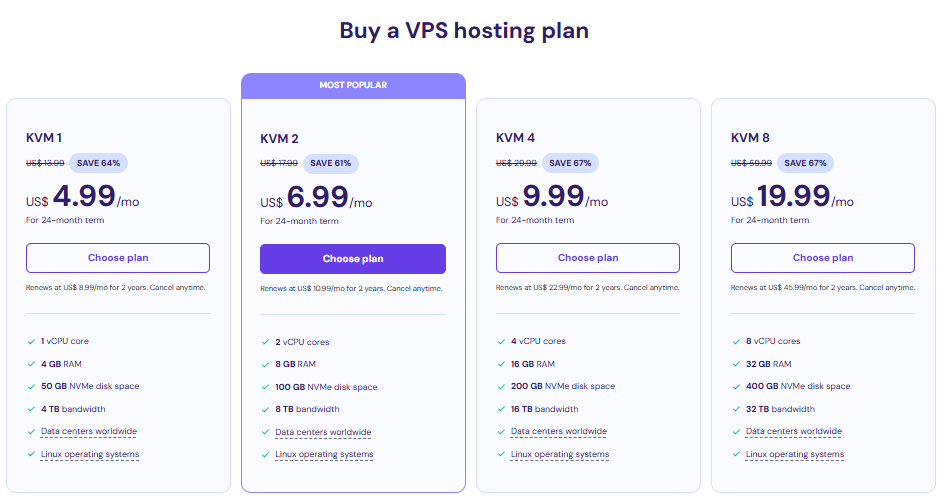
| Plan | Price | Discount | Discounted Price |
|---|---|---|---|
| KVM 1 | $13.99/month | 64% | $4.99/month |
| KVM 2 | $17.99/month | 61% | $6.99/month |
| KVM 4 | $29.99/month | 67% | $9.99/month |
| KVM 8 | $59.99/month | 67% | $19.99/month |
Moreover, the following table displays the Hostinger VPS deals in INR for Indian customers.
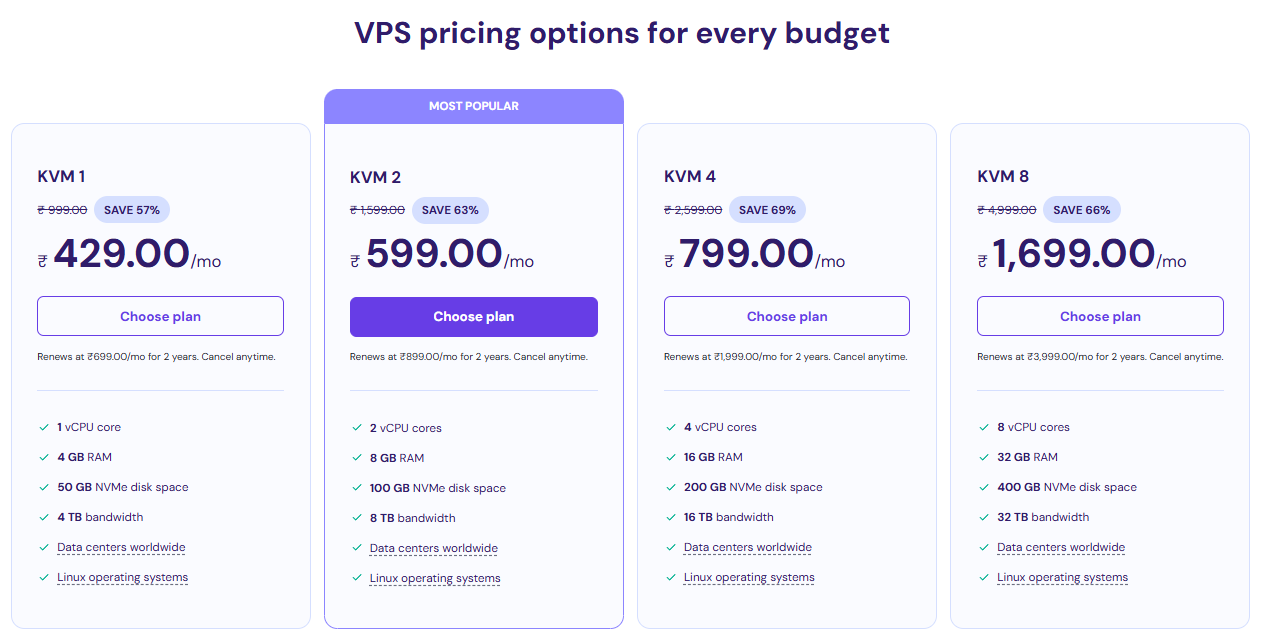
| Plan Name | Actual Pricing | Discount | Discounted Price |
|---|---|---|---|
| KVM 1 | ₹999/month | 57% | ₹429/month |
| KVM 2 | ₹1,599/month | 63% | ₹599/month |
| KVM 4 | ₹2,599/month | 69% | ₹799/month |
| KVM 8 | ₹4,999/month | 66% | ₹1,699/month |
Hostinger VPS is ideal for building complex projects like web apps, online gaming servers, and WordPress multisite. Unlike web hosting, in VPS, you don’t have to share CPU power, RAM, or disk space with other users.
Here’s a detailed explanation and the key features of the plans.
1. KVM 1: This entry-level plan suits small to medium-sized websites with moderate traffic. It provides one vCPU core, 4 GB of memory, 50 GB of disk space, and 4TB of bandwidth.
2. KVM 2: This plan is a container-type Virtual Private Server, ideal for growing businesses with increasing traffic demands. It offers two virtual CPU cores, 8 GB of RAM, 100 GB of NVMe SSD Storage, and 8 TB of Bandwidth.
3. KVM 4: KVM 4 is a reliable and feature-rich solution for small to medium-sized businesses and e-commerce stores. With four virtual CPU cores and 16 GB of RAM, it can handle moderate traffic and resource-intensive applications.
4. KVM 8: With 8 CPU cores, 32 GB of RAM, and 400 GB of NVMe SSD storage, this plan provides ample resources for running multiple applications and websites. The managed support team is also available to help with any issues or software installation.
How To Claim The Hostinger VPS Coupons?
Redeeming a Hostinger VPS coupon is not hard at all. The process is mostly similar to applying for a plan without a discount. It hardly takes 5 minutes. To claim Hostinger VPS coupons, follow these simple steps:
Step 1: Go to the Hostinger VPS plans site by clicking here.
Step 2: You’ll be taken to the Complete Your Order page. Select the duration of your chosen plan and scroll down to create an account.
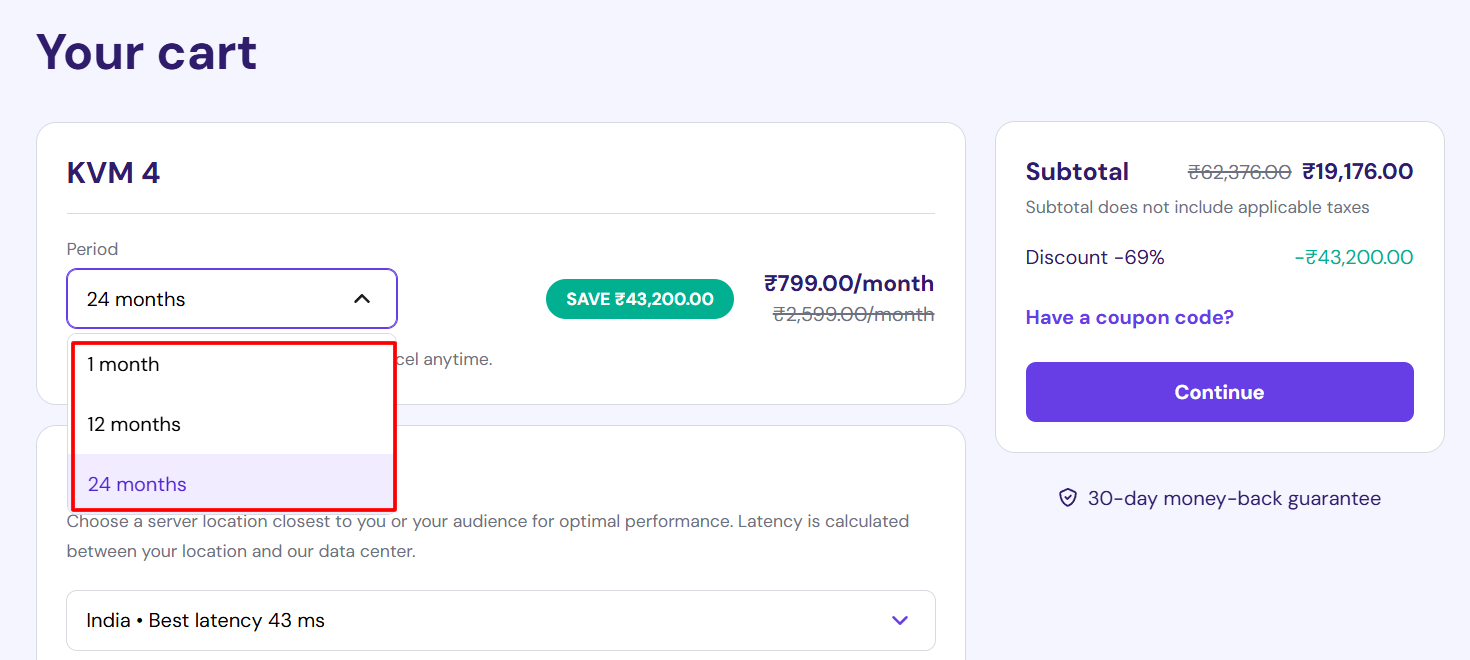
Step 3: You can create a Hostinger account with Google, Facebook, or Email. To create an account through email, add your email address and password.
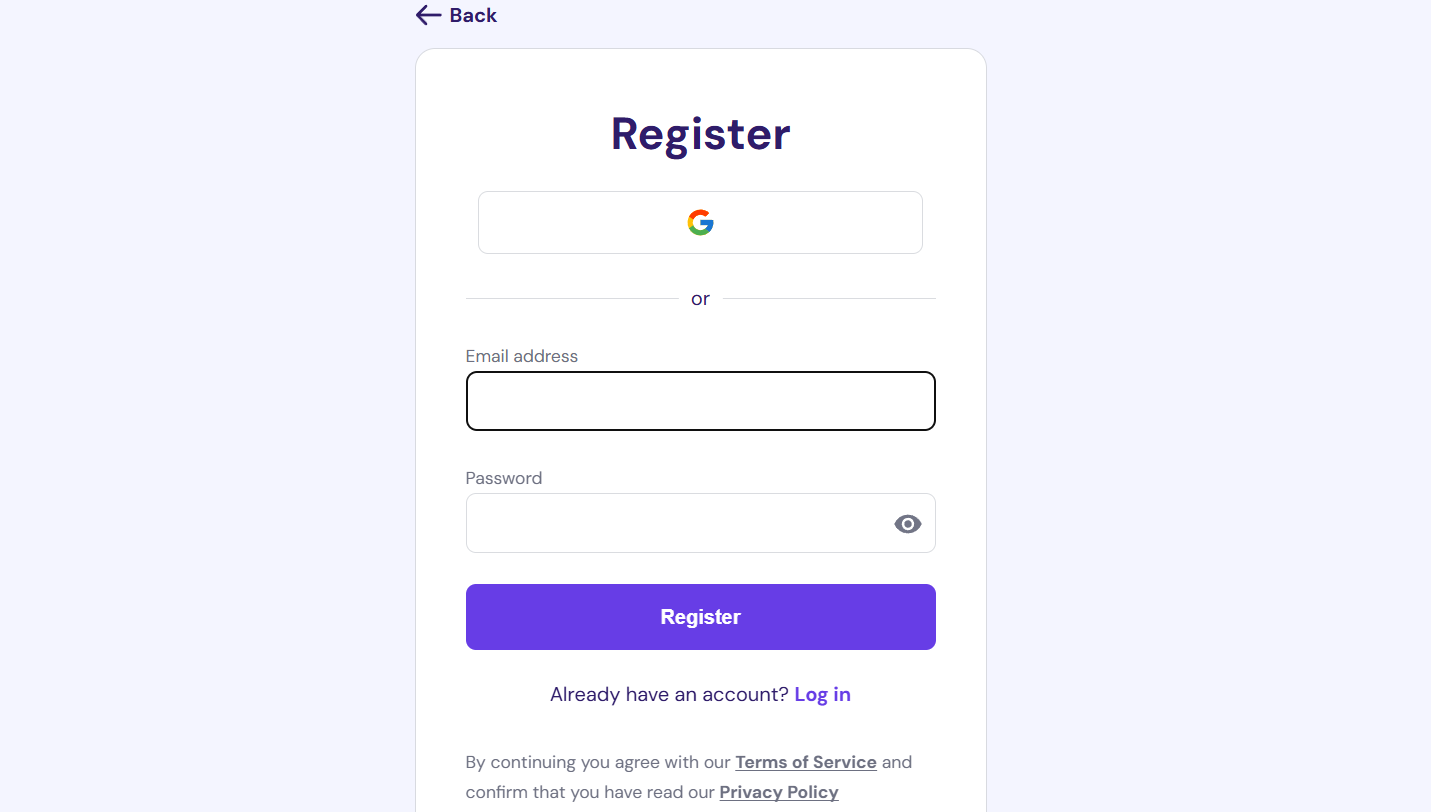
Step 4: You’ll be automatically directed to the payment section. Fill in the required information, such as first name, last name, country, state, and company details. Add coupon codes (if you have them) and card details. Then click Continue.
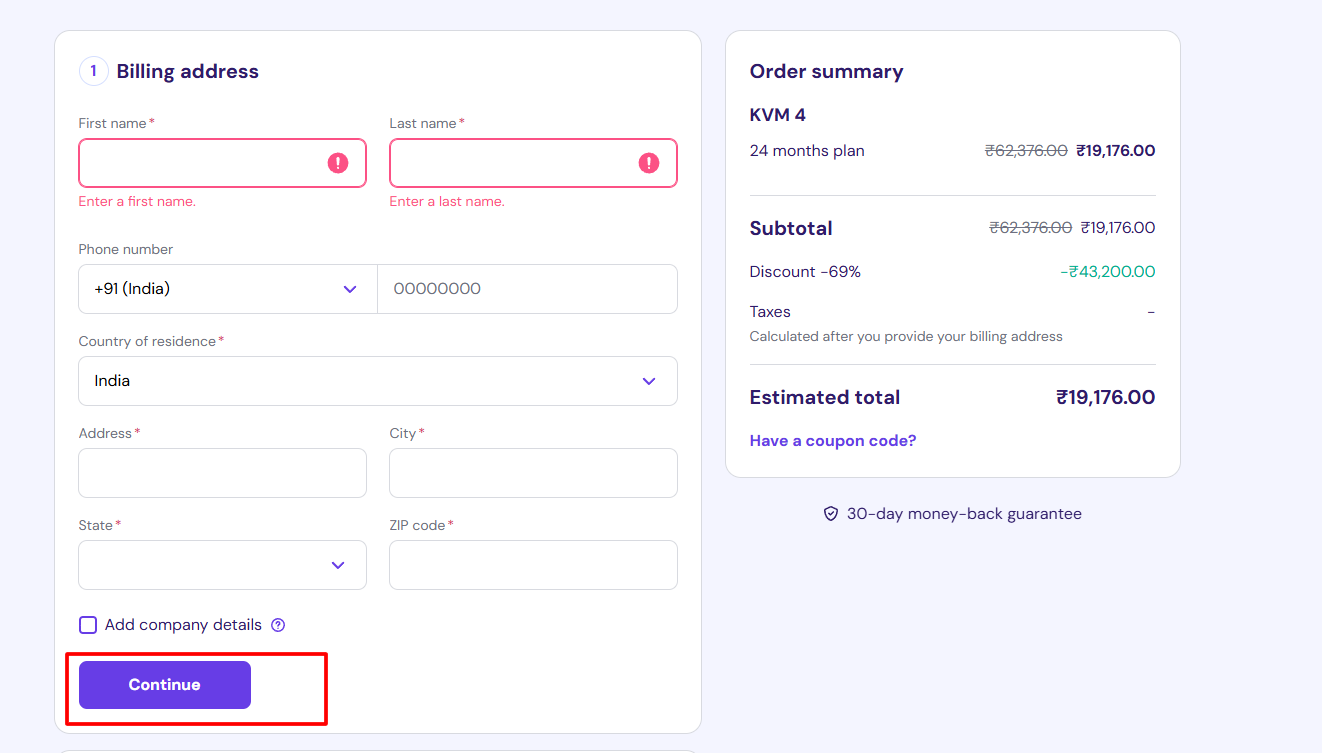
By following these steps, you can successfully claim Hostinger VPS coupons and enjoy a discount on the VPS plan.
These plans and discounts primarily focus on VPS hosting only. However, you can apply other discounts on Hostinger web hosting plans, cloud hosting plans, or business email plans. Each has its own set of discounts and promo codes. Let’s see what they are.
Other Hostinger Coupons
Apart from VPS Hosting, Hostinger offers three other features: Web hosting, cloud hosting, and business email. They have a separate pricing structure and provide distinct discounts. Let’s take a peek at their discounts.
1. Hostinger Web-Hosting Discounts
Hostinger also offers an additional discount structure, with up to 83% off various plans. Similar to the Hostinger VPS plan, the Web-hosting plan also offers different discounts for its US-based and Indian customers.
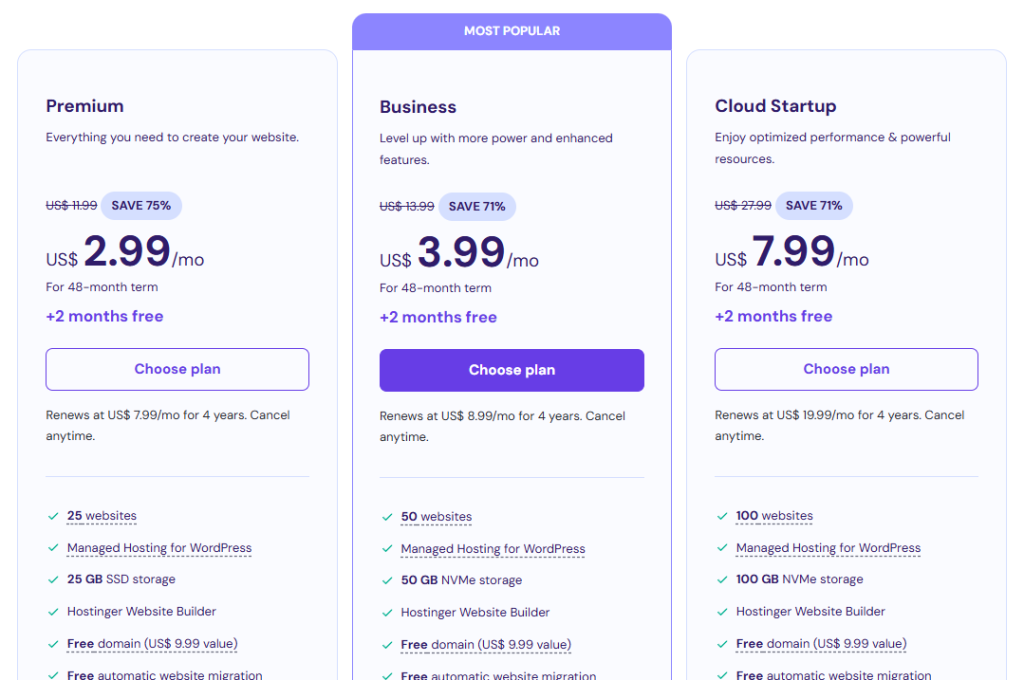
Let’s take a look at the discount for American customers in USD in the following table.
| Plan Name | Actual Price | Discount | Discounted Price |
|---|---|---|---|
| Premium | $11.99/month | 75% | $2.99/month |
| Business | $13.99/month | 71% | $3.99/month |
| Cloud Startup | $27.99/month | 71% | $7.99/month |
After viewing the discounts for US customers, let’s move on to the discounts for Indians in INR.
| Plan Name | Actual Price | Discount | Discounted Price |
|---|---|---|---|
| Single | ₹399/month | 83% | ₹69/month |
| Premium | ₹599/month | 75% | ₹149/month |
| Business | ₹699/month | 64% | ₹249/month |
| Cloud Startup | ₹1,699/month | 65% | ₹599/month |
The Premium Plan’s regular price is ₹599 per month, but with a 75% discount, it’s ₹450 less.
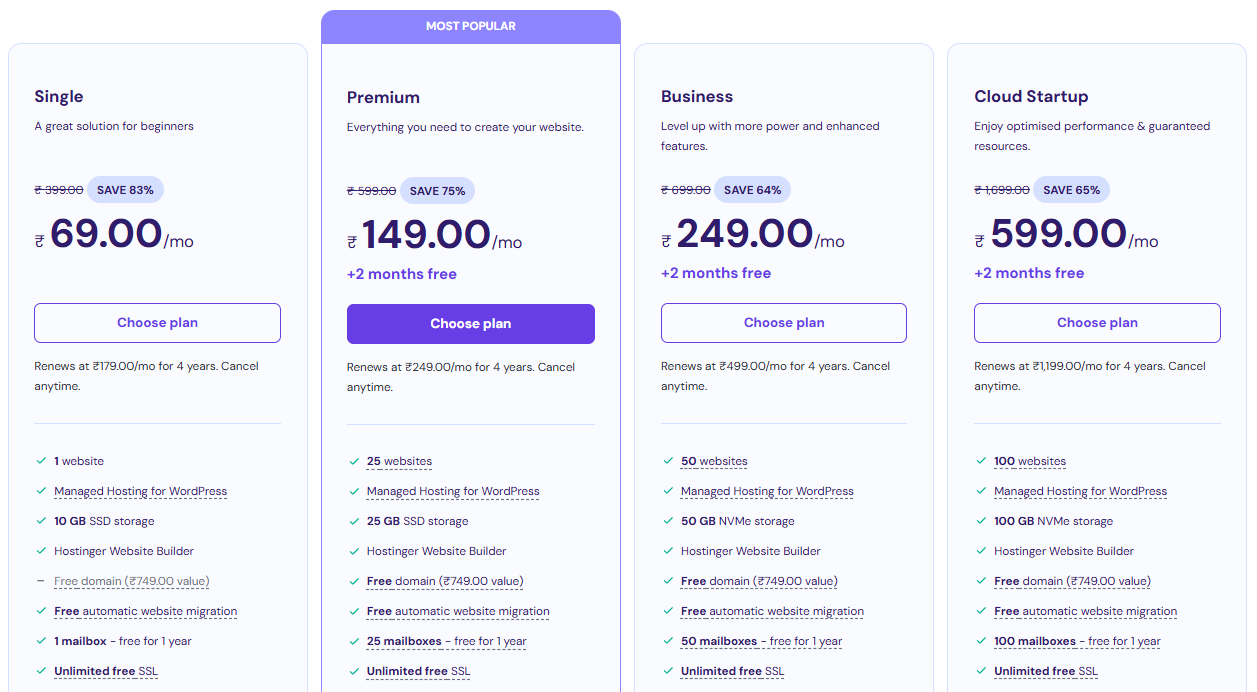
The Business Plan is available for ₹249 monthly after a 64% discount. The Cloud Startup Plan, usually $1,699 per month, is discounted by 65% to $599 per month, saving you $1,100 per month.
2. Hostinger Cloud Hosting Discounts
Hostinger also offers discounts on its cloud hosting plans. This table lists the discounts in USD.
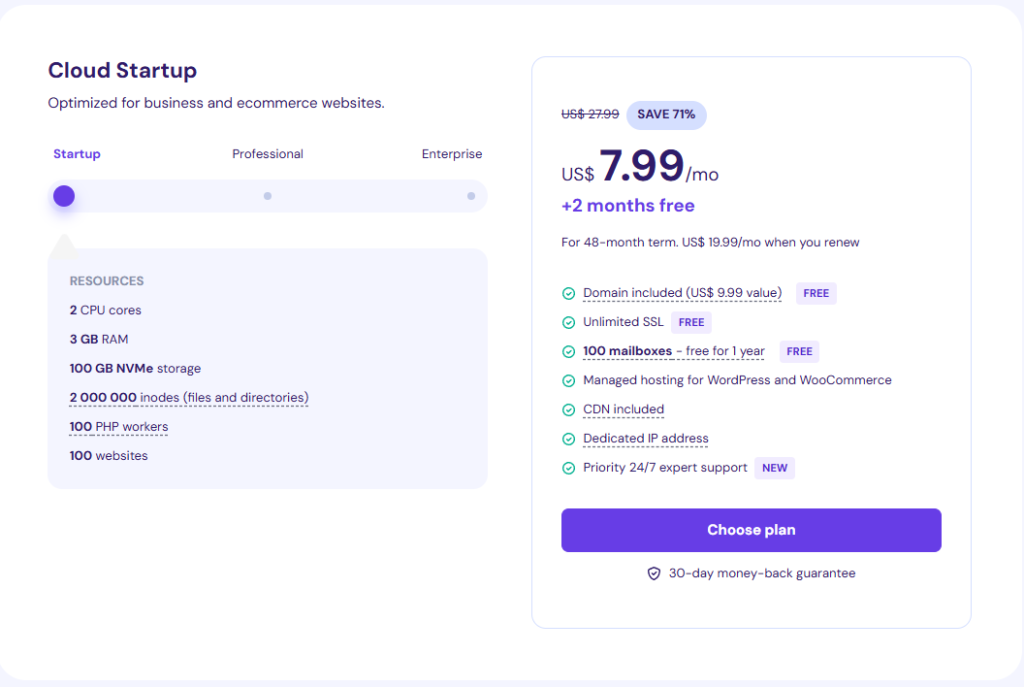
| Plan Name | Actual Pricing | Discount | Discounted Pricing |
|---|---|---|---|
| Cloud Startup | $27.99/month | 71% | $7.99/month |
| Cloud Professional | $47.99/month | 67% | $15.99/month |
| Cloud Enterprise | $69.99/month | 57% | $29.99/month |
The following table displays the Hostinger Cloud hosting discounts in INR.
| Plan Name | Actual Pricing | Discount | Discounted Pricing |
|---|---|---|---|
| Cloud Startup | ₹1,699/month | 65% | ₹599/month |
| Cloud Professional | ₹3,499/month | 74% | ₹899/month |
| Cloud Enterprise | ₹5,499/month | 65% | ₹1,899/month |
The Cloud Startup Plan is available for ₹599 per month after a 65% discount. The Cloud Professional Plan, which normally costs ₹3,499 per month, is now available for ₹899.
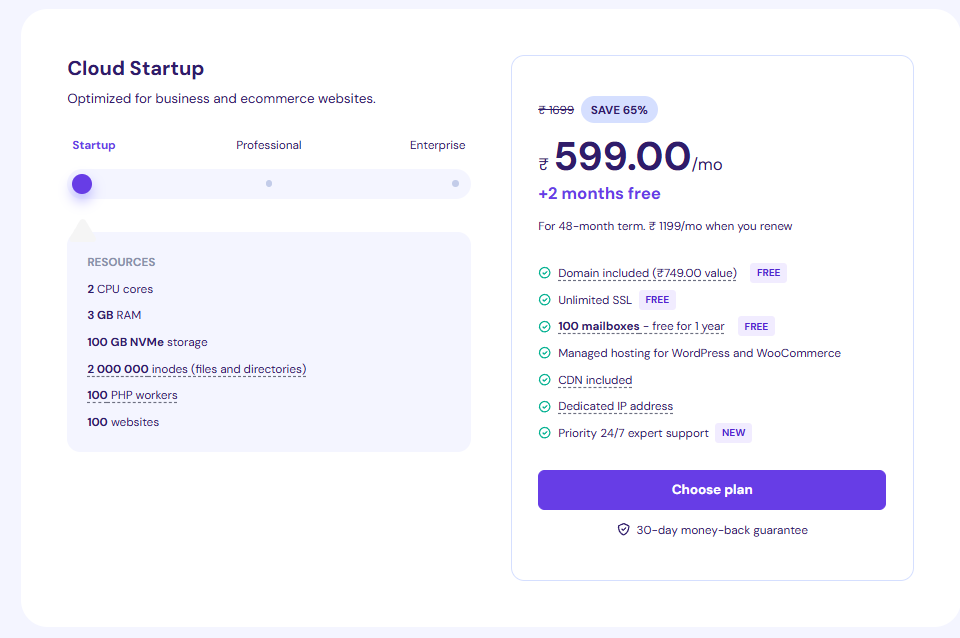
On the Cloud Enterprise Plan, after a 65% discount, you can save up to ₹3600 per month. Each of these plans offers three months of free features in addition to the discounts mentioned.
3. Hostinger Business Email Discount
In addition to web and cloud hosting, Hostinger also offers discounts on business email plans. The Hostinger business email plans have two plans: Starter and Premium.
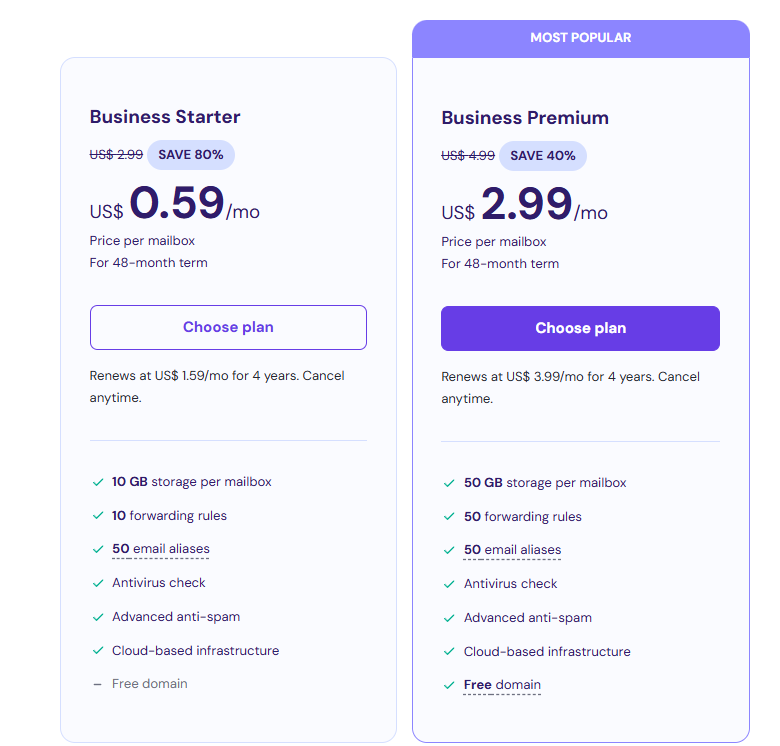
Hostinger offers an 80% discount to its American consumers. The following table shows these discounts.
| Plan Name | Actual Pricing | Discount | Discounted Pricing |
|---|---|---|---|
| Business Starter | $2.99/month | 80% | $0.59/month |
| Business Premium | $4.99/month | 40% | $2.99/month |
As Hostinger offers different deals for Indians, let us explore these discounted plans in INR in the following table.
| Plan Name | Actual Pricing | Discount | Discounted Pricing |
|---|---|---|---|
| Business Starter | ₹149/month | 81% | ₹29/month |
| Business Premium | ₹249/month | 68% | ₹79/month |
The Business Starter Plan, which generally costs ₹149 per month, is available for ₹29 per month after an 81% discount.
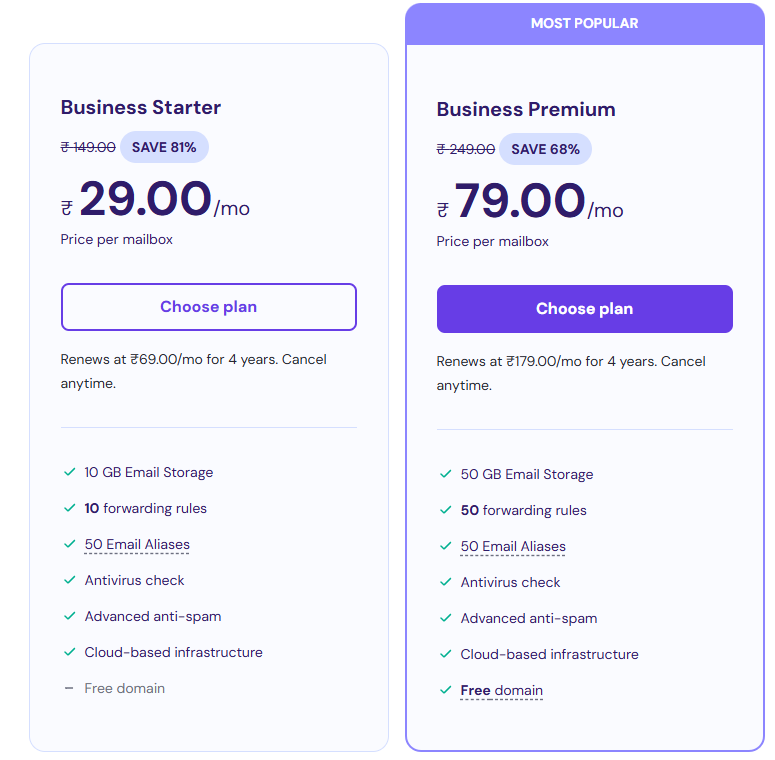
The Business Premium Plan, after a 68% discount, results in savings of ₹170 per month.
Hostinger’s myriad discounts across its various plans help you save a lot. That makes getting started with reliable web hosting and business email services easier and more affordable.
Related Read:
Conclusion: Hostinger Offers Up To 69% Off On Its VPS Plans!
Hostinger, a popular web hosting company, is offering up to 69% off its VPS hosting plans, such as KVM 1, 2, 4, and 8. These plans are meant to meet various business needs, from small websites to complex applications. The substantial discount on these plans will make your VPS hosting easier and more reliable.
Hostinger’s other plans also offer separate discounts. To redeem the Hostinger VPS coupon, get the coupon and follow the steps mentioned in this article. Save up to 69% on the Hostinger plan now!
FAQs
How do I get a maximum discount on Hostinger?
To get the maximum discount on Hostinger, you can look for promotional offers and use coupon codes. Currently, Hostinger’s best discount is 82% on the Single Web-hosting plan.
How many websites can I host on Hostinger VPS?
You can host multiple websites on Hostinger VPS, depending on your plan’s resources (RAM, CPU, storage). However, the Hostinger Premium plan allows 100 websites to be hosted, whereas the Cloud Startup allows 300 websites.
Can I resell Hostinger?
Yes, you can resell Hostinger’s services through their reseller hosting plans, but with some limitations. Hostinger reseller package will allow you to resell hosting services to your clients.
What is the VPS limit for Hostinger?
The Hostinger’s VPS limits vary by plan, ranging from 4 GB RAM, 1 CPU core, and 50 GB SSD storage (as in the KVM 1 plan) to 32 GB RAM, 8 CPU cores, and 400 GB SSD storage (as in the KVM 8 plan).
How do I enter a coupon code on Hostinger?
To enter a coupon code on Hostinger, go to the checkout page, find the “Coupon Code” field, enter your code, and click “Apply” to get the discount.
Hostinger Student Discount (2025) – Claim 78% OFF Now!
Looking for affordable web hosting as a student? Hostinger has you covered with an exclusive offer!
By partnering with Student Beans, Hostinger provides a 70% + 10% discount on their hosting plans for eligible students.
This guide will walk you through how to claim the discount, check eligibility, and maximize your Hostinger experience.
Whether you’re building a website or starting an online business, you can get high-quality hosting at an unbeatable price.
Let’s get started!
Does Hostinger Offer A Student Discount?
Hostinger does offer a student discount! By partnering with Student Beans, the platform provides a + 10% discount on all its hosting plans for verified students.
This means you can save even more on top of Hostinger’s already impressive discounts, allowing you to get high-quality web hosting at an incredibly affordable price.
But here’s a catch. The offered discount is only up to 78% or $38 for 12 months from subscription. More on this later.
Hostinger Student Discount Eligibility Criteria
To be eligible for the Hostinger student discount, you need to meet the following criteria:
- You must be a current student enrolled in a recognized educational institution.
- You need to verify your student status through the Student Beans platform.
- Need to have an official institute email address or verification documents.
How To Claim The Hostinger Student Discount?
Claiming the Hostinger student discount is a straightforward process. Here’s a step-by-step guide:
Step 1: Visit the Hostinger website and head to the student discount page.
Step 2: Click on the “Start Now” button and begin to verify your eligibility with Student Beans.
Step 3: Next, click on “Sign up/login” to begin your verification process for Student Beans.
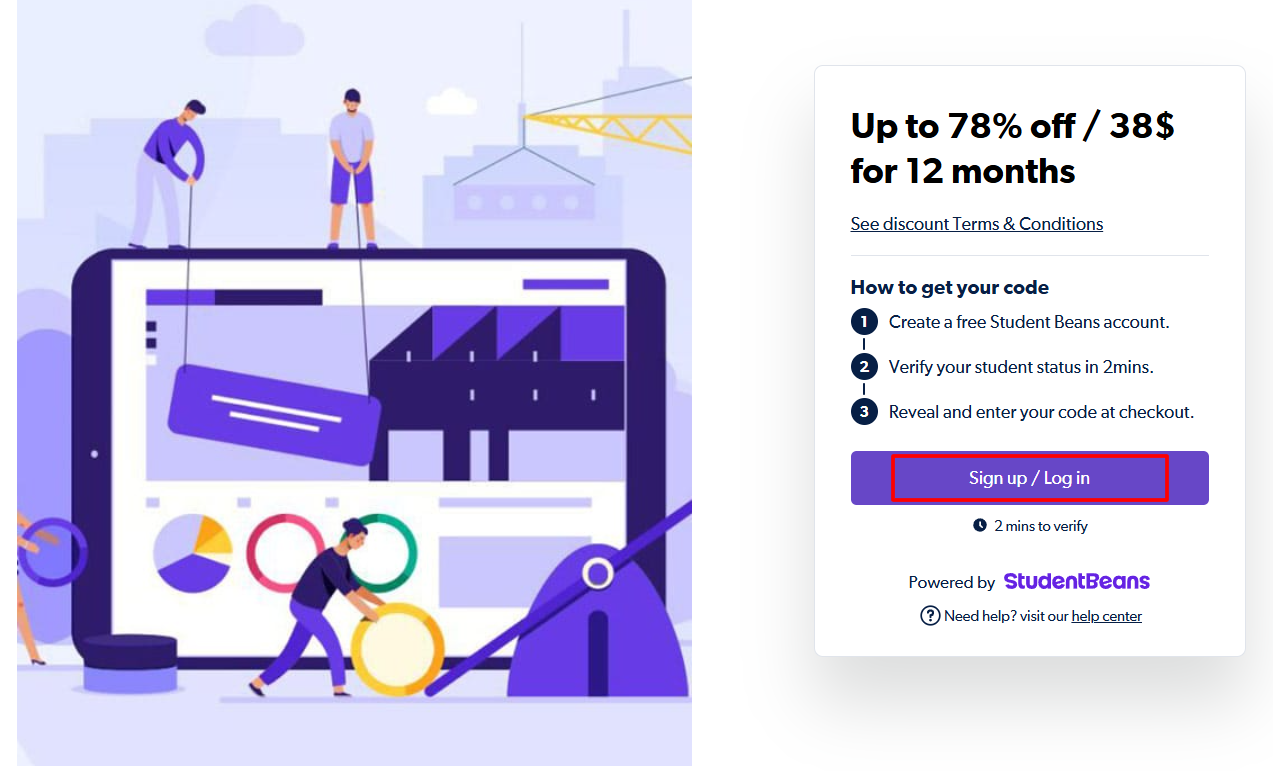
Note: As you can see in this step the available discount is 78% or $38 only for the first 12 months.
Step 4: If you are not a Hostinger user yet, you can follow the on-screen instructions to create an account and sign up for Hostinger.
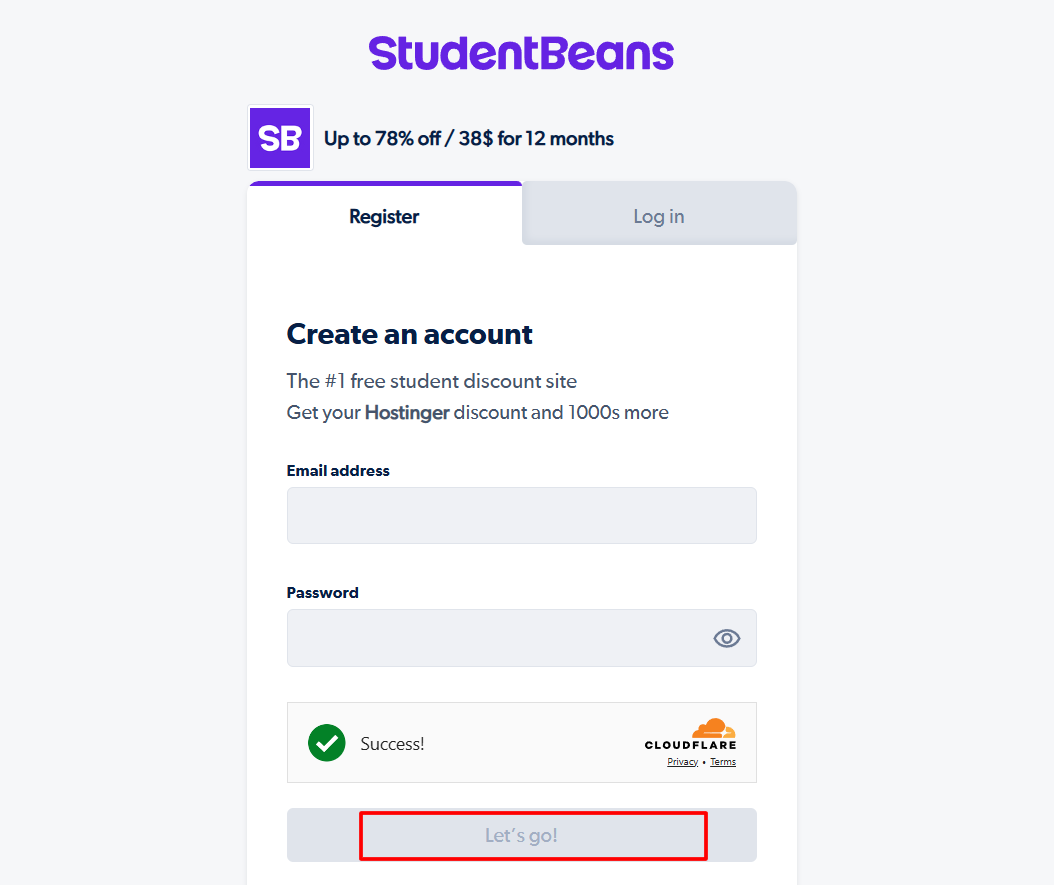
Step 5: Finally, Student Beans will need to verify your student status. Provide your graduation year and official institute email address to continue.
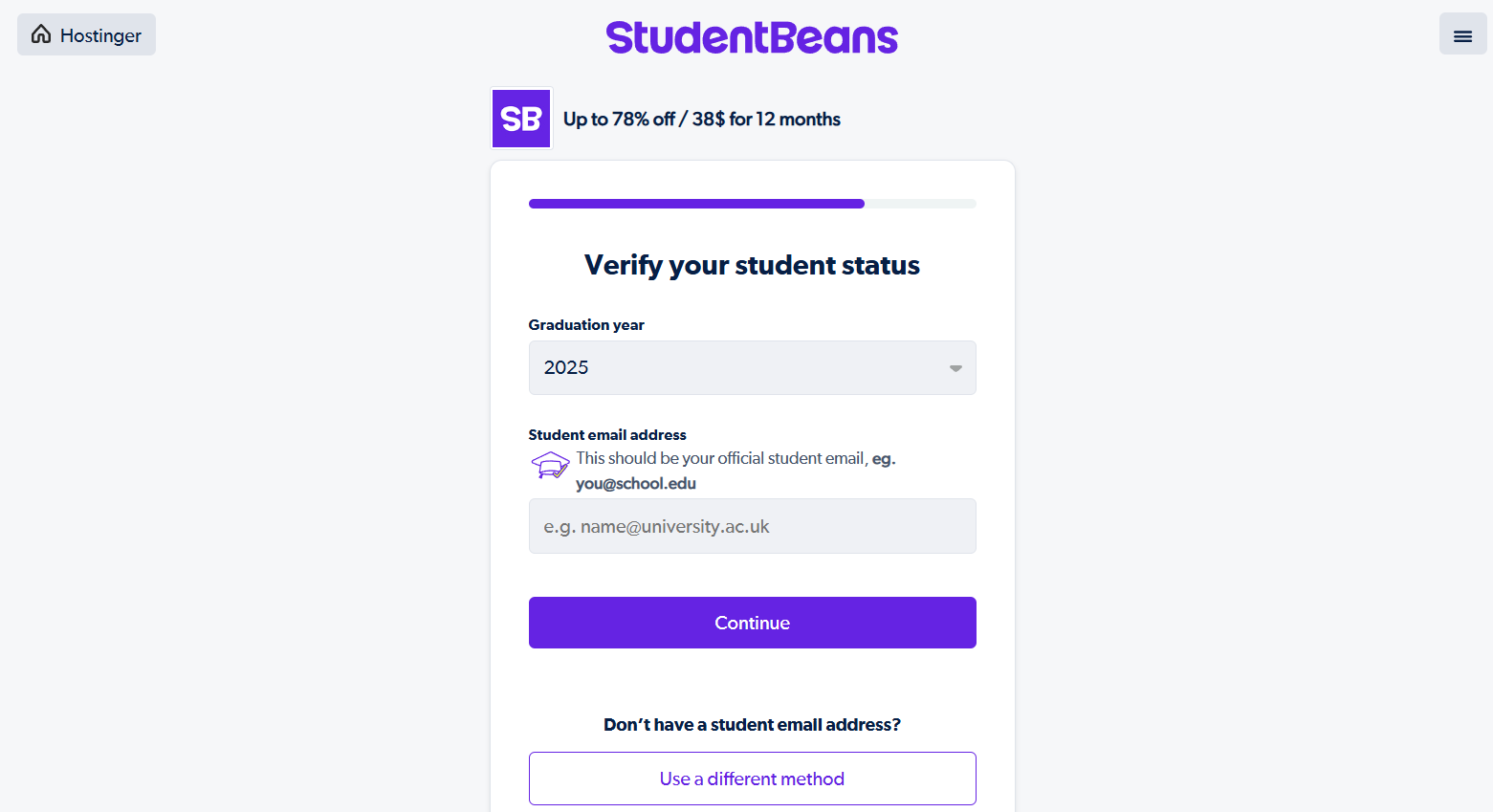
Note: If you don’t have an institute email, you can try an alternate method by uploading an official document, as can be seen in the image below.
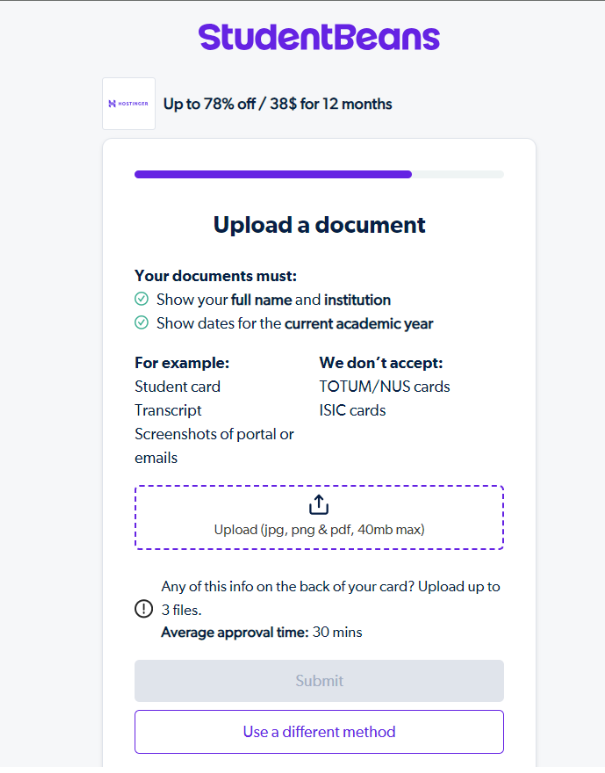
Step 6: Once your student status is verified, you’ll see the 10% discount automatically applied to the Hostinger plans.
Step 7: Select the hosting plan that best suits your needs and proceed with the checkout process.
Finally, enjoy your discounted Hostinger services and build your website or online business!
Other Available Discounts For Students On Hostinger
In addition to the 10% student discount, Hostinger offers several other discounts that can benefit students:
| Plan Name | Actual Price | Discounted Price | Discount Percentage |
|---|---|---|---|
| Web Hosting – Premium | $11.99/month | $2.84/month | 76% |
| Web Hosting – Business | $13.99/month | $3.99/month | 71% |
| Cloud Hosting – Cloud Startup | $27.99/month | $7.99/month | 71% |
| VPS Hosting – KVM 8 | $59.99/month | $19.99/month | 67% |
| WooCommerce Hosting – Business | $13.99/month | $3.99/month | 71% |
| Business Email – Business Starter | $2.99/month | $0.59/month | 80% |
| Website Builder – Premium | $11.99/month | $2.99/month | 75% |
Hostinger Refund Policy
Hostinger understands the importance of customer satisfaction and offers a risk-free 30-day money-back guarantee on its hosting plans.
If you’re unsatisfied with the service, you can cancel your account within 30 days and receive a full refund, no questions asked.
Does Hostinger Offer A Free Trial?
While Hostinger doesn’t offer a traditional free trial, they do provide great promotional offers that work as an alternative.
Hostinger frequently runs limited-time deals that include +2 to +3 months of free hosting when you choose select plans and longer subscription terms.
- On Premium and Business Web Hosting plans, you can often get +2 months free by selecting a 48-month subscription.
- Similarly, +3 months free is sometimes available on Premium, Business, and Cloud Startup plans under the same 48-month commitment.
These promotions allow you to test Hostinger’s features with extended free access, making it easier to assess whether the platform fits your needs. Once you’re ready to upgrade, you can choose from discounted plans for even more savings.
Bottomline: Students Can Save Up To 78% On Hostinger!
Hostinger’s student discount offers students an incredible opportunity to save big on their web hosting and online presence.
Combining the 10% student discount with Hostinger’s already heavily discounted plans allows you to save up to 78% on your hosting, domain, and other services.
Remember, this exclusive discount is only available through the Student Beans platform, so be sure to verify your student status and claim your savings today.
Don’t miss the opportunity and save up to 78% on your Hostinger web hosting purchase using the special Student Beans discount today!
Hostinger 90% OFF Coupon — Limited Time Offer
Hostinger, one of the most popular and affordable web hosting providers, offers up to 90% discounts on its hosting plans.
Whether you’re a beginner blogger, small business owner, or experienced developer, Hostinger has a plan tailored to your needs – at unbeatable prices.
In this comprehensive guide, we’ll explain everything you need to know about Hostinger’s 90% off coupon code, how to claim it, and the fantastic deals you can score on various hosting plans.
Get ready to launch your dream website without breaking the bank!
Hostinger 90% Off On Domain Registration
One of Hostinger’s most exciting offers is its massive discount on domain registration. For select domain extensions, you can save up to 90% off the regular price.
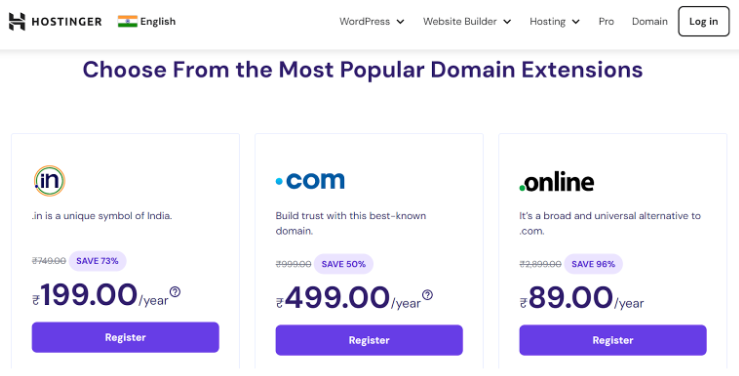
This is an incredible opportunity to secure your ideal domain name at a fraction of the cost.
Some of the popular domain extensions eligible for this discount include:
- .online – 96% off
- .com – 50% off
- .in – 73% off
- .io – 19% off
- .icu – 92% off
For example, a .com domain that costs around ₹999/year can be registered for as low as ₹499 for the first year. This allows you to save significantly on one of the most crucial aspects of your online presence – your domain name.
It’s important to note that these discounted rates usually apply to the first year of registration.
After that, domains will renew at the regular price. However, the initial savings can be substantial, primarily if you register multiple domains or combine them with a hosting plan.
Hostinger 90% OFF Coupon Code Availability
Hostinger offers various discount codes for different plans and services. Here’s a quick overview of some of the most popular plans and their discounted prices:
| Hostinger Plan | Hostinger Plan Type | Plan Price Without Discount | Coupon Code Discount | Plan Price after discounts |
|---|---|---|---|---|
| Single | Hosting | ₹599.00/mo | 82% | ₹69.00/mo |
| Premium | Hosting | ₹699/mo | 79% | ₹122.55/mo |
| Premium | WordPress Hosting | ₹599.00/mo | 78% | ₹129.00/mo |
| Premium website builderer | Website Builder | ₹599.00/mo | 78% | ₹129.00/mo |
| KVM 4 | VPS Hosting | ₹1,599.00/mo | 67% | ₹599.00/mo |
| Business Starter | Business email | ₹149.00/mo | 73% | ₹39.00/mo |
As you can see, the discounts are substantial across all plan types, allowing you to save significantly on your hosting costs.
Steps To Claim Hostinger Coupon Up To 90% Domain Off
Claiming your Hostinger 90% off coupon code is a straightforward process. Follow these steps to ensure you get the maximum discount:
Step 1: Visit the Hostinger website to select the domain and its discount.
Step 2: Select your desired domain name. If you’re taking advantage of the 90% off domain offer, choose an eligible domain extension.
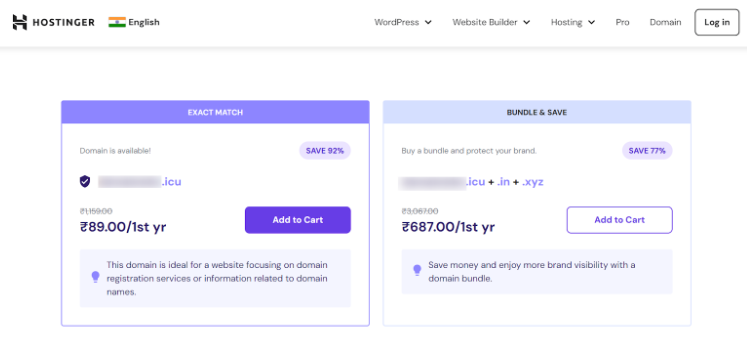
Step 3: On the checkout page, you’ll see a field labeled “Have a coupon code?” You do not need to add any coupons and can still receive a discount straight up.
Step 4: Complete the checkout process by entering your payment information.
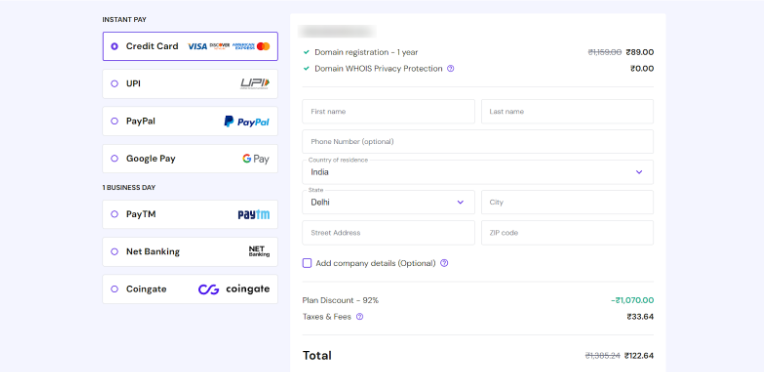
Step 5: Review your order to ensure all discounts have been applied correctly.
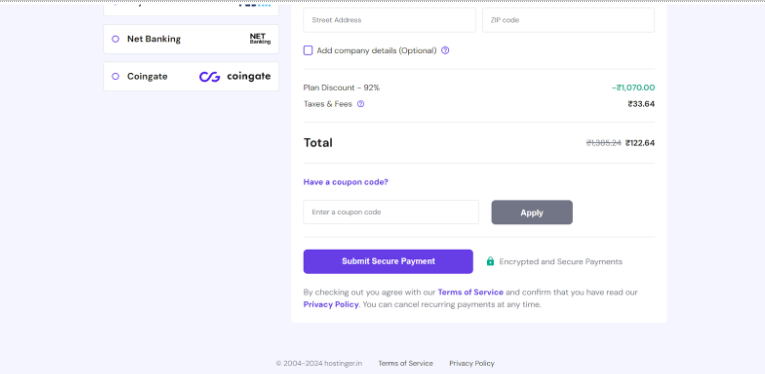
Step 6: Confirm your purchase and get ready to start building your website!
Remember, you don’t need any coupon code to claim your 90% domain discount on Hostinger.
Hostinger Pricing Plans
Let’s take a closer look at the pricing plans for various Hostinger services, including the discounted rates available with our coupon code:
WordPress Hosting
| Plan | Regular Price | Discounted Price | Savings |
|---|---|---|---|
| Premium | ₹599/mo | ₹129/mo | 78% |
| Business | ₹699/mo | ₹249/mo | 64% |
| Cloud Startup | ₹1699/mo | ₹699/mo | 58% |
Website Builder
| Plan | Regular Price | Discounted Price | Savings |
|---|---|---|---|
| Premium | ₹599/mo | ₹129/mo | 78% |
| Business | ₹699/mo | ₹249/mo | 64% |
Cloud Hosting
| Plan | Regular Price | Discounted Price | Savings |
|---|---|---|---|
| Cloud Startup | ₹1699/mo | ₹699/mo | 58% |
| Cloud Professional | ₹2999/mo | ₹799/mo | 66% |
| Cloud Enterprise | ₹5399/mo | ₹2499/mo | 53% |
VPS Hosting
| Plan | Regular Price | Discounted Price | Savings |
|---|---|---|---|
| KVM 1 | ₹999/mo | ₹439/mo | 56% |
| KVM 2 | ₹1599/mo | ₹599/mo | 62% |
| KVM 4 | ₹2599/mo | ₹849/mo | 67% |
| KVM 8 | ₹4999/mo | ₹1699/mo | 66% |
WooCommerce Hosting
| Plan | Regular Price | Discounted Price | Savings |
|---|---|---|---|
| Business | ₹699/mo | ₹249/mo | 64% |
| Cloud Startup | ₹1699/mo | ₹699/mo | 58% |
| Cloud Professional | ₹2999/mo | ₹999/mo | 66% |
Business Email
| Plan | Regular Price | Discounted Price | Savings |
|---|---|---|---|
| Business Starter | ₹149/mo | ₹39/mo | 73% |
| Enterprise Premium | ₹249/mo | ₹79/mo | 68% |
These discounted prices represent significant savings across all of Hostinger’s hosting solutions, making it an excellent time to invest in your online presence.
Hostinger Refund Policy
Hostinger stands behind its services with a 30-day money-back guarantee. This policy applies to most of their hosting plans, including shared, WordPress, and cloud hosting.
Here’s what you need to know about Hostinger’s refund policy:
- You can request a full refund within the first 30 days of your initial purchase.
- The refund applies to hosting services only. Domain registrations and additional services are generally non-refundable.
- If you’ve received a free domain with your hosting plan and request a refund, the regular domain fee will be deducted from your refund amount.
- Refunds are typically processed within 7-10 business days.
This generous refund policy allows you to try Hostinger’s services risk-free, giving you peace of mind when purchasing.
Does Hostinger Offer A Free Trial?
While Hostinger doesn’t offer a traditional free trial, they provide a free hosting plan with limited features. This plan includes:
- 1 Website
- 300 MB SSD Storage
- 3 GB Bandwidth
- Cloudflare Protected Nameservers
- 99% Uptime Guarantee
The free plan is an excellent way to test Hostinger’s platform and get familiar with their control panel. However, it comes with limitations and is unsuitable for most business websites or high-traffic blogs.
For those serious about their online presence, it’s recommended to take advantage of the Hostinger discounts and 30-day money-back guarantee to try out Hostinger’s premium features risk-free.
Conclusion: Hostinger Domain And Hosting Plan Offers Discounts Up To 90%!
Hostinger’s 90% off coupon code presents an incredible opportunity to secure top-notch web hosting at a fraction of the regular cost.
With discounts available across on domains and all plan types – from shared hosting to VPS and cloud solutions – there’s never been a better time to launch your website or upgrade your existing hosting.
Key takeaways from this guide include:
- Massive savings of up to 90% off on various hosting plans and domain registrations.
- An additional bonus of 2 months of free hosting on select plans.
- A wide range of hosting solutions to suit different needs and budgets.
- 30-day money-back guarantee for a risk-free trial.
Don’t miss out on this opportunity to secure premium hosting at unbeatable prices.
Happy hosting!
FAQs
How long does the Hostinger 90% off coupon code last?
The duration of the offer may vary, but typically, these promotions run for a limited time. It’s best to take advantage of the discount immediately to ensure you don’t miss out.
Can I use the Hostinger coupon code for renewals?
Generally, Hostinger’s coupon codes are for new purchases only. However, you can often lock in the discounted rate for up to 48 months by choosing a more extended subscription period initially.
Is the 90% off applicable to all Hostinger products?
The maximum 90% discount is usually available on select plans and longer subscription periods. Other products may have different discount percentages, but significant savings are available across most of Hostinger’s offerings.
What happens after the discounted period ends?
After your initial discounted period ends, your plan will renew at the regular rate unless you cancel. It’s important to note the regular pricing when making your purchase decision.
Can I upgrade my plan later if I start with a discounted basic plan?
You can. Hostinger allows you to upgrade your plan at any time. You’ll only pay the difference in price between your current plan and the new one, prorated for the remaining time on your subscription.
When it comes to web hosting, finding a reliable and affordable provider is crucial for anyone looking to establish an online presence. Hostinger has gained popularity for its competitive pricing and feature-rich plans.
However, many potential customers wonder if Hostinger offers lifetime deals. In this article, we’ll explore Hostinger’s offerings, clarify the misconception about lifetime deals, and provide an overview of their current plans and discounts.
We’ll also discuss the bonuses that come with their subscriptions, their refund policy, and the recent changes to their free hosting service.
Does Hostinger Offer Lifetime Deals?
It’s important to clarify right from the start that Hostinger does not offer lifetime deals or hosting plans to either new or existing users. This has been their consistent policy, and there’s no indication that they plan to change this approach in the future.
Instead, Hostinger focuses on providing long-term subscription options, with their longest plans extending up to 4 years for users who are committed to using their services for an extended period.
However, Hostinger does provide one lifetime feature: a free SSL certificate. When you purchase any of their web or cloud hosting plans, you receive a lifetime SSL certificate that you can install and use for your domains and subdomains for as long as you maintain your hosting account with Hostinger. This adds value to their plans and helps ensure the security of your website.
Active Hostinger Deals And Discounts
One of the most attractive aspects of Hostinger is its consistent offering of discount deals on its website. These discounts make their already competitive prices even more appealing, especially for new users.
Currently, Hostinger offers up to 78% discount on 4-year hosting purchases. This significant reduction in price makes it an excellent option for those looking to secure hosting for the long term while maximizing their savings.
Although you will get a free domain with hosting purchases. But if you want to purchase a custom domain, you can get up to 90% off on domain registration.
These discounts apply to various plans, including shared hosting, cloud hosting, and even Hostinger VPS hosting options. The exact discount percentage may vary depending on the specific plan and the length of the subscription you choose.
Bonuses With Hostinger Discount
In addition to the substantial discounts, Hostinger sweetens the deal with several bonuses that add even more value to their plans:
- 3 Months Free: When you opt for a 4-year subscription, Hostinger often includes an additional 3 months of hosting at no extra cost. This effectively extends your hosting period to 51 months for the price of 48.
- Risk-Free Money-Back Guarantee: Hostinger offers a 30-day money-back guarantee on all their plans to give customers peace of mind. This allows you to try their services risk-free and request a full refund if you’re not satisfied within the first month.
- Free Domain for One Year: Most of Hostinger’s plans include a free domain name registration for the first year. This saves you the additional expense of purchasing a domain separately when launching your website. After one year, you can renew your domain with our Hostinger domain coupon codes.
- Free SSL Certificate: As mentioned earlier, all Hostinger plans come with a free lifetime SSL certificate. This not only enhances your website’s security but also improves its SEO performance and builds trust with your visitors.
These bonuses, combined with the discounted prices, make Hostinger’s offerings particularly attractive for those looking to launch a new website or migrate an existing one to a more affordable hosting provider.
Hostinger Plans And Subscriptions (With Discount Offers)
Let’s take a closer look at Hostinger’s main plans and their current discount offers:
| Hostinger Plans | Discount | Regular Price | Discounted Price |
|---|---|---|---|
| Web Hosting | 78% off | ₹599/month | ₹129/month |
| Hostinger Pro | 66% off | ₹2999/month | ₹999/month |
| Website Building | 78% off | ₹599/month | ₹129/month |
| Hostinger VPS | 66% off | ₹4999/month | ₹1699/month |
| Game Server Hosting | 77% off | ₹8259/month | ₹1819/month |
Note: These discounted prices typically apply to the longest billing terms. For example, to get the ₹129/month rate on the Web Hosting plan, you’ll need to commit to a 48-month subscription. However, even with shorter terms, the discounts are still significant compared to the regular prices.
Hostinger Refund Policy
Hostinger stands behind the quality of its services with a customer-friendly refund policy. They offer a 30-day money-back guarantee on all their plans. This means that if you’re not satisfied with your purchase for any reason, you can request a full refund within the first 30 days of your subscription.
This policy allows new customers to try Hostinger’s services with confidence, knowing they can get their money back if the service doesn’t meet their expectations.
However, it’s important to note that the refund typically only applies to the hosting fees. Additional services like domain registrations are usually non-refundable, as these are costs that Hostinger incurs directly from domain registrars.
Does Hostinger Offer Free Hosting?
In the past, Hostinger did offer a free hosting plan with limited features. This plan was popular among beginners and those looking to experiment with web hosting without financial commitment. However, as of July 8, 2024, Hostinger has made the decision to discontinue this free hosting service.
The company is no longer accepting new users for the free plan, and the service will be completely shut down from 2025. This decision likely stems from the challenges of maintaining a free service while ensuring quality and security for all users.
While the end of the free hosting option might disappoint some, it’s worth noting that Hostinger’s paid plans, especially with their significant discounts, remain very affordable.
Conclusion: There Is No Lifetime Deal Available On Hostinger!
While Hostinger doesn’t offer lifetime deals, its long-term subscription options with substantial discounts provide excellent value for money. With discounts of up to 78% on their various hosting plans, free bonuses like SSL certificates and domain names, and a 30-day money-back guarantee, Hostinger presents an attractive proposition for both beginners and experienced webmasters.
The recent discontinuation of their free hosting plan marks a shift towards focusing on providing high-quality, affordable paid services. This move is likely to result in improved performance and support for all users.
For those in need of reliable and cost-effective web hosting, Hostinger’s current offerings strike a good balance between affordability and features. Just remember to take advantage of their long-term discounts to maximize your savings.
Email Us: hello@hostingcoupon.in